Kawaii Halloween Decor Without Gore or Jump Scares

Create a gentle Halloween look with pastel colors, friendly ghosts, easy no-carve accents, and practical safety tips for your home.
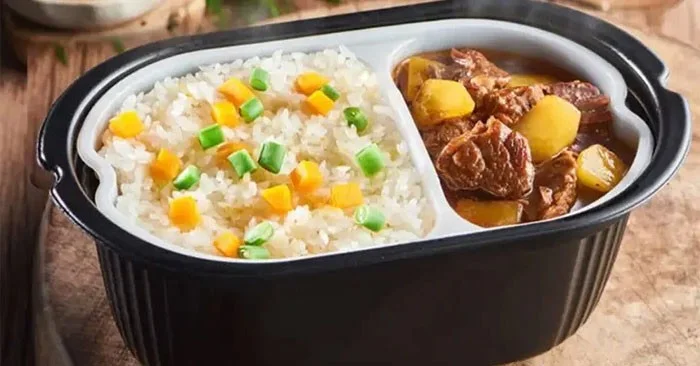
Self-cooking rice, also known as self-boiling lunch boxes, can cook itself without using a gas or electric stove.
How does self-cooking rice work?
The secret to self-cooking rice lies in the "self-boiling" packet placed at the bottom of the plastic box. When you pour water in, the ingredients in the self-boiling packet will participate in a chemical reaction, creating a large amount of heat in a short time to heat the water and cook the food.
This self-boiling package mainly contains calcium oxide (quicklime), diatomite, activated carbon, iron powder, aluminum powder, sodium sulfate, etc. Among them, calcium oxide is the main heating component, which helps to disperse the heating components, react with water to generate heat, and eliminate odors during heating. Iron powder and aluminum powder also undergo oxidation reactions under alkaline conditions, both of which can release a large amount of heat.
Thus, self-cooking rice uses the principle of quicklime generating heat when in contact with water to heat the food.
Self-cooking rice - is what you're eating real rice?
Why does it usually take at least 30 minutes to cook rice in a rice cooker but only a few minutes in auto-cooked rice?
In fact, the “rice” in self-cooked rice is not real rice but recombinant rice. The process of producing self-cooked rice includes grinding raw materials (broken rice or rice), adding ingredients (glutinous rice flour, wheat flour, etc.) and food additives (humectants, emulsifiers, etc.), then steaming and cooking through a high-temperature extrusion process, then cooling and shaping.
The starch structure of this recombinant rice has changed so the cooking time is very short compared to original rice.
Adding so many things not only changes the composition of the original rice to cook faster, but also changes the nutrition of the self-cooked rice.
The process of starch digestion in the human digestive system is amylase hydrolyzing starch into oligosaccharides, disaccharides, and monosaccharides. As for self-cooked rice, the starch has been partially decomposed and contains more disaccharides and oligosaccharides than regular rice because it is produced by recombinant extrusion technology. Therefore, the process of producing self-cooked rice will replace part of the work of digestive enzymes. This makes self-cooked rice easier to digest, the blood sugar level after a meal of this type of rice will be higher than regular rice, which is good for people with insufficient digestive secretions, but not good for people with abnormal blood sugar levels.
The high-temperature extrusion process will also cause self-cooked rice to lose some of its B vitamins - the loss rate of vitamin B1 and vitamin B2 can be up to 53.8% and 19.4%, respectively, reducing the digestibility of vegetable protein and the utilization of amino acids.
Create a gentle Halloween look with pastel colors, friendly ghosts, easy no-carve accents, and practical safety tips for your home.
Create a spooky office cubicle with Halloween desk decor ideas that keep your workspace usable, tidy, and mindful of workplace safety.
Plan a recognizable Halloween 2026 look with pop culture costumes inspired by Spider-Man, Supergirl, Toy Story 5, Moana, Mario, and Wednesday.
Sort leftover Halloween candy safely, share or repurpose sealed treats, and choose food use or compost for pumpkins based on their condition.
Compare workplace Halloween costume choices by respect, dress code, mobility, and safety—and learn when a subtle accessory or a policy check is the better option.
Find a couples costume that fits your style, budget, and comfort level, from Addams Family classics to original inside-joke duos.
Need a last-minute high school Halloween costume? Compare 10 easy closet-based ideas by prep time, comfort, school-day practicality, and simple safety checks.
Use a simple 2026 Halloween decorating timeline for indoor décor, outdoor displays, and fresh pumpkins, with practical adjustments for weather and events.
Mix five vivid, approachable Halloween cocktails with measured recipes, simple prep tips, and an alcohol-free option for your party guests.
Find 15 office-friendly Halloween costume ideas for 2026, with practical checks for dress codes, respectful themes, comfort, and workplace safety.








