Planning to build a new gaming PC or upgrade your existing PC into a dedicated gaming rig but not sure how much storage you need? Find out below.
( Note: The hard drives mentioned in this article are solid state drives (SSDs)).
Don't play AAA games? Start with 500GB
500GB of SSD storage is the bare minimum for a gaming PC, but only if you're not a fan of AAA games, or only need to install a handful of games on your PC at once.
After factoring in the size of the Windows installation, essential applications, and personal data stored on the system drive, you're left with about 450GB of space for games. Add in a few multiplayer games, and that drops to about 300GB or less, which is enough for a few games with so-called high graphics.
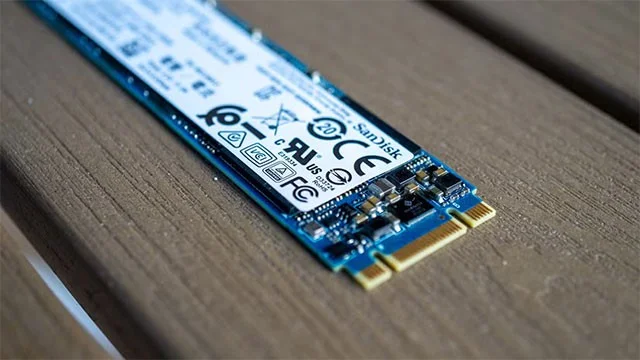
If you're okay with having 300GB of SSD storage for games, then fine. But the reality is that 300GB is unlikely to be enough unless you're willing to periodically delete old games to make room for new ones (which you'll probably have to do, even with more storage).
If you recently purchased a pre-built gaming PC or a gaming laptop that only included a 500GB SSD, it's because manufacturers are only using the base number to optimize profits and selling price. If you need more than the base, you should upgrade to at least a 1TB SSD as soon as possible.
I wouldn't choose anything less than 1TB of storage.
If you’re building your own PC, I recommend getting at least a 1TB SSD. They’re only $10 to $20 more expensive than 500GB models. You can get one of the best SSDs for gaming, like the TEAMGROUP MP44L (a fast NVMe SSD) for around $55, and solve your storage problem from the start. Don’t just go with a 500GB SSD and then save up for a new one because you don’t have enough storage.
This amount of storage is enough to keep a few AAA games, some multiplayer titles, and a ton of indie and older games. Plus, you'll have enough free storage to install new releases as they come out.

2TB is optimal for most gamers
2TB is the optimal storage capacity for the average PC gamer who plays both single- and multiplayer games, as well as AAA and indie titles. A 2TB SSD offers the best value for money when it comes to price per gigabyte. One of the best SSDs available today, the WD_BLACK SN850X, will set you back around $85 for the 1TB version at the time of writing. The 2TB version costs $150, meaning you're only paying $65 more for double the storage. That much storage should allow you to hoard games for months before you have to start thinking about deleting them.
4TB or more for game collectors
If you are one of those people who likes to install all their games on their PC at once, or even enjoy collecting games, then 4TB of SSD storage will be enough to satisfy your needs.
Even if you only like AAA games, a 4TB SSD will allow you to install around 50 “expensive” titles at once. If you are an “omnivores” gamer who likes to collect all kinds of different games, then 4TB of storage will also be enough for you to install over 100 games on your PC.
Even if you don’t plan on installing half your Steam library on your PC, a 4TB SSD isn’t too expensive anymore. If you need a lot of fast SSD storage for one reason or another, getting a 4TB SSD is definitely worth it.
The TEAMGROUP MP44, a PCIe 4.0 SSD with enough performance for gaming, typically costs around $240, or $60 per terabyte. The Acer Predator GM7000, another great PCIe 4.0 SSD, has an MSRP of $270, or $67.50 per terabyte.
Are HDDs still worth using for gaming?
Personally, I wouldn't store my current games or titles I frequently replay on an HDD. NVMe, and especially SATA SSDs, are now affordable enough that anyone, even PC gamers on a budget, can have at least 1TB of fast storage on their PC.
Many newer AAA titles can run slow or lag when installed on an HDD, as they are constantly transferring new data from storage to RAM, and HDDs are too slow to transfer data without interruption.
However, HDDs are still great for storing video files, backups, or as long-term storage. They can be a great temporary game storage solution for people with slow internet connections or data caps.
Steam and the Xbox app allow gamers to easily move their game files to different drives. So, for example, you can move a game from an SSD to an HDD to make room for another title instead of deleting it. HDDs are also great for storing older games and indie titles with less demanding hardware.