Desk Decorating Ideas for a Spooky Office Cubicle

Create a spooky office cubicle with Halloween desk decor ideas that keep your workspace usable, tidy, and mindful of workplace safety.
Changing the default font of Google Sheets is similar to changing the font in Google Docs , changing the default font of the system to better suit your data entry. In addition, when you change the default font of Google Sheets to another font according to your own regulations, it is also easier to exchange or share content with others. The following article will guide you to change the default font of Google Sheets.
Change default Google Sheets font in working sheet
Changing the default font of Google Sheets in the working sheet is also simple. You just need to click on the font item to change it.
Then the new font will be changed for the current sheet but will not be applied to other sheets.
Change default font Google Sheets Using Theme
Step 1:
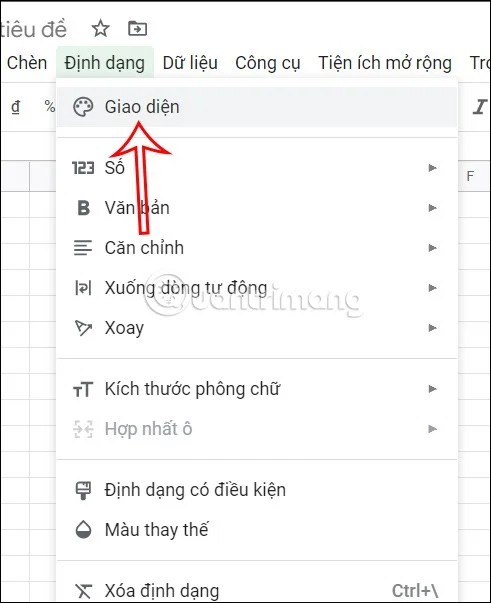
At the interface on Google Sheets, you open a completely new sheet. Next, we click on Format and select Interface in the list displayed below.
Step 2:
Displayed on the outside edge of the standard interface. Click Customize to change back to this standard interface.

Step 3:
In the font section, you will change the font for this interface. When you click on a new font, you can look up to see how the font is displayed.
After selecting the font, click Done to save.
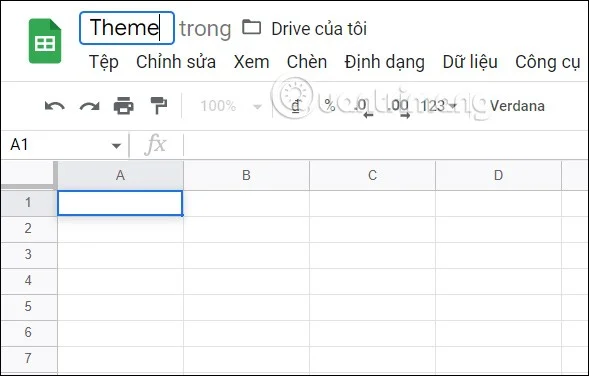
The user saves this file and then returns to the sheet management interface on Google Sheets.
Step 4:
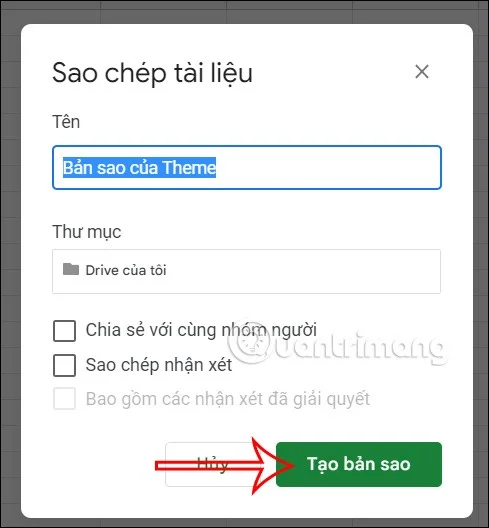
Now you will use the sheet with the changed font to work. To duplicate the theme template with this font , in the sheet interface, click File and then select Create copy .
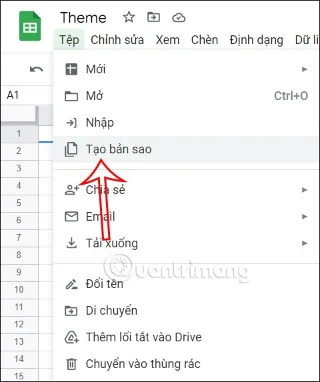
Next, click Create a copy to continue. Immediately after that, Google Sheets will create a copy of the sheet with the same font and interface for us to enter data.
How to add fonts to Google Sheets
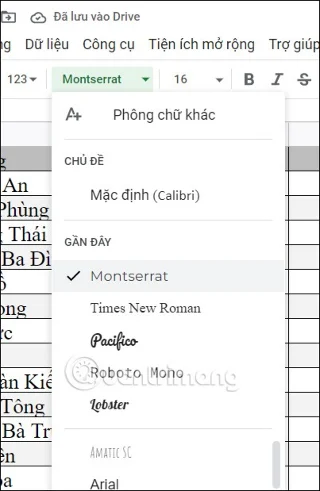
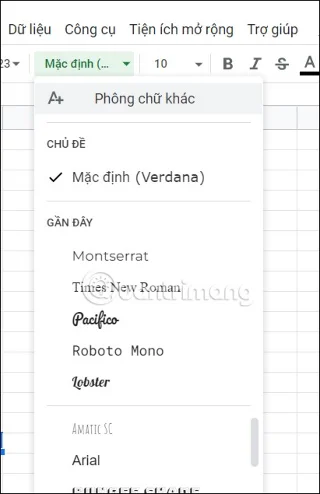
If the fonts in Google Sheets do not match your criteria, you can add fonts. In the Google Sheets interface, we click to select the current font and then select Other fonts .
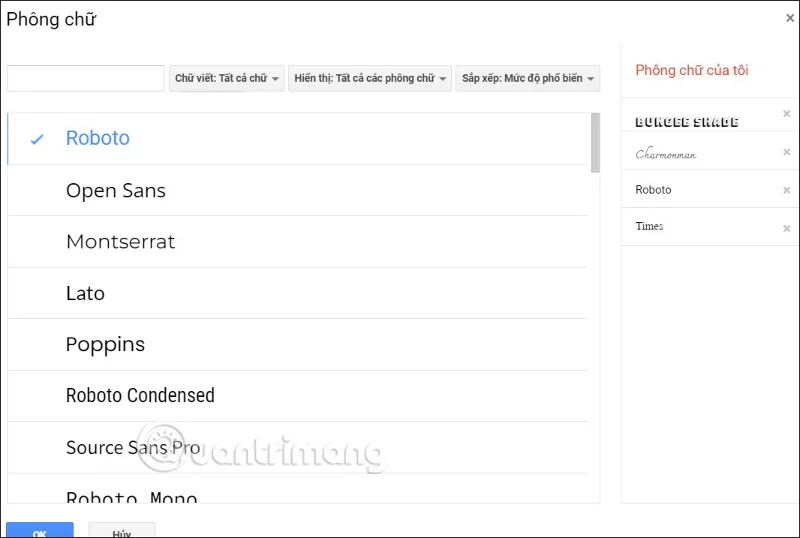
Then you select the font you want to add to Google Sheets to add it.
Create a spooky office cubicle with Halloween desk decor ideas that keep your workspace usable, tidy, and mindful of workplace safety.
Plan a recognizable Halloween 2026 look with pop culture costumes inspired by Spider-Man, Supergirl, Toy Story 5, Moana, Mario, and Wednesday.
Sort leftover Halloween candy safely, share or repurpose sealed treats, and choose food use or compost for pumpkins based on their condition.
Compare workplace Halloween costume choices by respect, dress code, mobility, and safety—and learn when a subtle accessory or a policy check is the better option.
Find a couples costume that fits your style, budget, and comfort level, from Addams Family classics to original inside-joke duos.
Need a last-minute high school Halloween costume? Compare 10 easy closet-based ideas by prep time, comfort, school-day practicality, and simple safety checks.
Use a simple 2026 Halloween decorating timeline for indoor décor, outdoor displays, and fresh pumpkins, with practical adjustments for weather and events.
Mix five vivid, approachable Halloween cocktails with measured recipes, simple prep tips, and an alcohol-free option for your party guests.
Find 15 office-friendly Halloween costume ideas for 2026, with practical checks for dress codes, respectful themes, comfort, and workplace safety.
Plan a fun elementary school Halloween party with easy crafts, games, inclusive treats, costume tips, and a sample 75-minute classroom schedule.








