Home
» Games
»
How to change the color of blood in the game PUBG
How to change the color of blood in the game PUBG
Video How to change the color of blood in the game PUBG
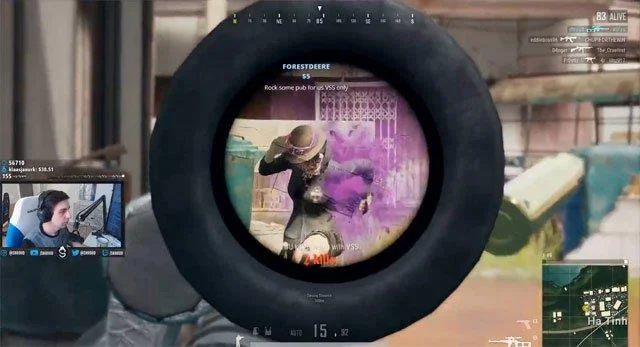
When playing PUBG game to destroy an opponent, we may have to shoot many times and it is difficult for you to determine whether the bullet hits the head or not. Therefore, changing the color of blood in this survival shooter game will help a lot, we can easily observe the forward shot and find ways to adjust the mind to be really effective.
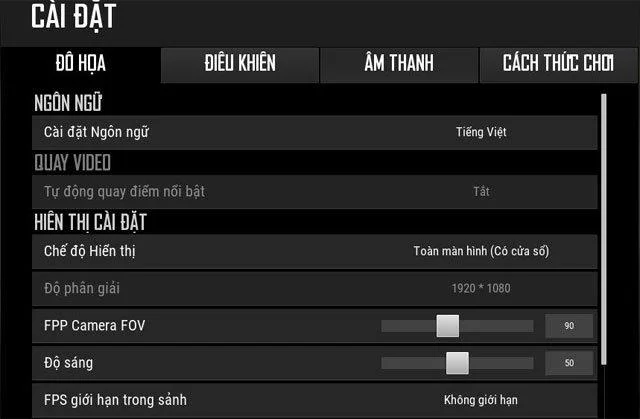
However, as usual, changing the color effect will often accompany the change of language so it will cause some problems. Below is a guide on how to change the red blood color in PUBG game with a few simple steps without affecting any previous settings.
Instructions on how to adjust the color on the game PUBG
Method 1: Change PUBG blood color via Steam
Step 1:
Log in to Steam then access the Library .
Step 2:
Find the game name PLAYERUNKNOWN'S BATTLEGROUNDS, then right-click and select Properties .
Step 3:
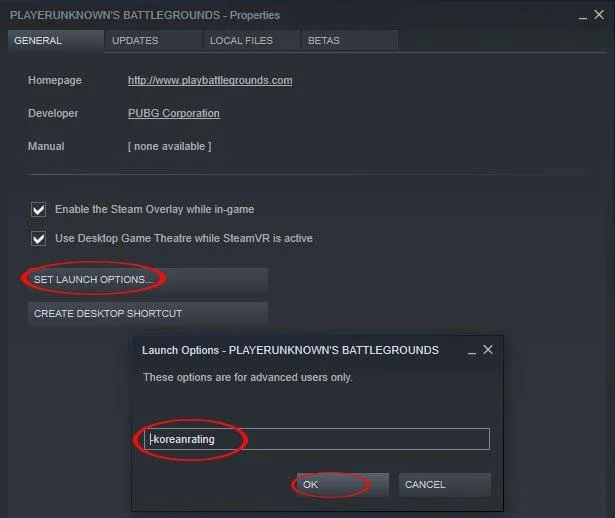
At the Properties window select Set Launch Options.
Step 4:
Next, the Launch Options bulletin board appears, enter the text for blue and purple, respectively:
Change blood to blue: -KoreanRating
Converted blood to purple: -PurpleRating
Then click OK .
Finally restart the game to notice the change according to your settings.
Method 2: Change colors directly on PUBG game
Step 1:
You log directly into the game PUBG.
Step 2:
Click on Settings to get to the settings window.
Step 3:
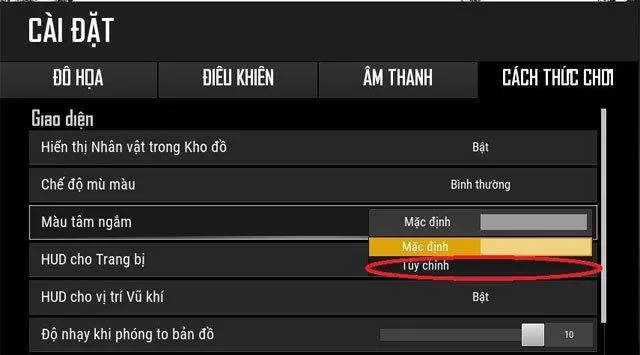
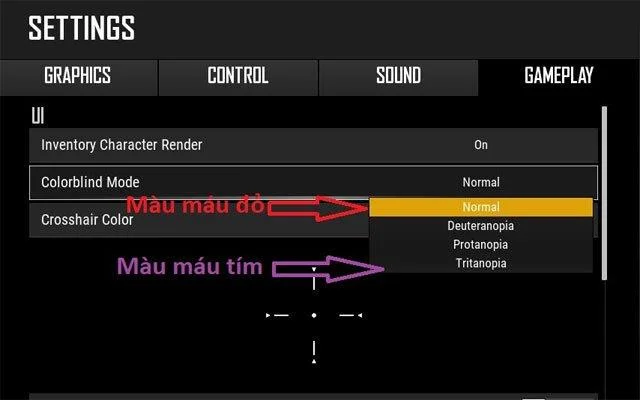
Continue to select the How to play tab , then select the View color button and adjust the option to Custom instead of Default .
Step 4:
We will then select our favorite color in the Colorblind Mode section and click Apply to record the selected color.
Above are 2 ways to change blood color in PUBG game. Hope this guide will help you easily observe your opponent when shooting whether in the dark or in the morning.