Solving Microsoft Teams Error 2400: Unable to Connect to Servers
Tired of Microsoft Teams Error 2400 blocking your connection? Follow our proven, step-by-step fixes to solve "Unable to Connect to Servers" and get back to productive meetings fast.
To ensure that your TikTok account does not violate any terms, you need to comply with the community rules. When TikTok has a problem, it will notify you so that users can check their accounts again. Through this TikTok account checking tool, users will know if their accounts have any problems or not to handle them. Below are instructions for checking TikTok accounts.
Instructions for checking TikTok account
Step 1:
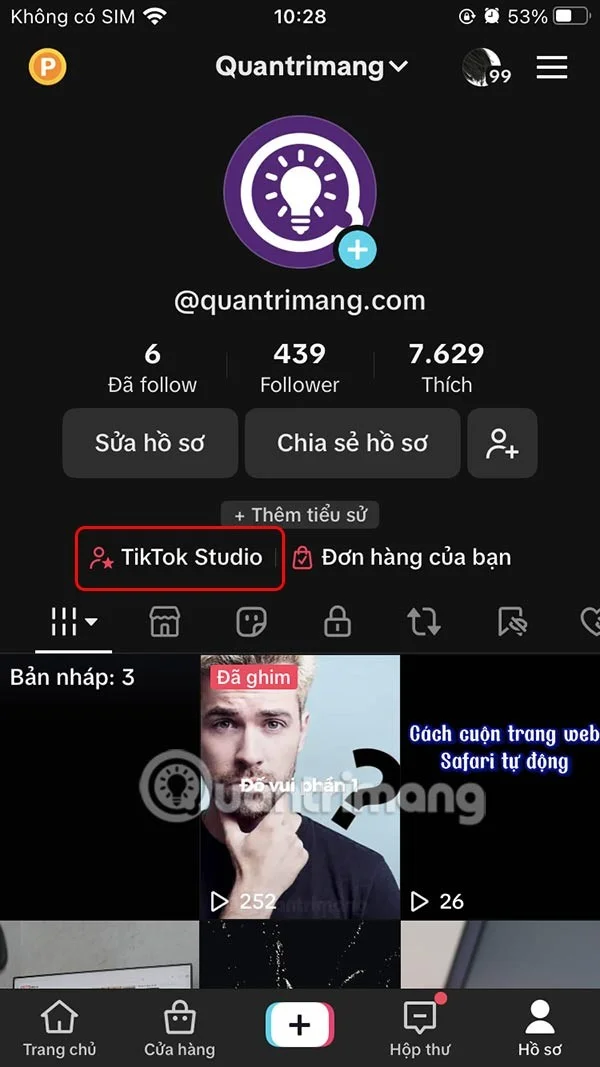
On the personal TikTok interface, click on TikTok Studio to access the management page.
Step 2:
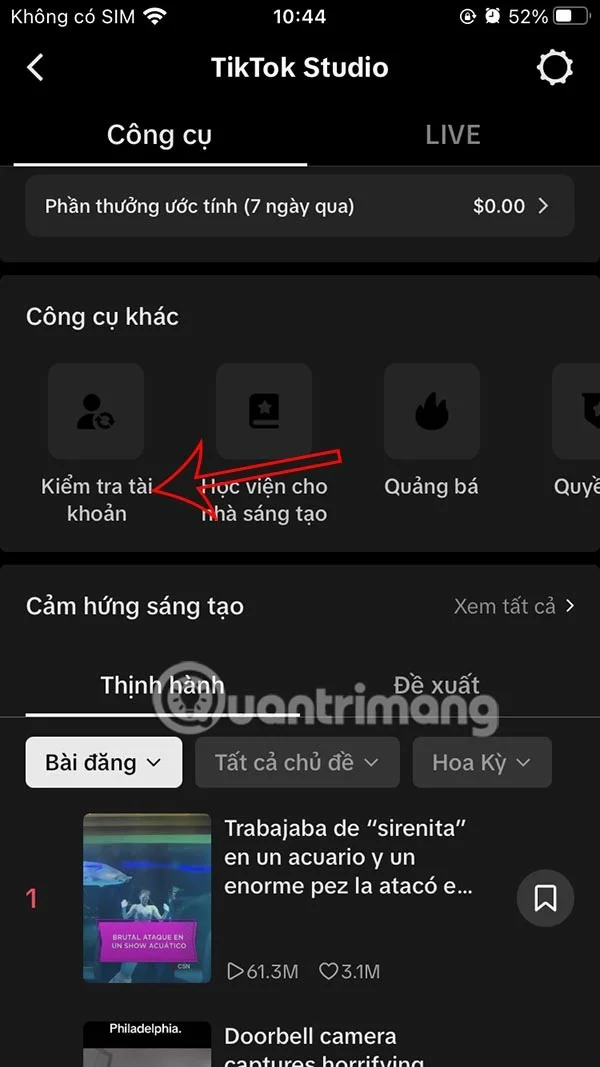
Switch to the new interface, we click on Check account to proceed with the check.

Step 3:
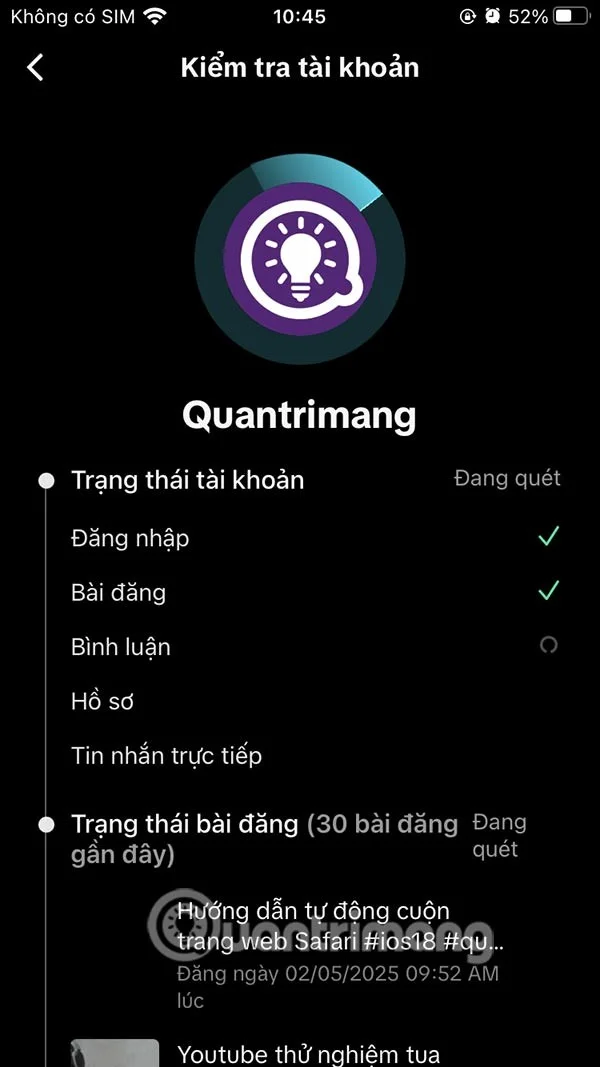
Then the TikTok account verification process is carried out, checking all TikTok posts, comments, profiles or TikTok account logins to see if they are safe or not.

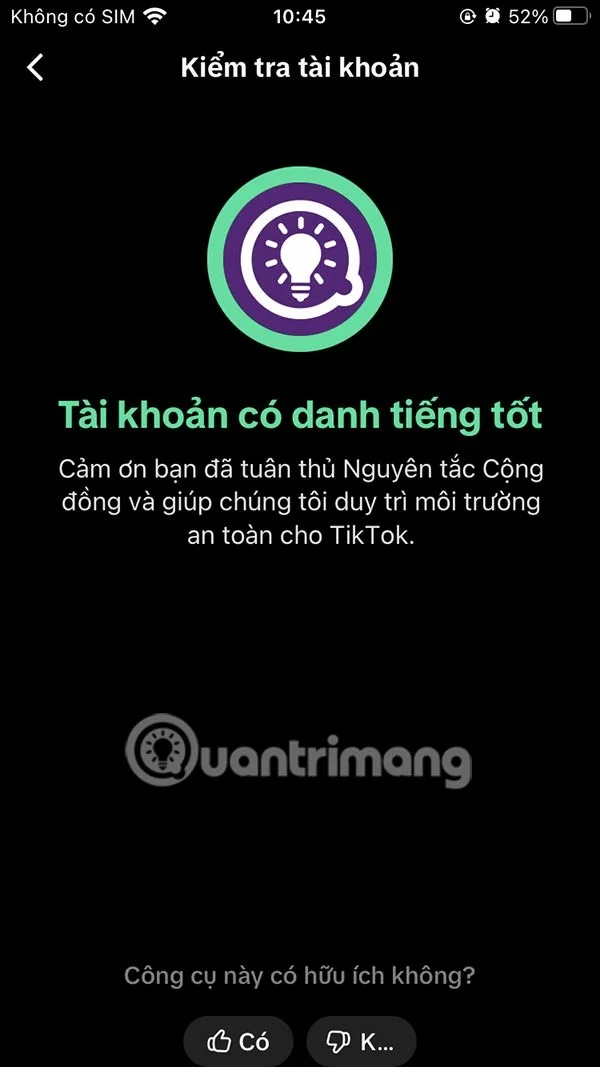
The TikTok account verification process takes place immediately after that and when completed, you will receive the status of your account, whether it is safe or trusted.

Tired of Microsoft Teams Error 2400 blocking your connection? Follow our proven, step-by-step fixes to solve "Unable to Connect to Servers" and get back to productive meetings fast.
Struggling to locate your Microsoft Teams recording? Discover exactly where Teams saves meeting files in OneDrive or SharePoint, plus quick steps to find and access them instantly. No more lost recordings!
Struggling with Microsoft Teams "Error G" audio? Discover step-by-step fixes for microphone and speaker issues. Quick, easy solutions to get back to seamless meetings without frustration. Works on Windows, Mac & more!
Tired of the frustrating Microsoft Teams Vcruntime140.dll missing error crashing your meetings? Discover proven, step-by-step fixes to resolve it fast and restore smooth teamwork. No tech skills needed!
Struggling with Microsoft Teams 'Undefined Error' (2026)? Discover proven, step-by-step fixes like clearing cache, updating the app, and more. Get back to seamless collaboration fast!
Discover simple, step-by-step methods to disable Microsoft Teams at startup and unlock better PC performance. Faster boot times, less resource drain—perfect for Windows users seeking smooth operation.
Stuck with Microsoft Teams "Network Error" offline? Discover proven, step-by-step solutions to fix Microsoft Teams network error offline quickly. Get back online fast—no tech skills needed!
Struggling with Microsoft Teams Error 4oggx? Discover proven fixes to resolve sign-in failures, crashes, and connectivity issues fast. Get back to productive calls without frustration!
Encountering the frustrating Microsoft Teams "Remove Account" Data Error? Discover quick, reliable fixes like clearing cache, resetting the app, and more to get back to seamless collaboration without losing data. Updated with the latest solutions.
Tired of the frustrating Microsoft Teams "Layout Error" Sidebar? Follow our proven, step-by-step troubleshooting guide with the latest fixes to get your Teams sidebar working smoothly again. No tech skills needed!
Stuck with Microsoft Teams offline error in 2026? Discover proven troubleshooting steps, common causes, and quick fixes to restore your connection fast. No tech skills required!
Tired of Microsoft Teams crashing with "Error M" memory issues? Follow our step-by-step guide to fix Error M in Teams, clear cache, update software, and boost performance—no tech skills required!
Discover the easiest step-by-step guide to setting up Microsoft Teams Town Hall events. Host massive virtual gatherings effortlessly with pro tips for seamless execution. Perfect for leaders and organizers!
Struggling with Microsoft Teams "Download Error" on PC? Discover proven, step-by-step fixes to resolve download failed issues quickly. Get back to seamless collaboration in minutes—no tech skills needed!
Stuck with Microsoft Teams "Error L" License error? Follow this step-by-step troubleshooting guide to resolve licensing issues quickly, restore access, and boost productivity without IT hassle. Updated with latest fixes.