Pop Culture Costume Ideas That Will Dominate Halloween 2026

Plan a recognizable Halloween 2026 look with pop culture costumes inspired by Spider-Man, Supergirl, Toy Story 5, Moana, Mario, and Wednesday.
Curtains are often overlooked in daily cleaning because of their bulky size, but they actually need to be cleaned regularly. Here is the quickest and simplest way to clean curtains .
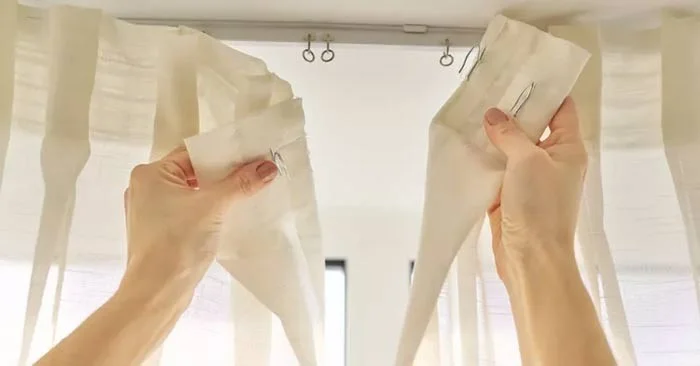
Curtains provide privacy and insulation, while filtering or blocking sunlight. However, dirty curtains can trap dust, allergens and odors, creating an unhealthy environment that can also be unsightly and give the impression that your home is unmaintained.
Like other parts of your home, curtains need regular cleaning. But cleaning curtains the wrong way can damage them. So here's everything you need to know about cleaning different types of curtains.
Things to know about cleaning curtains
How often you should clean your curtains can depend on a number of factors, including where you live and how much dust your home is exposed to. For people with allergies, vacuum or wash your curtains every one to two months to keep dust levels low. If you have pets, you should clean your curtains every three to four months to prevent hair buildup.
If you don't have pets but have a dusty home, Alessandro Gazzo recommends steam cleaning once or twice a month. Consider vacuuming your curtains once or twice a month, too. If you plan to machine wash your curtains, clean them every eight to 12 weeks.
Curtains come in a variety of materials, including polyester, velvet, wool, linen, and silk. The proper cleaning method will depend on the material the curtains are made of. Some will require special care, such as dry cleaning, while others are more durable and can be hand washed.
In addition to the material, the level of soiling also needs to be considered. It is important to always check the product care label before cleaning.
Vacuuming your curtains regularly can help reduce dust and buildup. This method works well for most types of curtains, but you should be extra careful when vacuuming delicate fabrics, like silk.
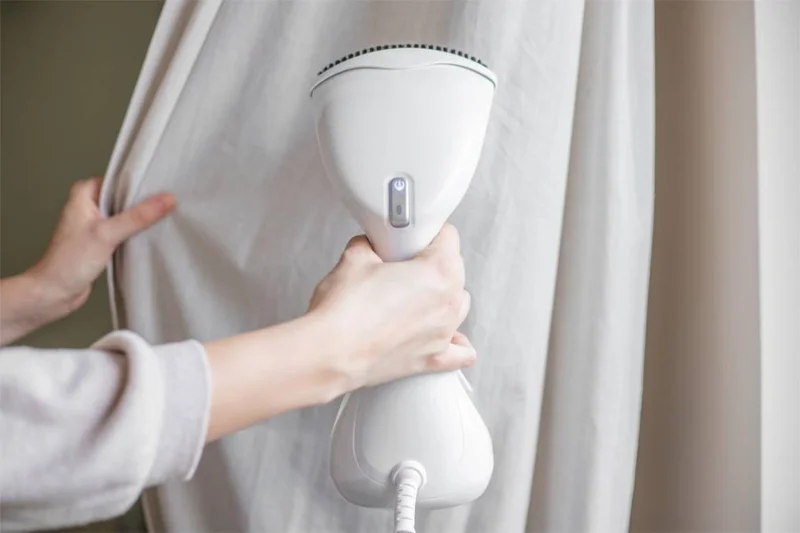
A favorite way for many people to clean curtains is to use a steamer. With a steamer, you can avoid having to remove the curtains, wash them, wait for them to dry, and hang them up again.
If you have fabric curtains, Gazzo says they can usually be washed in cold water on a gentle cycle. “If they’re blackout curtains, don’t put them in the dryer—air-drying is best,” Gazzo advises. Mock agrees, adding that you should also remove the hooks and loops before washing your curtains on a gentle cycle.
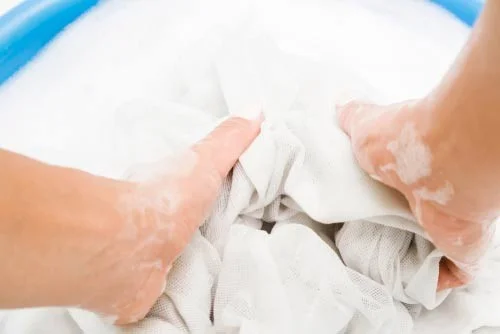
If your curtains have intricate embroidery or thread that you don't want machine washed, you should hand wash them. Fill a sink or tub with warm water and detergent and let the curtains soak for a while before rinsing them out, then hang them up to dry.
If the product instructions recommend it, dry clean your curtains. In many cases, you can still hand wash or machine wash these items on a gentle cycle, but if you're particularly concerned about damaging your curtains, it's better to be safe than sorry.
If you have plastic blinds, you can also hand wash them. Plastic blinds are easier to clean because you just need to soak them in a bathtub or large plastic bowl with water and 1-2 cups of vinegar, then scrub them with a cleaning brush. Note that plastic blinds are more resistant to abrasive cleaning products, such as bleach.
Additionally, vinyl blinds are usually machine washable, unless the instructions state otherwise. If you plan to use a washing machine, throw in a few towels to create friction and scrub away dirt.
Plan a recognizable Halloween 2026 look with pop culture costumes inspired by Spider-Man, Supergirl, Toy Story 5, Moana, Mario, and Wednesday.
Sort leftover Halloween candy safely, share or repurpose sealed treats, and choose food use or compost for pumpkins based on their condition.
Compare workplace Halloween costume choices by respect, dress code, mobility, and safety—and learn when a subtle accessory or a policy check is the better option.
Find a couples costume that fits your style, budget, and comfort level, from Addams Family classics to original inside-joke duos.
Need a last-minute high school Halloween costume? Compare 10 easy closet-based ideas by prep time, comfort, school-day practicality, and simple safety checks.
Use a simple 2026 Halloween decorating timeline for indoor décor, outdoor displays, and fresh pumpkins, with practical adjustments for weather and events.
Mix five vivid, approachable Halloween cocktails with measured recipes, simple prep tips, and an alcohol-free option for your party guests.
Find 15 office-friendly Halloween costume ideas for 2026, with practical checks for dress codes, respectful themes, comfort, and workplace safety.
Plan a fun elementary school Halloween party with easy crafts, games, inclusive treats, costume tips, and a sample 75-minute classroom schedule.
Compare realistic side hustles for 2026 by startup cost, fees, flexibility, and income control, with current tax and scam guidance from official sources.








