Desk Decorating Ideas for a Spooky Office Cubicle

Create a spooky office cubicle with Halloween desk decor ideas that keep your workspace usable, tidy, and mindful of workplace safety.
Even though washing machines are constantly exposed to detergents, that doesn’t mean they’re always clean. If your washing machine smells bad, it will stick to your clothes as you wash them. If your washing machine has residue, it will stick to your clothes as you wash them. Whether you have a top-loading or front-loading washing machine, expensive or cheap, new or old, you need to keep your washing machine clean and smelling fresh!
How to clean a front-loading washing machine
Step 1: Dip a sponge into a bowl of vinegar and wipe the washer gasket. If the mold is still there, soak it in vinegar for about 20 minutes. Then, dry the gasket with a paper towel and use a stiff-bristled toothbrush to remove any remaining mold.

Step 2: Pour 500ml of vinegar directly into the washing drum and close the washing machine door before proceeding to the next step. If you see a lot of dirt build up, add about 120ml of vinegar to dissolve the stains.

Step 3: Mix 60ml of water with 55g of baking soda. After the baking soda has dissolved, pour the solution into the soap, rinse aid and bleach compartments to clean the compartments when the washing machine is running.

Step 4: Let the washing machine operate in normal mode with hot water, at the highest temperature of the machine so that the cleaning solution has more time to penetrate the washing drum. High temperature combined with vinegar and baking soda will help dissolve and destroy mold and dirt in the washing drum.

Step 5: Use a cloth dipped in clean water to wipe away any remaining dirt or mold in the washing machine after the machine has finished running. If the old mold stains are still not removed, use a stiff bristle brush to scrub clean.

How to clean top loading washing machine
Step 1: Set the machine to the longest running mode and highest temperature.
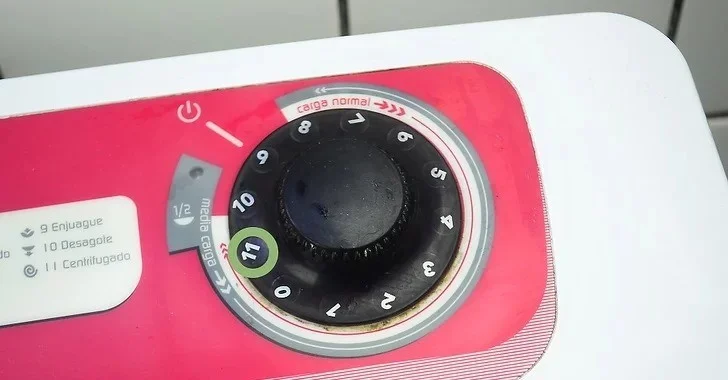
Step 2: Pour 1 liter of white vinegar into the washing drum while water is draining into the washing machine.

Step 3: Pour 220g of baking soda into the washing machine while the water is running. The baking soda will react with the vinegar to remove stains from the washing machine and clean the inside of the machine.
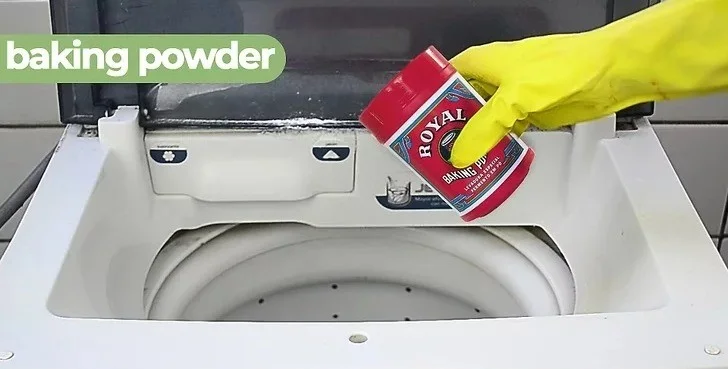
Step 4: Close the washing machine lid for 1 minute so that the machine can start the running cycle. This step helps the baking soda, vinegar and water solution to be completely dissolved and mixed evenly in the washing drum. Then, open the lid to stop the washing machine. Note, some washing machines automatically lock the lid after starting to run, press the stop or pause button to unlock and open the lid.
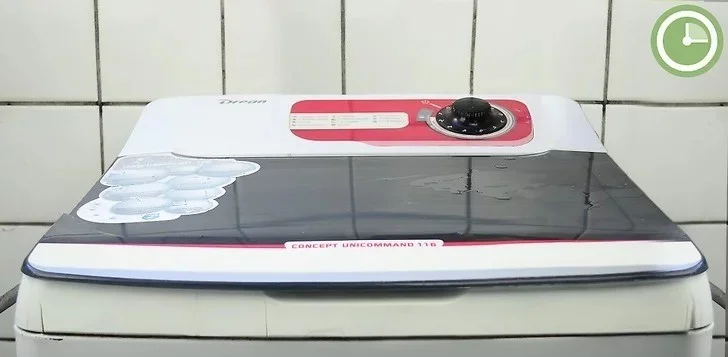
Step 5: Dip a toothbrush into the solution in the washing machine drum and clean all compartments. Focus on areas where mold is likely to grow. Then, use a clean cloth to wipe off any residue.
Note

Step 6: Close the lid and press the start button on the washing machine if it does not restart automatically. Wait until the machine completes the cycle and drains all the water from the drum. Note, clean the sides and top of the washing machine with a damp cloth while the machine is running to save time.
Step 7: Use a clean cloth to wipe away any remaining stains inside the washing machine. If necessary, dip the cloth in a 3:1 mixture of vinegar and warm water to remove stubborn stains. If the washing machine still has a lot of stains, run another cycle with 1 liter of vinegar.

Hopefully with our detailed instructions above, you will be successful in cleaning your washing machine!
Create a spooky office cubicle with Halloween desk decor ideas that keep your workspace usable, tidy, and mindful of workplace safety.
Plan a recognizable Halloween 2026 look with pop culture costumes inspired by Spider-Man, Supergirl, Toy Story 5, Moana, Mario, and Wednesday.
Sort leftover Halloween candy safely, share or repurpose sealed treats, and choose food use or compost for pumpkins based on their condition.
Compare workplace Halloween costume choices by respect, dress code, mobility, and safety—and learn when a subtle accessory or a policy check is the better option.
Find a couples costume that fits your style, budget, and comfort level, from Addams Family classics to original inside-joke duos.
Need a last-minute high school Halloween costume? Compare 10 easy closet-based ideas by prep time, comfort, school-day practicality, and simple safety checks.
Use a simple 2026 Halloween decorating timeline for indoor décor, outdoor displays, and fresh pumpkins, with practical adjustments for weather and events.
Mix five vivid, approachable Halloween cocktails with measured recipes, simple prep tips, and an alcohol-free option for your party guests.
Find 15 office-friendly Halloween costume ideas for 2026, with practical checks for dress codes, respectful themes, comfort, and workplace safety.
Plan a fun elementary school Halloween party with easy crafts, games, inclusive treats, costume tips, and a sample 75-minute classroom schedule.








