How to Fix Microsoft Teams Login Error AADSTS50011
Stuck with Microsoft Teams login error AADSTS50011? Discover proven, step-by-step fixes to resolve the reply URL mismatch issue and log in seamlessly. No tech skills needed!
Instead of using manual operations to duplicate details in Canva designs, you should immediately use the available Replicator tool. Then users can choose to duplicate as many as they want and with what display style to use for their designs. The article below will guide you to quickly duplicate in Canva.
Quick Guide to Cloning in Canva
Step 1:
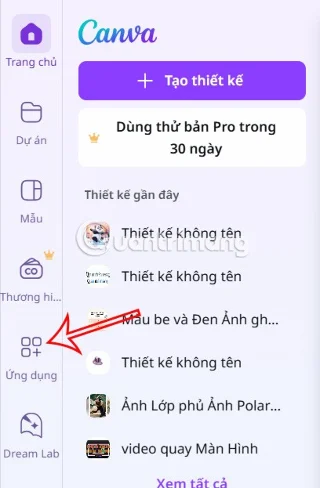
First, open the design on Canva, then click on the Apps section on the left side of the interface.
Step 2:
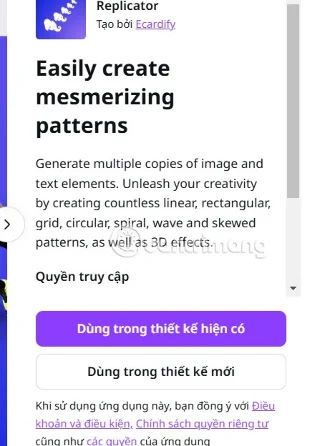
You enter the keyword Replicator into the application search bar and then click on the search result below.

You continue to choose to use the application in a new design or an existing design.

Step 3:
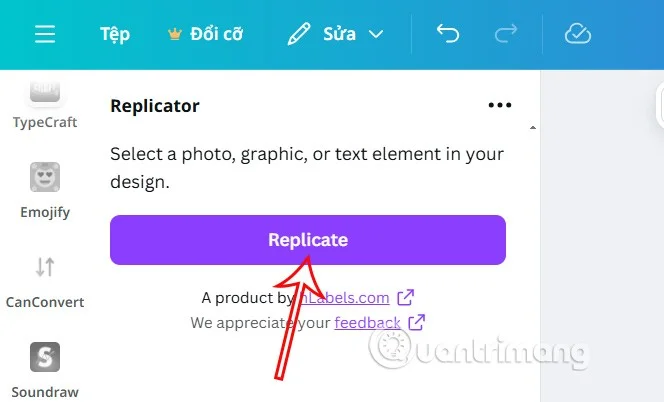
Next, we click on the detail in the design we want to duplicate, then click the Replicate button to duplicate.

Step 4:
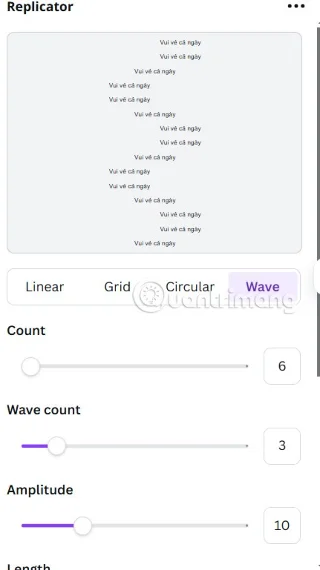
The result is that you will see the cloned content along with the customizations for the cloned content. Depending on the details you want to clone, the editing options will be different. We proceed to choose the customization types to have the clone template as we like.

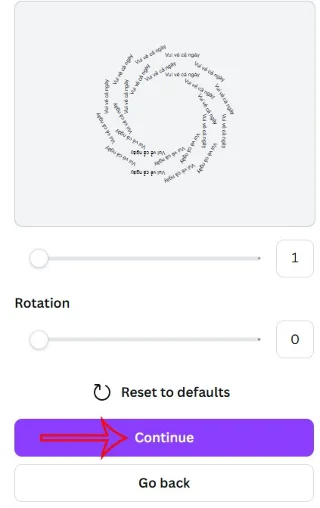
Click Continue to edit more and insert into the current design and you're done.

Quick cloning video tutorial in Canva
Stuck with Microsoft Teams login error AADSTS50011? Discover proven, step-by-step fixes to resolve the reply URL mismatch issue and log in seamlessly. No tech skills needed!
Tired of the frustrating Microsoft Teams "Win 7" Compatibility Error blocking your meetings? Get instant fixes with our step-by-step guide, including workarounds for older Windows versions. Resolve it now and stay connected!
Tired of the endless Microsoft Teams "Error R" restart loop? Get step-by-step fixes to solve Microsoft Teams Error R quickly. Clear cache, reset, reinstall & more for smooth collaboration. Works on Windows, Mac & web.
Struggling with Microsoft Teams "Bị lỗi" issues? Discover proven fixes for crashes, sign-in errors, and more in this comprehensive troubleshooting guide. Get back to seamless collaboration!
Struggling with the Microsoft Teams "How Download" error? Discover step-by-step fixes for smooth file downloads, app updates, and more. Get back to collaborating without frustration!
Frustrated by Microsoft Teams Error Code 2603? Get instant relief with our step-by-step guide to fix installation failures, crashes, and more in the latest 2026 updates. Works for all users!
Tired of the frustrating Microsoft Teams "Wiki in Teams" error loading? Get step-by-step fixes for Wiki not loading in Teams, clear cache, reset settings, and more. Resolve it fast with our expert guide.
Master how to keep Microsoft Teams active and "Available" all day. Proven tips, tools, and settings to avoid "Away" status, boost productivity, and never miss a beat in your workday.
Discover how to download Microsoft Teams for Windows 11 in 2026 with our ultimate guide. Official methods, troubleshooting, and pro tips for seamless installation and instant collaboration.
Tired of missing groups in Microsoft Teams? Discover how to fix the "Groups" Visibility Error with simple, up-to-date steps. Restore your teams visibility fast and frustration-free.
The eyes are the windows to the soul. So take good care of them with the following eye vitamins.
Stuck with Microsoft Teams "For School" login error? Follow our expert, step-by-step guide to solve it fast – no tech skills needed. Get back to classes without frustration!
Struggling with Microsoft Teams media error during playback? Discover step-by-step fixes for smooth video and audio in meetings. Updated with the latest troubleshooting tips for seamless collaboration.
Frustrated with Troubleshooting Microsoft Teams "Where is Teams" Folder Search issues? Follow our expert, step-by-step guide to locate hidden folders, fix search glitches, and restore smooth collaboration in the latest Teams updates. Quick fixes that work!
Struggling with Microsoft Teams Error AADSTS70008: Security Token Expired? Discover proven, step-by-step fixes to get back to seamless collaboration. Clear cache, re-authenticate, and prevent future issues fast!