You do not know how to delete ringtones created through the GarageBand app on your iPhone , this article WebTech360 will help delete ringtones on this app without a computer .
1. Benefits of the procedure
You will delete ringtones via the GarageBand app on your iPhone.
2. How to delete ringtones on iPhone
You can download the GarageBand app here .
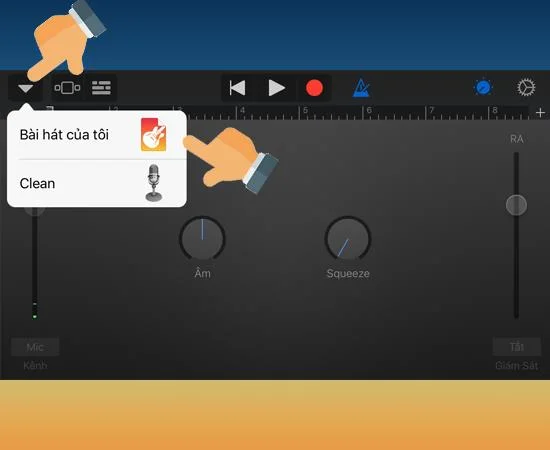
- Step 1: Go to GarageBand -> Audio Recorder -> My Songs.
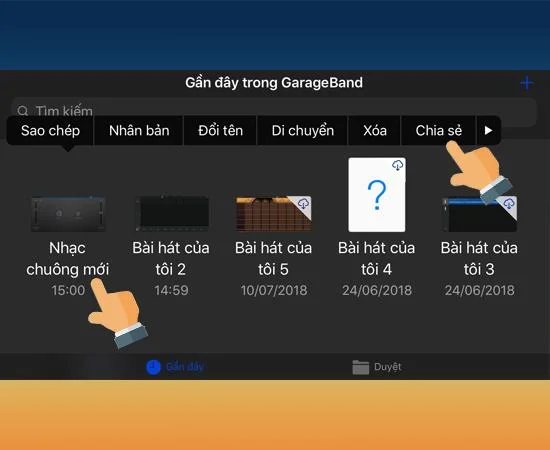
- Step 2: Select a ringtone -> Share.
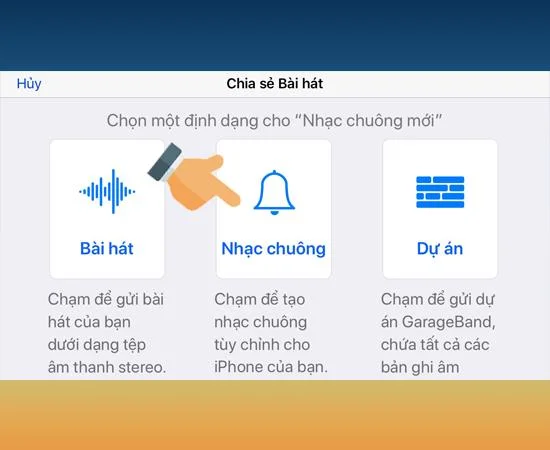
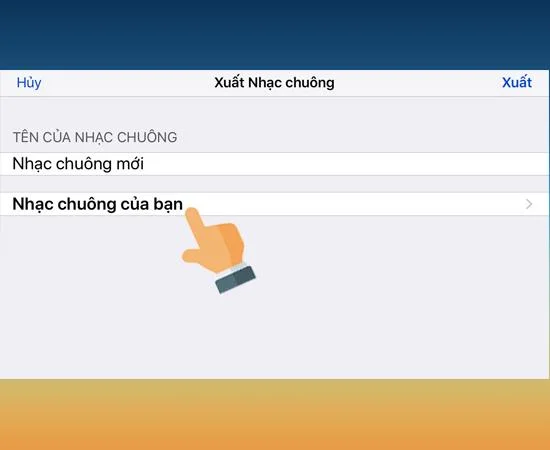
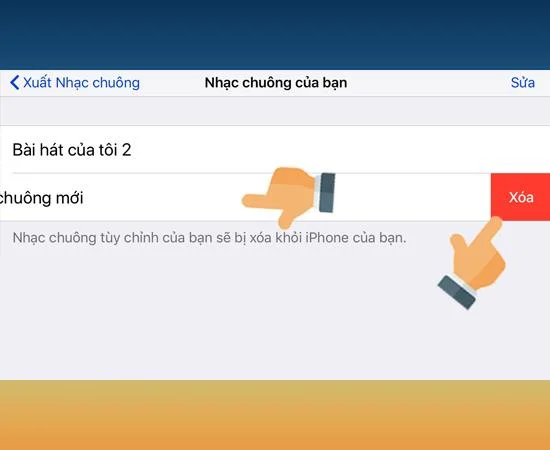
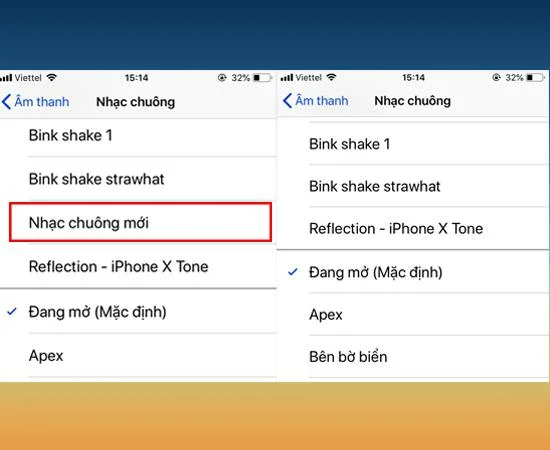
- Step 3: Select Ringtone -> Your ringtone -> Delete.
Quick start Guide:
Step 1: Go to the GarageBand app - > Click Audio Receiver .
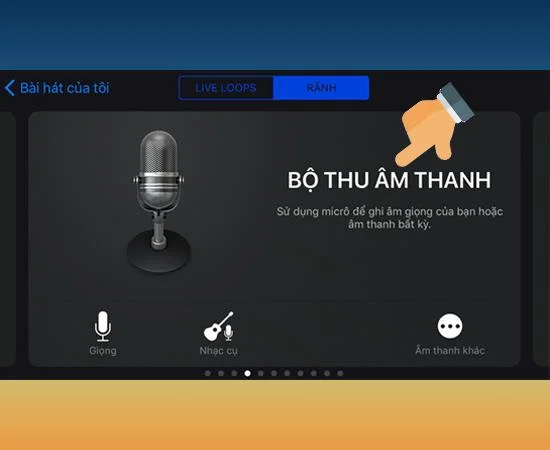
Step 2 : Select the triangle in the upper left corner of the screen -> My Songs .

Step 3 : Long press on the ringtone you created earlier -> Share .
>>> See more: How to take screenshots on iPhone X Xs Xs Max

Step 4 : Tap Ringtone.

Then choose on your Ringtone .

Step 5 : Swipe the ringtone to delete to the right - > Tap Delete .
>>> See more: Instructions to rename Zalo easily less than 30 seconds

So you can delete your custom ringtones using the GarageBand app.

Good luck.
You will be interested in:
>>> Synthesize how to set ringtones for iPhone extremely easy
>>>
Synthesize how to set ringtones for iPhone (Update 2019)
>>>
Set ringtones for iPhone using 3uTools
>>>
Instructions to create ringtones directly for iPhone