Pop Culture Costume Ideas That Will Dominate Halloween 2026

Plan a recognizable Halloween 2026 look with pop culture costumes inspired by Spider-Man, Supergirl, Toy Story 5, Moana, Mario, and Wednesday.
Minecraft is probably not too strange to many gamers now, from young gamers to older players with a larger number of players than GTA V and Fortnite, Minecraft.
Thanks to allowing gamers to freely create and demonstrate their ability to survive in the open world in the game. Along with attractive mods supported by a large community around the world, Minecraft has maintained and increased the number of players since its launch until now on both PC and Mobile platforms.
The Minecraft version below will contain other versions of Minecraft PE, Minecraft Launcher such as Minecraft Dungeon and Minecraft Java edition. You can choose and download these official versions of Mojang.
If you want to experience the official version of Minecraft, please check out the instructions below.
Download Minecraft for free PC, download Minecraft demo
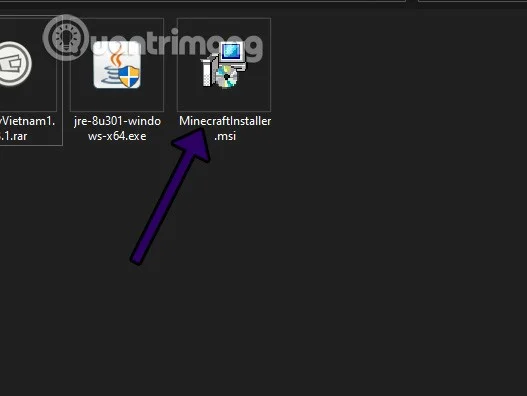
Step 1: Download the installation version of Minecraft below and open the installation file with the .MSI extension as shown in the image below.
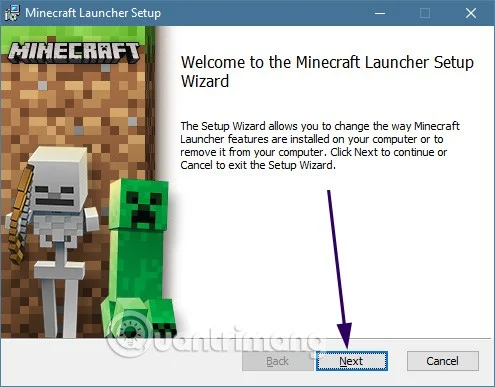
Step 2: Select Next until you see the Browser option , then click on it and select another folder to install the game.
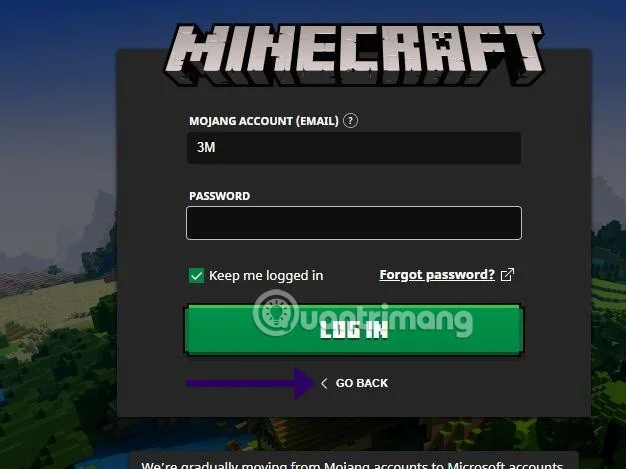
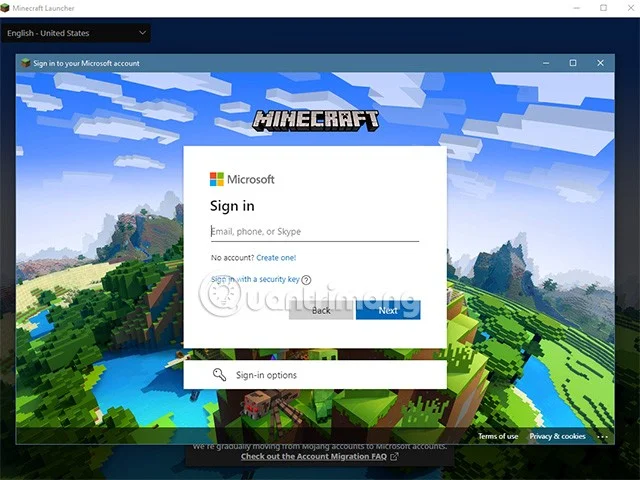
Step 3: After you have finished installing Minecraft, select Minecraft Launcher on the Desktop. Log in to your Mojang account if you already have one, otherwise select Go Back below.
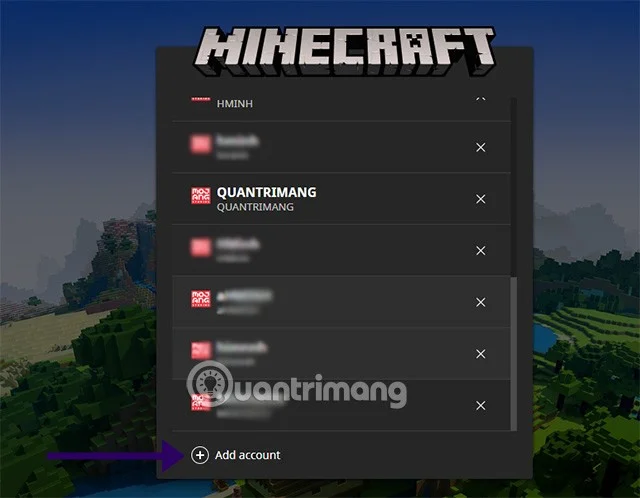
Step 4 : Select Add Account below the account list to add a new account to the game. In the next login interface, you can choose to log in with a Mojang account or a Microsoft account.
Step 5: Then log in with your Microsoft account with the suffix @outlook or @hotmail . When switching to the Launcher interface, select Play Demo .
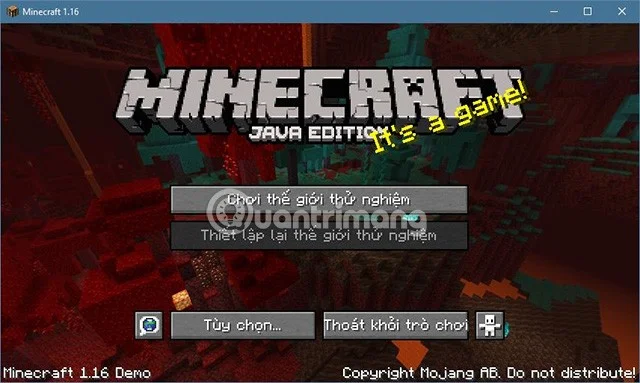
Step 6 : Once logged into the game, select Play test world .
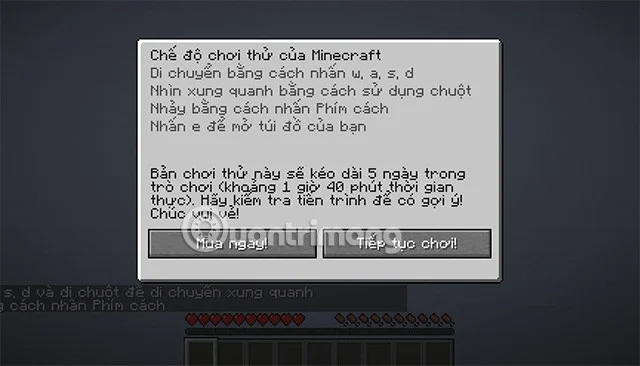
Step 7 : Minecraft demo mode play time will be limited to 5 days. Equal to 1 hour 40 minutes real time. Below are two options Buy Now or Continue Playing , if you want to continue experiencing the demo version, select Continue Playing .
This is the official version of Minecraft, as mentioned above. In the launcher running the game you will see other versions like Minecraft Dungeon. Minecraft Java Edition... You can choose those versions to download and try.
What is Minecraft?
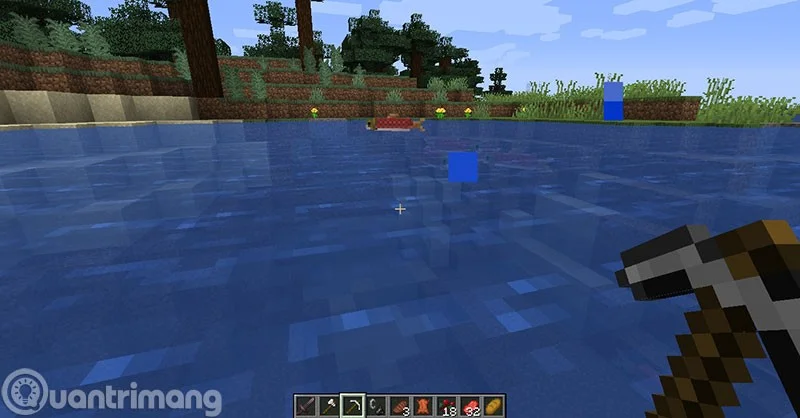
If you have never seen or heard of Minecraft, it is an open world game and is a bit like LEGO. You can use blocks of different textures and build whatever you want.
You can mine wood blocks, then craft them into items, houses, structures or even a city in Creative mode. Besides, elements such as hunting, gathering, fighting will be the things you need to do in Survival mode.
It allows players to unleash their creativity and also forces players to demonstrate their survival skills in the game.
Minecraft Survival Challenge
You will be captivated as soon as you enter Minecraft, the gentle piano music plays when you are in a forest, in the middle of a mountain or on a beach. Immediately collect wood or soil to create a small hut to stay before dark. At the same time, go hunting or picking fruits for food and especially prepare more items that can create light such as torches and stoves for cooking.
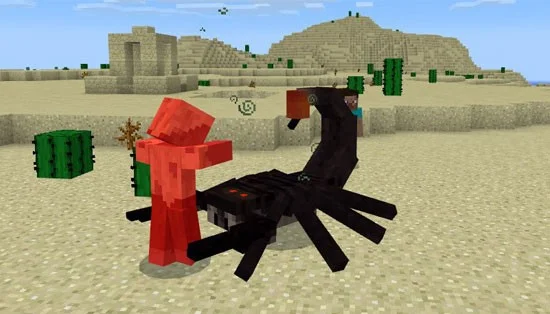
Darkness is also the time when you have to be very careful when going out. This is the time when your life can be threatened by forces such as Zombies, creepers, spiders, skeletons...
So in addition to crafting items for mining and hunting. Players also have to craft more weapons to fight against the dark forces in Survival mode. Until you face the Ender Dragon or Wither, the two final bosses of the Minecraft world.
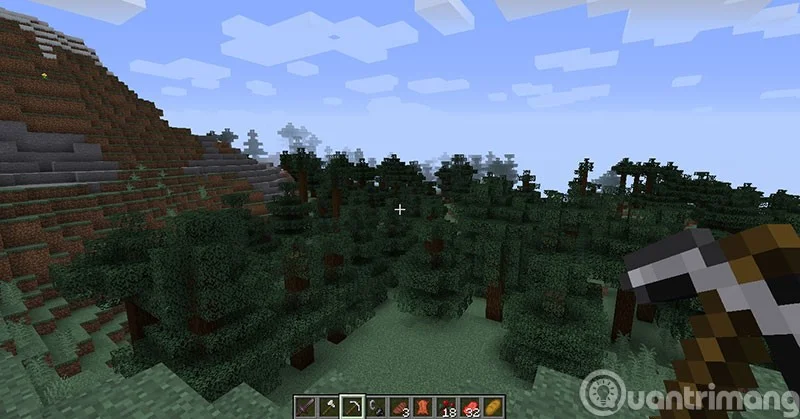
What about Creation?
Simply when playing Creative you can create everything, in this mode you are like a god. And you can even create mobs in the game like villagers, iron man, zombies, spiders, skeletons...
Usually in this mode, players will use blocks and resources available in the game to create structures according to their ideas. If you are diligent and have resources, you can create an entire city.
In general, in Creative mode, you can do whatever you want without fear of being destroyed by any force. You can even change the weather, move instantly, change the time with Minecraft commands .
Minecraft Graphics
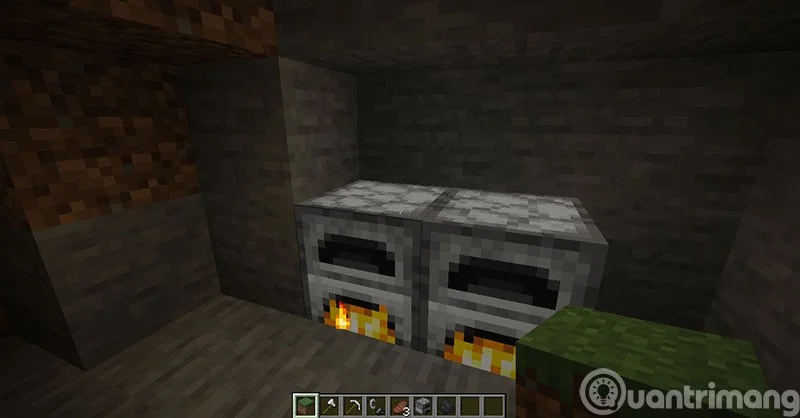
Minecraft's graphics are considered to have a classic style and are somewhat similar to games released in the 90s. But this is a factor that contributes a lot to the current Minecraft name. If the game's graphics were too realistic like Far Cry 6 or GTA 5, it would not have the characteristics that make the game unique.
If you want to upgrade the graphics, players can use the Shader mods in the game to have realistic lighting effects, clear water, and other effects such as rain and explosions to change.
Minecraft is a 3D computer game where players can build anything. The game has been described as “online Lego” and involves building blocks and creating structures across a variety of environments and terrains. Set in a virtual world, the game involves resource gathering, crafting, building, and combat. Minecraft has been rated as suitable for children between the ages of 7 and 13, depending on the version of the game you play.
Minecraft is extremely popular with kids, especially those between the ages of 6 and 13. What makes the game so popular is that players can create anything… from cities to roller coasters and everything in between, there are no rules to the game and the possibilities are endless.
The game also allows for multiplayer, a feature that is popular with younger players who enjoy playing with their friends and helping each other build new creations. For most gamers, the appeal lies in the freedom the game offers.
It is one of the most popular games in the world right now and can be a great way for kids to learn about creativity and working together. Minecraft can be played on computers, phones, tablets and consoles. But the computer experience is definitely the most comfortable.
Hope this guide to download Minecraft for free, Minecraft PC for free will help you have a more comfortable experience.
Plan a recognizable Halloween 2026 look with pop culture costumes inspired by Spider-Man, Supergirl, Toy Story 5, Moana, Mario, and Wednesday.
Sort leftover Halloween candy safely, share or repurpose sealed treats, and choose food use or compost for pumpkins based on their condition.
Compare workplace Halloween costume choices by respect, dress code, mobility, and safety—and learn when a subtle accessory or a policy check is the better option.
Find a couples costume that fits your style, budget, and comfort level, from Addams Family classics to original inside-joke duos.
Need a last-minute high school Halloween costume? Compare 10 easy closet-based ideas by prep time, comfort, school-day practicality, and simple safety checks.
Use a simple 2026 Halloween decorating timeline for indoor décor, outdoor displays, and fresh pumpkins, with practical adjustments for weather and events.
Mix five vivid, approachable Halloween cocktails with measured recipes, simple prep tips, and an alcohol-free option for your party guests.
Find 15 office-friendly Halloween costume ideas for 2026, with practical checks for dress codes, respectful themes, comfort, and workplace safety.
Plan a fun elementary school Halloween party with easy crafts, games, inclusive treats, costume tips, and a sample 75-minute classroom schedule.
Compare realistic side hustles for 2026 by startup cost, fees, flexibility, and income control, with current tax and scam guidance from official sources.








