Home
» Wiki
»
How to download Supermarket Simulator PC
How to download Supermarket Simulator PC
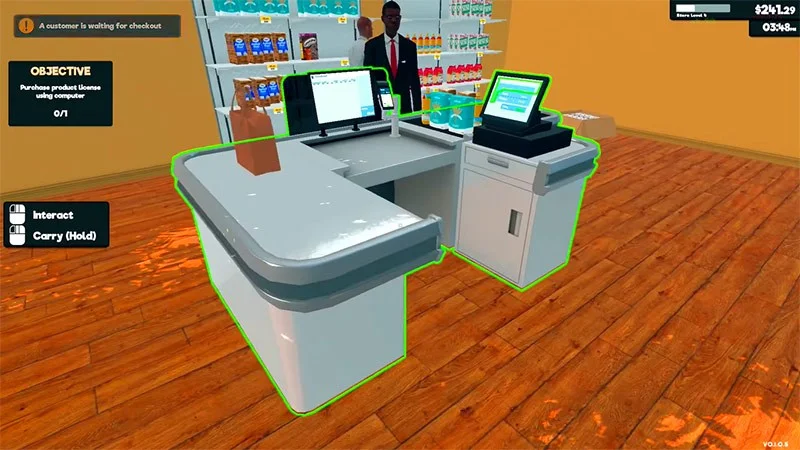
Supermarket Simulator is a first-person supermarket and grocery store management simulation game. You will play as a character who manages your grocery store and must operate other things in your grocery store smoothly.
There is no storyline like other PC games, your main goal in Supermarket Simulator is just to experience the job of a supermarket manager and expand your business. However, the game still has many interesting tasks and features and helps players explore many interesting aspects of this job. You can download the game according to the instructions below.
Download Supermarket Simulator on PC
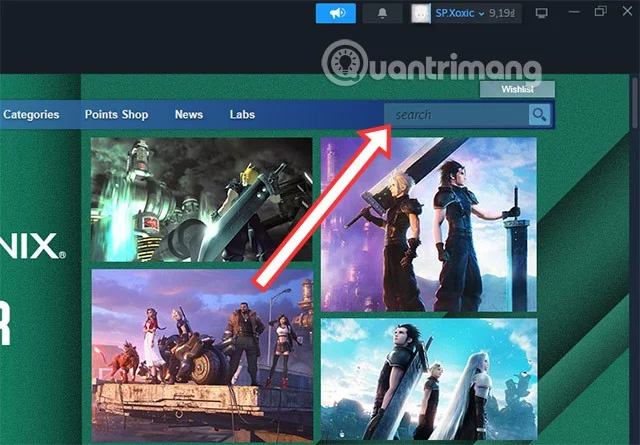
Step 1: To download the game, you need to have Steam on your PC, download Steam from the link above, then log in to your Steam account. In the main interface, select the Search bar in the upper right corner, then find the game name.
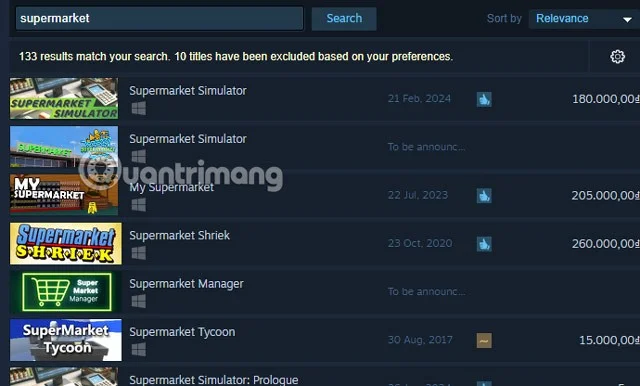
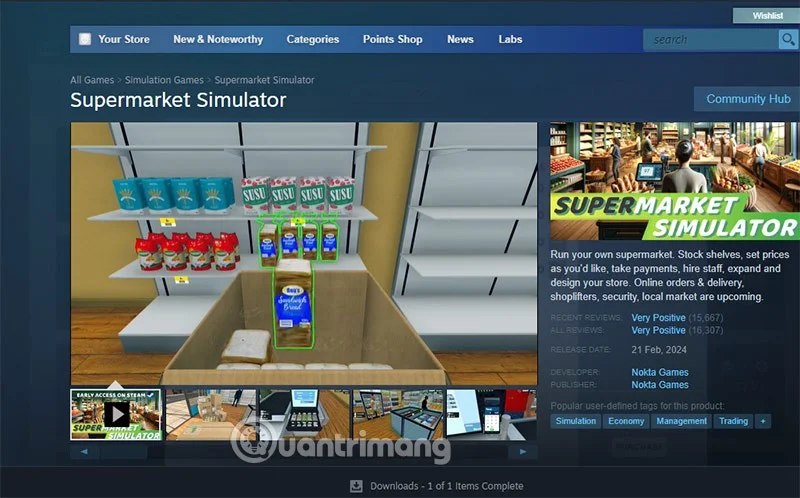
Step 2: When you search for the game name, you will see a list of related games. Select the Supermarket Simulator game at the top of the list.
There are many Supermarket games but this is clearly the Supermarket game you are looking for.
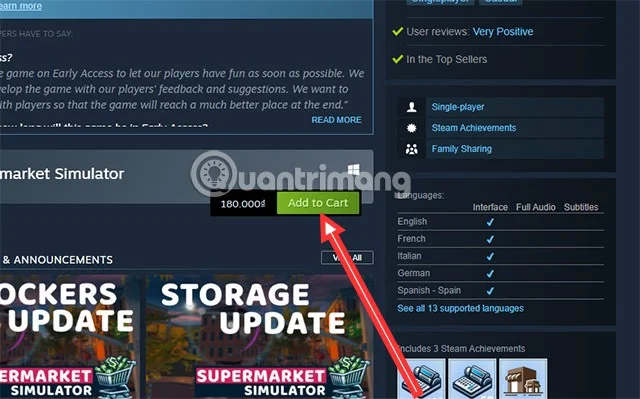
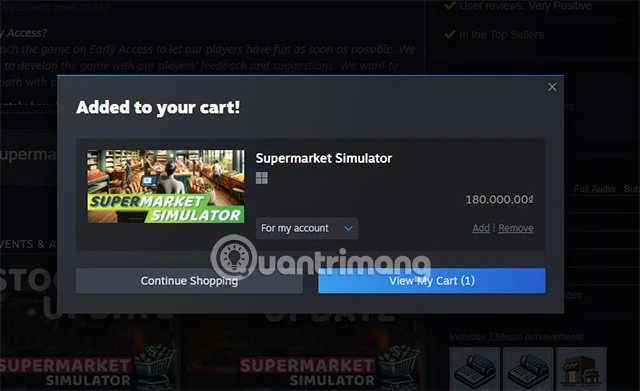
Scroll down a bit, you will see the Add to Cart button next to the price of the game. Select the Add to Cart button to proceed to buy the game.
Select For my account and Continue Shopping to buy the game. If you have never bought a game, you can see details in the Guide to buying games on Steam .
Configuration to play Supermarket Simulator on computer
Minimum configuration:
Operating System: Windows (64-bit) 10
CPU: Core-i5 3550 or RYZEN 5 2500X
Memory: 4GB RAM
Graphics: NVIDIA GTX 1050 or AMD R9 270X
DirectX: Version 11
Storage: 5 GB free space
Recommended configuration:
Operating System: Windows (64-bit) 10
Processor: Core-i5 7600K or Ryzen 5 2600x
Memory: 8GB RAM
Graphics: NVIDIA GTX 1060 or AMD RX 480
DirectX: Version 11
Storage: 5 GB free space
Based on the configuration level above, you already know that this is a low-configuration game compared to most current PC games. This is a configuration that is considered the most popular at the moment. However, if you want the best experience, you should use a configuration higher than the recommended configuration.
In addition, you should turn off unnecessary software and applications to avoid them using your computer's resources, causing your PC to not have enough resources to play games. Besides, you should also regularly update the driver for your graphics card to increase gaming performance. If the configuration is low compared to the developer's requirements, you can reduce the graphics settings to LOW to reduce lag in the game.