Your phone restarts automatically, losing all previously unsaved data. You feel uncomfortable about this problem often occurring. This article I will help you learn how to automatically restart error on Samsung Galaxy J7 Pro.
1. Self-restart error benefits
This is actually not an error, more precisely the scheduled restart process helps the machine operate more stably.
2. How to use the self-restart error
Quick Guide:
Go to Settings -> General Management -> Reset -> On / Off Auto Reboot.
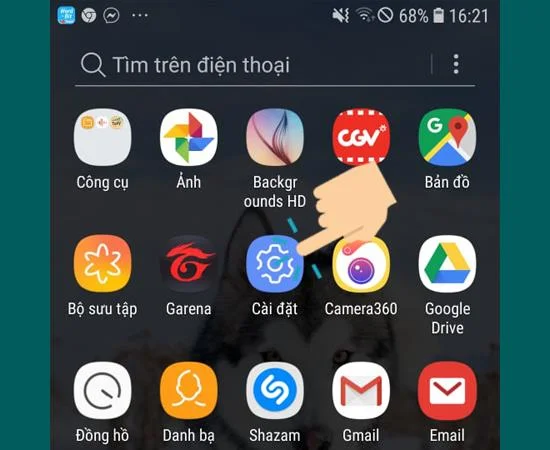
- Step 1: First go to Settings.
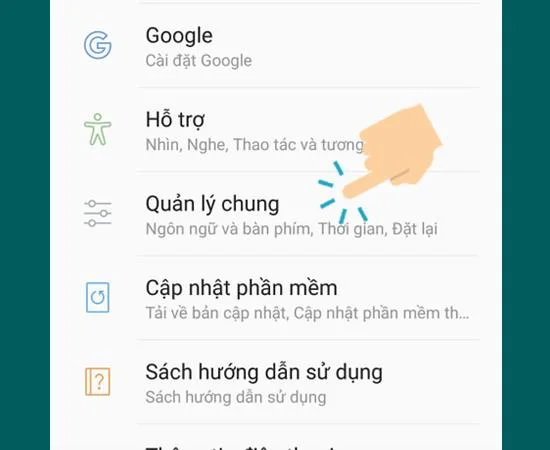
- Step 2: Click on General Management.
![How to fix automatic restart error on Samsung Galaxy J7 Pro effectively ...]()
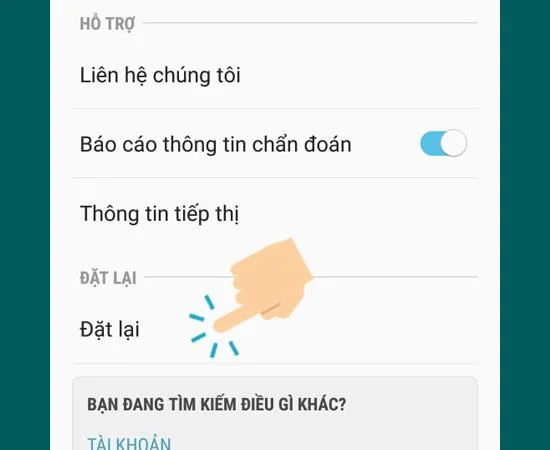
- Step 3: On Reset.
![How to fix automatic restart error on Samsung Galaxy J7 Pro effectively ...]()
- Step 4: Turn On / Off Auto restart depending on your usage needs
![How to fix automatic restart error on Samsung Galaxy J7 Pro effectively ...]()
Once checked you can trust that your phone is fine. Good luck.
Maybe you are interested:
- 5 quick steps to enable virtual home button on Samsung Galaxy J3 Pro .
- How to enable and disable mini chat on Facebook Messenger .
- Top 5 Ways to hide effectively in PUBG Mobile .