Kawaii Halloween Decor Without Gore or Jump Scares

Create a gentle Halloween look with pastel colors, friendly ghosts, easy no-carve accents, and practical safety tips for your home.
Have you ever encountered an iCloud account verification error while downloading apps, updating apps, or making payments? When encountering this error, we cannot access iCloud services, Apple ID, backups, iTunes, or the App Store. Here are the causes of iCloud account verification errors.
Causes of iCloud account verification error
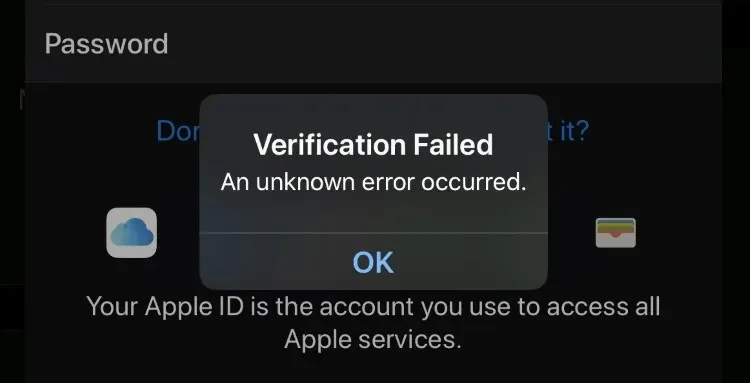
When there is a problem with iCloud account verification, an error message will appear as shown below. You log out of your account and log in again but it fails because the account has a verification error.
There are many reasons for iCloud verification errors, Apple servers are down or errors from your device also cause iCloud account verification errors.
Instructions to fix iCloud account verification error
Restart iPhone
With errors that occur on the iPhone, you should try restarting the phone to fix those errors.
Get new verification code
If you see a verification failed message after signing in to your Apple ID, it may be due to a security verification issue. Every time you sign in to your Apple ID on a new device, you'll need to enter a verification code to be verified.
Sign in with the email you used to register iCloud and look for the Email from Apple. If you still do not receive the email from Apple, you can request to resend the verification code.
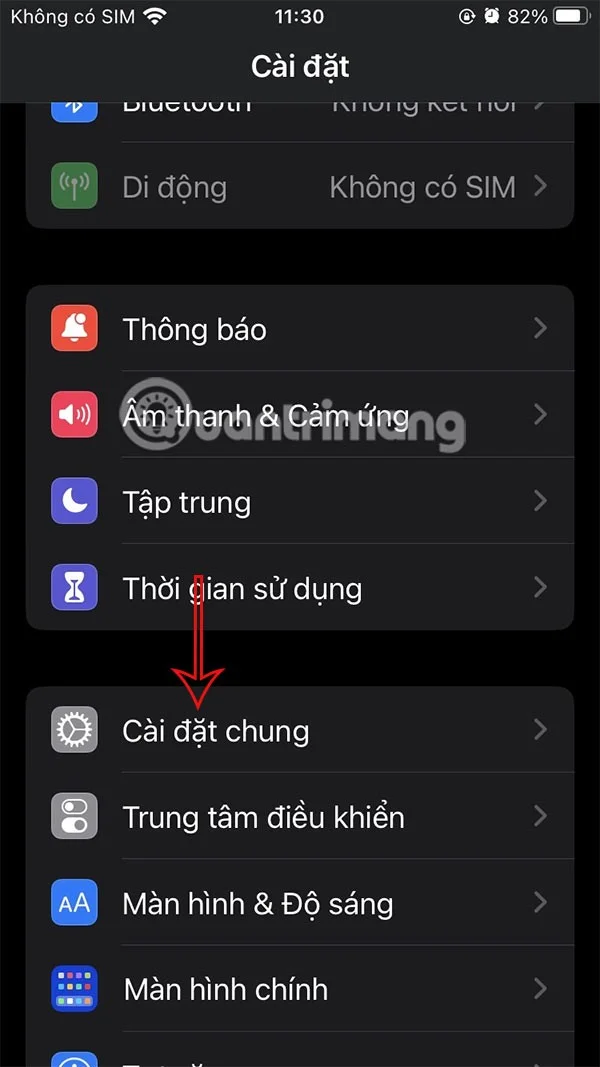
Go to Settings > iTunes & App Store > Apple ID. When a pop-up appears, select Resend Verification Code.
If you receive it, select Verify Now and log back into iCloud with your registered ID and password.
Check network connection
When the iCloud verification failed error is due to unstable or poor network, you can switch to another WiFi network or use cellular data.
Check the date and time on your iPhone
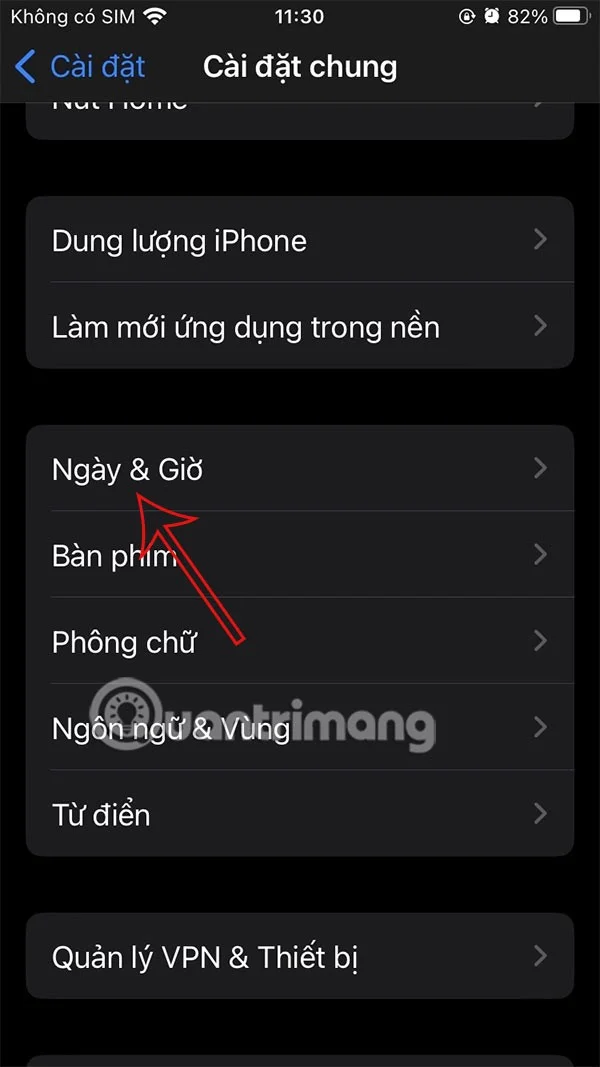
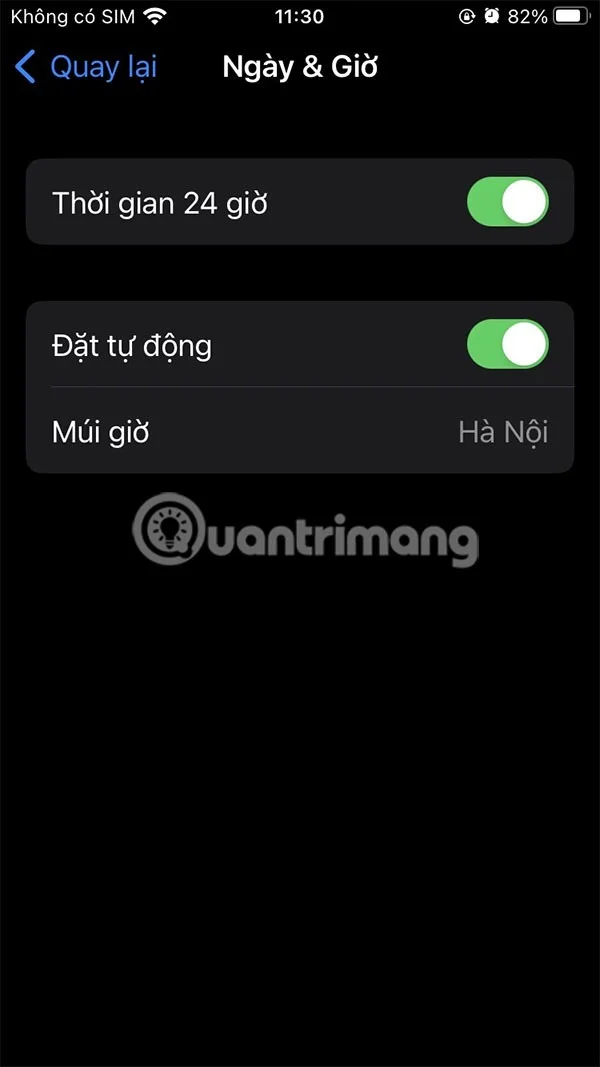
When the date and time on your iPhone is off or incorrect, iCloud verification errors can also occur. So you need to check whether the date and time settings on your iPhone are correct according to the time zone. Go to Date and Time settings and turn on Set Automatically.
Check Apple server status
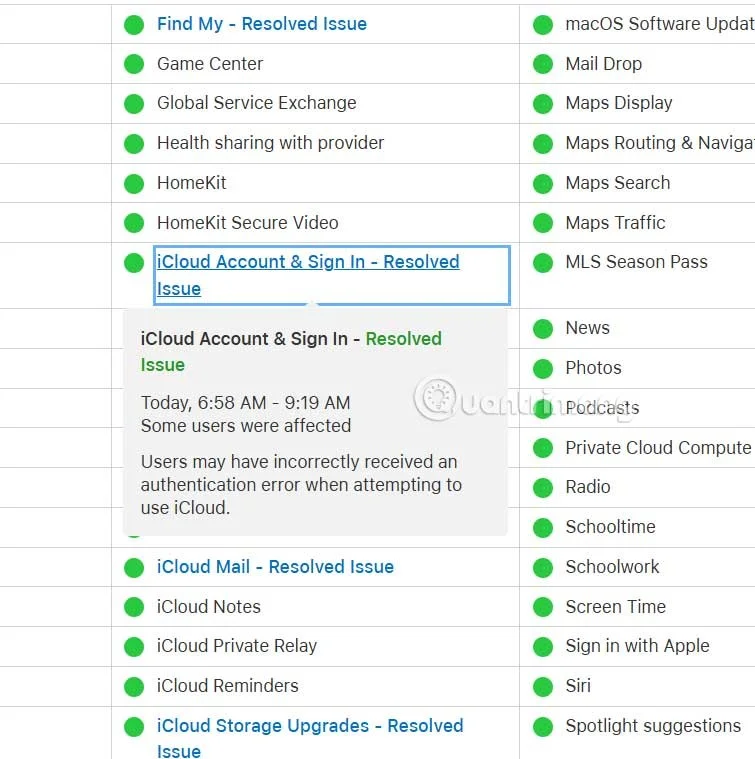
We access Apple's System Status page via the link below and check if Apple's services are working properly, especially iCloud Account & Sign in. If the message Resolved appears, the error has been fixed by Apple.
Disable active VPN
Some VPN connections can interfere with communication with Apple servers. If you have a VPN running on your device, try turning it off and then verifying iCloud again.
Create a gentle Halloween look with pastel colors, friendly ghosts, easy no-carve accents, and practical safety tips for your home.
Create a spooky office cubicle with Halloween desk decor ideas that keep your workspace usable, tidy, and mindful of workplace safety.
Plan a recognizable Halloween 2026 look with pop culture costumes inspired by Spider-Man, Supergirl, Toy Story 5, Moana, Mario, and Wednesday.
Sort leftover Halloween candy safely, share or repurpose sealed treats, and choose food use or compost for pumpkins based on their condition.
Compare workplace Halloween costume choices by respect, dress code, mobility, and safety—and learn when a subtle accessory or a policy check is the better option.
Find a couples costume that fits your style, budget, and comfort level, from Addams Family classics to original inside-joke duos.
Need a last-minute high school Halloween costume? Compare 10 easy closet-based ideas by prep time, comfort, school-day practicality, and simple safety checks.
Use a simple 2026 Halloween decorating timeline for indoor décor, outdoor displays, and fresh pumpkins, with practical adjustments for weather and events.
Mix five vivid, approachable Halloween cocktails with measured recipes, simple prep tips, and an alcohol-free option for your party guests.
Find 15 office-friendly Halloween costume ideas for 2026, with practical checks for dress codes, respectful themes, comfort, and workplace safety.








