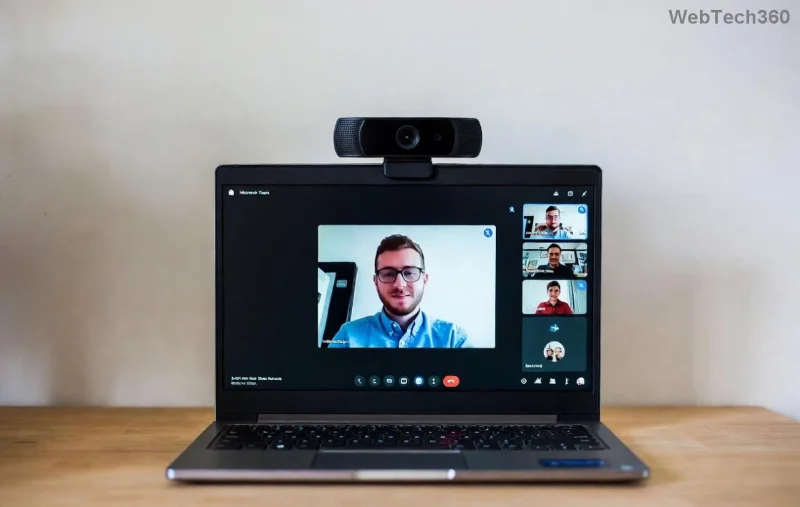
Imagine joining a crucial team meeting only to be hit with the frustrating Microsoft Teams "Error Loading Profile". 😩 Don't worry—this common glitch affects millions, but it's fixable with simple steps. Whether you're on Windows, Mac, or mobile, we'll guide you through quick solutions using the latest Teams updates. Stick around; by the end, you'll be collaborating seamlessly again. Let's dive in!
Why Does Microsoft Teams Error Loading Profile Happen? Common Causes
The Teams error loading profile often stems from corrupted cache, outdated software, or network hiccups. Here's a quick breakdown:
| Cause |
Symptoms |
Quick Check |
| Corrupted Cache |
Slow loading, profile stuck |
App freezes on sign-in |
| Outdated App |
Error pops up randomly |
Check version in Settings |
| Network Issues |
Intermittent failures |
Test internet speed |
| Profile Sync Problems |
Only affects one account |
Try incognito mode |
Recognize your issue? Great—now let's fix it. Start with the easiest steps first. 👍
🔧 Step-by-Step: How to Fix Microsoft Teams "Error Loading Profile"
1️⃣ Clear Teams Cache (Fastest Fix—Works 80% of the Time!)
The #1 culprit is bloated cache. Clearing it resets your profile without losing data.
- Quit Microsoft Teams completely (use Task Manager on Windows: Ctrl+Shift+Esc, end all Teams processes).
- Navigate to:
%appdata%\Microsoft\Teams (Windows) or ~/Library/Application Support/Microsoft/Teams (Mac).
- Delete folders: Cache, blob_storage, databases, GPUCache, IndexedDB, Local Storage, tmp.
- Restart Teams. Profile loads fresh! ✨
Pro tip: Do this weekly to prevent future glitches.
2️⃣ Update or Reinstall Microsoft Teams
Outdated versions cause profile errors. Ensure you're on the newest Teams client.
- Open Teams > Profile icon > Check for updates.
- If no luck, uninstall via Settings > Apps (Windows) or drag to Trash (Mac).
- Download fresh from official site.
- Sign in—error gone! 🚀
![Microsoft Teams update screen for fixing Error Loading Profile]()
3️⃣ Reset Network and Sign Out/In
Network glitches block profile sync.
- Run Network Troubleshooter (Windows: Settings > Network & Internet).
- Sign out of Teams (Profile > Sign out), close app, reopen, and sign in.
- Try mobile hotspot to rule out Wi-Fi issues.
Still stuck? Switch to web version at teams.microsoft.com as a temporary workaround.
⚙️ Advanced Troubleshooting for Stubborn Teams Profile Errors
If basics fail, level up:
Sign In with Different Account
Test a guest account. If it works, your profile needs Microsoft 365 admin help—contact IT.
Disable VPN/Proxy
VPNs interfere with profile loading. Turn off and retry.
Run as Administrator (Windows)
Right-click Teams > Run as administrator. Fixes permission issues.
![Advanced Microsoft Teams troubleshooting for Error Loading Profile]()
Check Microsoft Service Health
Visit Microsoft 365 Admin Center for outages. Rare, but it happens.
🛡️ Prevent Microsoft Teams Error Loading Profile Forever
- ⭐ Update Teams automatically in Settings.
- ⭐ Clear cache monthly.
- ⭐ Use stable internet (Ethernet over Wi-Fi).
- ⭐ Enable Teams auto-start for fresh loads.
Congrats! You've conquered the Teams error loading profile. 👏 Share this guide if it helped a teammate. For more tips, explore our Microsoft Teams optimization series next. Back to crushing those meetings! 🎉