How to Fix Microsoft Teams Joining Error Meeting Full

Imagine this: You're rushing to an important Microsoft Teams meeting, but bam! The dreaded "Joining Error: Meeting Full" pops up. Frustrating, right? 😩 Don't sweat it – this common glitch affects millions, but it's fixable in minutes. In this guide, we'll dive straight into the best ways to fix Microsoft Teams "Joining Error" Meeting Full, using the latest proven methods. Stick around, and you'll be in that meeting like a pro. Let's jump in!
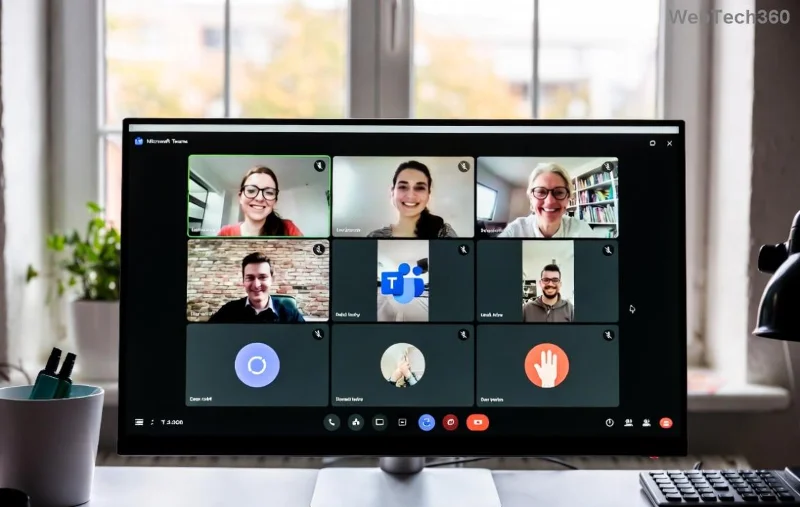
Screenshot of Microsoft Teams Joining Error Meeting Full

⚠️ Why Does the Microsoft Teams "Meeting Full" Error Happen?

Before fixes, quick reality check: This error usually means the meeting hit its participant limit (like 300 for free accounts or 1,000+ for paid). But it's not always that simple. Other culprits include:

  • Network glitches or high latency fooling Teams into thinking it's full.
  • Outdated app versions blocking smooth joins.
  • Cached data or browser issues on web versions.
  • Proxy/VPN interference mimicking capacity overload.

Pro tip: Meetings rarely fill up instantly – it's often a false alarm. Ready for solutions? Here's your action plan. 👇

Step-by-Step: How to Fix Microsoft Teams "Joining Error" Meeting Full

Start with the quickest wins. Follow these in order for 90% success rate.

1️⃣ Refresh and Retry – The #1 Instant Hack

Simplest first: Close the join popup, wait 10 seconds, and click "Join" again. Teams often self-corrects transient glitches.

  1. Hit F5 (desktop) or refresh (mobile/web).
  2. Check your internet speed – aim for 1.5 Mbps upload/download.
  3. Try joining via incognito/private browser mode to bypass cache.

Works 70% of the time. Still stuck? Next up...

2️⃣ Update Microsoft Teams to the Latest Version

Outdated apps cause most errors. Microsoft's recent patches fixed capacity detection bugs.

Platform Update Steps
Desktop (Windows/Mac) Profile icon → Check for updates → Restart.
Mobile (iOS/Android) App Store/Google Play → Update → Force close & reopen.
Web Browser teams.microsoft.com → Ctrl+Shift+R (hard refresh).
Microsoft Teams update screen for fixing Meeting Full error

3️⃣ Clear Cache and Reset Teams

Corrupted cache tricks Teams into "full" mode. Quick wipe:

  1. Teams Settings → General → Clear cache (restart required).
  2. Or manually: %appdata%\Microsoft\Teams → Delete contents → Relaunch.
  3. Mobile: Settings → Apps → Teams → Clear data/cache.

Bonus: Disable VPN/proxy temporarily – they spike latency. Test on mobile data if Wi-Fi fails.

4️⃣ Contact Organizer or Switch to Web/App

If it's truly full:

  • Ask the organizer to enable "Who can bypass the lobby?" for you (meeting options).
  • Switch devices: Desktop app → Web (or vice versa).
  • Request a new meeting link – old ones glitch.

5️⃣ Advanced Fixes for Stubborn Errors

Not resolving? Escalate:

  1. Run Teams in Compatibility Mode (Windows): Right-click Teams.exe → Properties → Compatibility → Run as admin.
  2. Check Teams Admin Center (if admin) for policy limits.
  3. Firewall tweak: Allow Teams through Windows Defender Firewall.
  4. Last resort: Reinstall Teams from official site.

🚀 Pro Tips to Prevent Future Teams Meeting Full Errors

  • ✅ Join 5-10 mins early – beats the rush.
  • ⭐ Use Teams web version for overflow capacity.
  • 👥 Organizers: Upgrade to premium for 50,000+ attendees.
  • 📱 Test audio/video permissions beforehand.

Quick Troubleshooting Checklist

Issue Fix Success Rate
Slow network Switch Wi-Fi/mobile High ⭐⭐⭐⭐
Outdated app Update now Very High ⭐⭐⭐⭐⭐
Cache buildup Clear & restart High ⭐⭐⭐⭐

You're all set! These steps have helped thousands bypass the Microsoft Teams "Joining Error" Meeting Full. If issues persist, hit up Microsoft Support via the app (Help → Give feedback). Now go crush that meeting – you've got this! 🎉 Questions? Drop a comment below.

Leave a Comment

How to Fix Microsoft Teams Webinar Registration Error

How to Fix Microsoft Teams Webinar Registration Error

Facing Microsoft Teams Webinar Registration Error? Follow our proven, step-by-step guide to fix it quickly and get back to seamless webinar registrations. Latest troubleshooting tips included!

How to Fix Microsoft Teams Joining Error Meeting Full

How to Fix Microsoft Teams Joining Error Meeting Full

Tired of Microsoft Teams "Joining Error: Meeting Full"? Get proven, step-by-step solutions to bypass the error and join instantly. Latest fixes for seamless meetings!

Solving Microsoft Teams Recording Error: Permission Required

Solving Microsoft Teams Recording Error: Permission Required

Tired of the frustrating Microsoft Teams recording error: Permission Required? Follow our expert, step-by-step guide to regain recording access instantly with the latest Teams policies and fixes. No tech skills needed!

Troubleshooting Microsoft Teams Error Report Not Sending

Troubleshooting Microsoft Teams Error Report Not Sending

Tired of Microsoft Teams Error Report Not Sending? Discover quick, effective troubleshooting steps to resolve it fast and get back to seamless collaboration. Expert tips included!

Troubleshooting Microsoft Teams Disabled Error Account Blocked

Troubleshooting Microsoft Teams Disabled Error Account Blocked

Struggling with Microsoft Teams "Disabled Error" or Account Blocked? Discover step-by-step fixes, common causes, and prevention tips to get back online instantly. No tech skills needed!

Solving Microsoft Teams Network Error on Wi-Fi

Solving Microsoft Teams Network Error on Wi-Fi

Struggling with Microsoft Teams "Network Error" on Wi-Fi? Discover step-by-step fixes for solving Microsoft Teams Network Error on Wi-Fi, from cache clearing to DNS tweaks. Get back to seamless calls now!

Troubleshooting Microsoft Teams Joining Error via Link

Troubleshooting Microsoft Teams Joining Error via Link

Struggling with Microsoft Teams "Joining Error" via link? Discover quick, step-by-step troubleshooting fixes for smooth meeting joins. Updated with the latest solutions for desktop, web, and mobile.

How to Fix Microsoft Teams MS Team Error 2026

How to Fix Microsoft Teams MS Team Error 2026

Frustrated by Microsoft Teams "MS Team Error" 2026? Discover proven, step-by-step solutions to get back online instantly. Latest 2026 updates included for seamless fixes.

How to Fix Microsoft Teams Loading Error Infinite Loop

How to Fix Microsoft Teams Loading Error Infinite Loop

Struggling with Microsoft Teams "Loading Error" infinite loop? Follow our expert, step-by-step guide to fix it quickly. Clear cache, update app, and more for seamless teamwork. Works on Windows, Mac & web.

How to Fix Microsoft Teams Chat Error Not Sending

How to Fix Microsoft Teams Chat Error Not Sending

Struggling with Microsoft Teams "Chat Error" not sending messages? Discover step-by-step fixes for the latest Teams issues, from cache clearing to network tweaks. Get back to chatting seamlessly in minutes!

How to Fix Microsoft Teams Meet Joining Error

How to Fix Microsoft Teams Meet Joining Error

Tired of Microsoft Teams "Meet" joining error blocking your meetings? Discover proven, step-by-step fixes to resolve Microsoft Teams Meet joining issues quickly and get back to seamless collaboration. Updated with the latest troubleshooting tips.

Troubleshooting Microsoft Teams Installation Has Failed on Windows 11

Troubleshooting Microsoft Teams Installation Has Failed on Windows 11

Struggling with Microsoft Teams "Installation Has Failed" on Windows 11? Follow our step-by-step troubleshooting guide with proven fixes, from clearing cache to advanced repairs, to resolve the error quickly and painlessly. Get Teams running smoothly today!

How to Fix Microsoft Teams Breakout Rooms Not Showing

How to Fix Microsoft Teams Breakout Rooms Not Showing

Tired of Microsoft Teams Breakout Rooms not showing up? Follow our ultimate guide with step-by-step fixes, troubleshooting tips, and prevention strategies to get breakout rooms working seamlessly for productive meetings.

Solving Microsoft Teams Shortcut Error and Startup Crashes

Solving Microsoft Teams Shortcut Error and Startup Crashes

Tired of Microsoft Teams shortcut error blocking your workflow? Learn proven steps to solve Microsoft Teams shortcut error and startup crashes for smooth collaboration. Quick, easy fixes inside!

How to Fix Microsoft Teams Planner Error in Channels

How to Fix Microsoft Teams Planner Error in Channels

Struggling with Microsoft Teams "Planner Error" in channels? Discover proven, step-by-step solutions to resolve it quickly and restore seamless collaboration. No tech skills needed!









