How to Fix Microsoft Teams Webinar Registration Error

Encountering the frustrating Microsoft Teams Webinar Registration Error? You're not alone! 😩 This common issue blocks your ability to join or register for important webinars, but don't worry—we've got your back. In this guide, we'll walk you through simple, effective solutions to resolve it fast. By the end, you'll be registered and ready to dive into your webinar without a hitch. Let's fix this together! 🔧

Why Does the Microsoft Teams Webinar Registration Error Happen?

Understanding the root causes helps you target the right fix. Here are the top triggers based on the latest user reports and Microsoft updates:
  • Account Permissions: Insufficient roles for registration (e.g., not a guest or attendee).
  • Cache and Browser Issues: Corrupted data in Teams or your browser.
  • Outdated App: Running an older version of Teams.
  • Network Glitches: Firewall or proxy blocking webinar features.
  • Webinar Settings: Host-side restrictions on registrations.
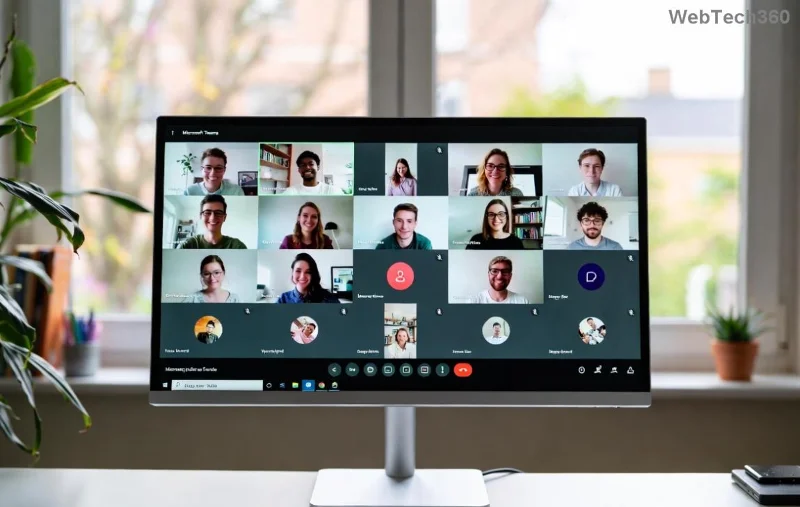
Screenshot of Microsoft Teams Webinar Registration Error message

Spot your issue? Great—now let's jump into the fixes. Follow these steps in order for the quickest results. 👍

🔥 Step-by-Step Guide: How to Fix Microsoft Teams Webinar Registration Error

1️⃣ Quick Restart and Sign-Out Fix (Works 70% of the Time!)

The simplest start: Sign out of Teams, close the app/browser completely, then sign back in. This refreshes your session and clears temporary glitches.

  1. Open Teams > Click your profile picture > Sign out.
  2. Restart your device.
  3. Sign in again and try registering for the webinar.

2️⃣ Clear Cache and Cookies

Corrupted cache is a sneaky culprit. Here's how to wipe it:

Platform Steps
Desktop App 1. Press Ctrl + Shift + Delete
2. Select "All time" > Clear cache.
3. Restart Teams.
Web Browser 1. Go to Settings > Privacy > Clear browsing data.
2. Check Cookies & Cache > Clear.
3. Reload Teams in browser.
Clearing cache in Microsoft Teams to fix webinar registration error

3️⃣ Update Microsoft Teams to the Latest Version

Outdated apps cause compatibility errors. Ensure you're on the newest release:

  1. In Teams, click your profile > Check for updates.
  2. Or download from the official site: Microsoft Teams Download.
  3. After updating, test the webinar registration.

4️⃣ Check Network and Permissions

🔍 Network woes? Switch to a stable Wi-Fi or VPN off. For permissions:

  • Ask the webinar host to confirm your attendee status.
  • In Teams Admin Center (if admin): Enable webinar registration under Meetings > Webinar policies.
Checking permissions in Microsoft Teams for webinar registration

5️⃣ Advanced Fixes for Stubborn Errors

If basics fail:

  1. Reset Teams: Uninstall/reinstall via Settings > Apps.
  2. Browser Switch: Try Edge or Chrome incognito mode.
  3. Contact Support: Use Teams feedback or visit Microsoft Teams Support for logs.

Troubleshooting Table: Match Your Error to the Fix

Error Message Likely Cause Fast Fix
"Registration not available" Permissions Check host settings ⭐
"Something went wrong" Cache/Network Clear cache & restart
"Failed to register" App version Update Teams

Pro Tips to Prevent Future Microsoft Teams Webinar Registration Errors

  • Always use the latest Teams build.
  • Join as a guest attendee early.
  • Enable notifications for webinar invites.
  • Test registration on a secondary account first.

Congrats—you've conquered the Microsoft Teams Webinar Registration Error! 🎉 If these steps worked, drop a comment below sharing which fix saved your day. Got a unique twist? Let us know to help others. Stay connected and webinar-ready! 🚀

Leave a Comment

How to Fix Microsoft Teams Webinar Registration Error

How to Fix Microsoft Teams Webinar Registration Error

Facing Microsoft Teams Webinar Registration Error? Follow our proven, step-by-step guide to fix it quickly and get back to seamless webinar registrations. Latest troubleshooting tips included!

How to Fix Microsoft Teams Joining Error Meeting Full

How to Fix Microsoft Teams Joining Error Meeting Full

Tired of Microsoft Teams "Joining Error: Meeting Full"? Get proven, step-by-step solutions to bypass the error and join instantly. Latest fixes for seamless meetings!

Solving Microsoft Teams Recording Error: Permission Required

Solving Microsoft Teams Recording Error: Permission Required

Tired of the frustrating Microsoft Teams recording error: Permission Required? Follow our expert, step-by-step guide to regain recording access instantly with the latest Teams policies and fixes. No tech skills needed!

Troubleshooting Microsoft Teams Error Report Not Sending

Troubleshooting Microsoft Teams Error Report Not Sending

Tired of Microsoft Teams Error Report Not Sending? Discover quick, effective troubleshooting steps to resolve it fast and get back to seamless collaboration. Expert tips included!

Troubleshooting Microsoft Teams Disabled Error Account Blocked

Troubleshooting Microsoft Teams Disabled Error Account Blocked

Struggling with Microsoft Teams "Disabled Error" or Account Blocked? Discover step-by-step fixes, common causes, and prevention tips to get back online instantly. No tech skills needed!

Solving Microsoft Teams Network Error on Wi-Fi

Solving Microsoft Teams Network Error on Wi-Fi

Struggling with Microsoft Teams "Network Error" on Wi-Fi? Discover step-by-step fixes for solving Microsoft Teams Network Error on Wi-Fi, from cache clearing to DNS tweaks. Get back to seamless calls now!

Troubleshooting Microsoft Teams Joining Error via Link

Troubleshooting Microsoft Teams Joining Error via Link

Struggling with Microsoft Teams "Joining Error" via link? Discover quick, step-by-step troubleshooting fixes for smooth meeting joins. Updated with the latest solutions for desktop, web, and mobile.

How to Fix Microsoft Teams MS Team Error 2026

How to Fix Microsoft Teams MS Team Error 2026

Frustrated by Microsoft Teams "MS Team Error" 2026? Discover proven, step-by-step solutions to get back online instantly. Latest 2026 updates included for seamless fixes.

How to Fix Microsoft Teams Loading Error Infinite Loop

How to Fix Microsoft Teams Loading Error Infinite Loop

Struggling with Microsoft Teams "Loading Error" infinite loop? Follow our expert, step-by-step guide to fix it quickly. Clear cache, update app, and more for seamless teamwork. Works on Windows, Mac & web.

How to Fix Microsoft Teams Chat Error Not Sending

How to Fix Microsoft Teams Chat Error Not Sending

Struggling with Microsoft Teams "Chat Error" not sending messages? Discover step-by-step fixes for the latest Teams issues, from cache clearing to network tweaks. Get back to chatting seamlessly in minutes!

How to Fix Microsoft Teams Meet Joining Error

How to Fix Microsoft Teams Meet Joining Error

Tired of Microsoft Teams "Meet" joining error blocking your meetings? Discover proven, step-by-step fixes to resolve Microsoft Teams Meet joining issues quickly and get back to seamless collaboration. Updated with the latest troubleshooting tips.

Troubleshooting Microsoft Teams Installation Has Failed on Windows 11

Troubleshooting Microsoft Teams Installation Has Failed on Windows 11

Struggling with Microsoft Teams "Installation Has Failed" on Windows 11? Follow our step-by-step troubleshooting guide with proven fixes, from clearing cache to advanced repairs, to resolve the error quickly and painlessly. Get Teams running smoothly today!

How to Fix Microsoft Teams Breakout Rooms Not Showing

How to Fix Microsoft Teams Breakout Rooms Not Showing

Tired of Microsoft Teams Breakout Rooms not showing up? Follow our ultimate guide with step-by-step fixes, troubleshooting tips, and prevention strategies to get breakout rooms working seamlessly for productive meetings.

Solving Microsoft Teams Shortcut Error and Startup Crashes

Solving Microsoft Teams Shortcut Error and Startup Crashes

Tired of Microsoft Teams shortcut error blocking your workflow? Learn proven steps to solve Microsoft Teams shortcut error and startup crashes for smooth collaboration. Quick, easy fixes inside!

How to Fix Microsoft Teams Planner Error in Channels

How to Fix Microsoft Teams Planner Error in Channels

Struggling with Microsoft Teams "Planner Error" in channels? Discover proven, step-by-step solutions to resolve it quickly and restore seamless collaboration. No tech skills needed!









