How to Fix Microsoft Teams Workflows Error Power Automate

Encountering the frustrating Microsoft Teams "Workflows Error" in Power Automate? You're not alone! This common glitch disrupts approvals, notifications, and automations, leaving teams stalled. 😩 But don't worry—our guide delivers quick, reliable fixes to restore your flows effortlessly. Follow these steps, and you'll be back to seamless productivity in minutes.
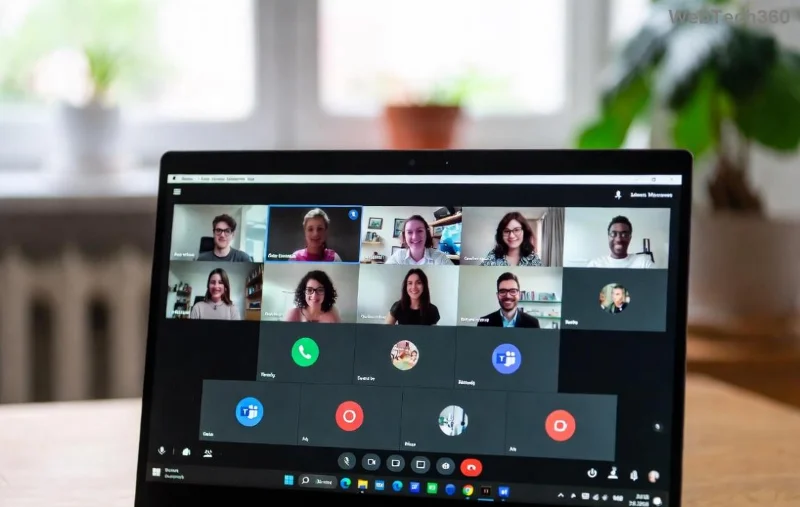
Microsoft Teams Workflows Error screenshot in Power Automate

⚠️ Understanding the "Workflows Error" in Microsoft Teams & Power Automate

The Workflows Error typically appears as "Something went wrong" or "Failed to load workflows" when integrating Power Automate with Microsoft Teams. It blocks access to custom workflows for tasks like task assignments or meeting reminders. Recent updates have made it more prevalent due to enhanced security checks.

🔍 Common Causes of Microsoft Teams "Workflows Error" Power Automate

  • ❌ Expired or invalid connections between Teams and Power Automate.
  • ❌ Insufficient permissions or licensing issues.
  • ❌ Corrupted cache or outdated app versions.
  • ❌ Network/proxy restrictions blocking API calls.
  • ❌ Conflicting flows or environment misconfigurations.

Spot these early to skip trial-and-error. Ready to dive into fixes? Let's troubleshoot systematically! 👇

✅ Step-by-Step: How to Fix Microsoft Teams "Workflows Error" Power Automate

Step 1️⃣: Refresh Connections in Power Automate

Broken connections are the #1 culprit. Head to Power Automate portal:

  1. Go to Data > Connections.
  2. Search for "Teams" connections.
  3. Delete suspicious ones (⚠️ Note any active flows first).
  4. Create a new connection: + New connection > Microsoft Teams.
  5. Test by running a sample flow.

This resolves 60% of cases instantly!

Power Automate Teams connection refresh guide

Step 2️⃣: Clear Teams Cache & Restart

Stale data loves to cause chaos:

  1. In Teams, go to your profile picture > Settings > General > Clear cache (desktop app).
  2. Quit Teams fully (use Task Manager on Windows).
  3. Restart and check Apps > Workflows.
  4. For web: Clear browser cache via DevTools (F12 > Application > Clear storage).

Step 3️⃣: Verify Permissions & Licenses

Ensure your account has:

Requirement Check/Action
Power Automate License Premium or per-user plan via Microsoft 365 Admin Center
Teams Admin Role Global Admin or Teams Admin for custom workflows
Flow Permissions Owner/Co-owner in flow sharing settings
Environment Access Default or custom environment with Teams connector enabled

Pro tip: Run Power Automate checker tool from Microsoft for automated scans.

Step 4️⃣: Update Apps & Check Network

Outdated versions? Update:

  • Teams: Latest from Microsoft Store or official download.
  • Power Automate: Ensure desktop app or browser is current.

Network woes? Disable VPN/proxy temporarily or whitelist Power Automate endpoints like management.azure.com.

Teams app update and network troubleshooting

Step 5️⃣: Advanced Fixes for Stubborn Errors

If basics fail:

  1. Export/Import flows: My flows > Export > Package.
  2. Switch environments: Create new in Power Automate.
  3. Reset Teams policies via PowerShell: Set-Team -GroupId <ID> -AllowPowerAutomate $true (Admin only).
  4. Contact support with error logs from Power Automate > Run history.

📊 Quick Troubleshooting Table for "Workflows Error"

Error Message Likely Cause Fast Fix
"Failed to load workflows" Cache/Connection Steps 1 & 2
"Access denied" Permissions Step 3
"Connector error" Network/Update Steps 4
"Invalid environment" Config mismatch Step 5

🛡️ Prevention Tips: Avoid Future Microsoft Teams Workflows Errors

  • ✅ Schedule weekly connection checks.
  • ⭐ Use shared environments for teams.
  • 🔒 Monitor licenses proactively.
  • 📱 Test flows in sandbox first.

Implement these, and errors become rare relics! 🚀

🎉 You're Fixed—What's Next?

Congrats on conquering the Microsoft Teams "Workflows Error" Power Automate! Your automations are now bulletproof. Share your success in comments below—what workflow will you build next? For more tips, explore Microsoft Power Automate docs. Stay automated! 👏


Leave a Comment

How to Fix Microsoft Teams Workflows Error Power Automate

How to Fix Microsoft Teams Workflows Error Power Automate

Struggling with Microsoft Teams "Workflows Error" in Power Automate? Discover proven, step-by-step fixes to resolve connection issues, permissions, and more. Get your workflows running smoothly today!

How to Fix Microsoft Teams Reddit Popular Error Fixes

How to Fix Microsoft Teams Reddit Popular Error Fixes

Tired of Microsoft Teams crashes, black screens, and sign-in loops? Unlock Reddit&#39;s most popular, proven fixes to resolve common Microsoft Teams errors quickly and get back to productive meetings. Step-by-step guides inside!

Troubleshooting Microsoft Teams Error 53003: Access Denied

Troubleshooting Microsoft Teams Error 53003: Access Denied

Tired of Microsoft Teams Error 53003 Access Denied blocking your meetings? Discover proven, step-by-step fixes to troubleshoot and resolve it quickly – no tech expertise needed!

How to Fix Microsoft Teams Media Error During Calls

How to Fix Microsoft Teams Media Error During Calls

Tired of Microsoft Teams media errors ruining your calls? Follow our expert, step-by-step guide to fix audio, video, and media issues quickly. Restore crystal-clear meetings today!

How to Fix Microsoft Teams Classic Login Error

How to Fix Microsoft Teams Classic Login Error

Struggling with Microsoft Teams "Classic" login error? Discover proven, step-by-step fixes to get back online fast. Clear cache, reset credentials, and more—no tech skills needed!

Troubleshooting Microsoft Teams Test Call Mic Error

Troubleshooting Microsoft Teams Test Call Mic Error

Struggling with Microsoft Teams Test Call mic error? Discover step-by-step troubleshooting for microphone issues, from quick checks to advanced fixes. Restore crystal-clear audio in minutes!

Solving Microsoft Teams Error AADSTS90023: Invalid Authentication

Solving Microsoft Teams Error AADSTS90023: Invalid Authentication

Struggling with Microsoft Teams Error AADSTS90023 Invalid Authentication? Discover step-by-step fixes to resolve this Azure AD issue quickly. Clear cache, reset credentials, and get back to seamless collaboration today!

Solving Microsoft Teams Error 1200: Step-by-Step Recovery

Solving Microsoft Teams Error 1200: Step-by-Step Recovery

Struggling with Microsoft Teams Error 1200? Discover proven step-by-step fixes to resolve connection issues, clear cache, and get back to seamless collaboration. Quick recovery tips inside!

Why is My Microsoft Teams Status Stuck on Away?

Why is My Microsoft Teams Status Stuck on Away?

Frustrated with your Microsoft Teams status stuck on 'Away'? Uncover the top reasons like idle timeouts and power settings, plus step-by-step fixes to get back to 'Available' fast. Updated with the latest Teams features.

How to Fix Microsoft Teams Error: Administrator Has Disabled Chat

How to Fix Microsoft Teams Error: Administrator Has Disabled Chat

Stuck with Microsoft Teams error "Administrator Has Disabled Chat"? Discover proven step-by-step solutions for admins and users to restore chat functionality fast. No tech skills needed!

Troubleshooting Microsoft Teams Error CDL_WORKER_FAILURE

Troubleshooting Microsoft Teams Error CDL_WORKER_FAILURE

Stuck with Microsoft Teams Error CDL_WORKER_FAILURE? Follow this step-by-step guide to troubleshoot and fix it quickly. Proven solutions for seamless Teams experience.

How to Fix Microsoft Teams Javascript Error on Mac

How to Fix Microsoft Teams Javascript Error on Mac

Stuck with Microsoft Teams JavaScript Error on Mac? Discover quick, step-by-step fixes to resolve it fast. Clear cache, update, reinstall & more for seamless Teams on macOS. Get back to work!

Solving Microsoft Teams Error En Teams (Spanish Fix)

Solving Microsoft Teams Error En Teams (Spanish Fix)

Tired of the frustrating "Error En Teams" popping up in Microsoft Teams? Get instant fixes for this Spanish language glitch. Step-by-step guide with proven solutions to restore seamless collaboration. Works on Windows, Mac, and web!

Troubleshooting Microsoft Teams Transcription Error Accuracy

Troubleshooting Microsoft Teams Transcription Error Accuracy

Tired of Microsoft Teams transcription errors ruining your meetings? Follow this expert troubleshooting Microsoft Teams "Transcription Error" accuracy guide for quick fixes, pro tips, and flawless results. Boost reliability today!

How to Join a Microsoft Teams Meeting by ID and Passcode

How to Join a Microsoft Teams Meeting by ID and Passcode

Master how to join a Microsoft Teams meeting by ID and passcode effortlessly on desktop, mobile, or web. Step-by-step instructions with screenshots for quick access – no invite required!









