Desk Decorating Ideas for a Spooky Office Cubicle

Create a spooky office cubicle with Halloween desk decor ideas that keep your workspace usable, tidy, and mindful of workplace safety.
DTCL season 13 has just been released, and the current server has encountered some errors that not all gamers will encounter. So everyone will find a way to fix the errors to experience Arcane Truth Arena season 2.
How to fix connection failure error in LOL PBE, DTCL PBE
This connection error can be caused by many different reasons. PBE servers are often used for testing, so they may experience unannounced maintenance errors due to unexpected incidents. Or simply, the number of people accessing the PBE server is too large, causing congestion and inability to connect.
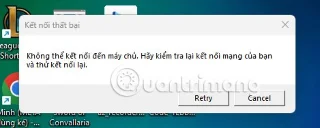
Another reason is that the network connection is unstable, leading to the inability to connect to the server, causing the connection to fail. You may be using a VPN or Proxy that is not compatible with the Riot Games server. Or the default DNS of the network provider is having an error, causing gamers to be unable to access the server. In this case, you should turn off the VPN or use another Proxy, change the DNS and try again.
Other causes include firewalls blocking the connection between the game client and Riot servers, or your modem/router. Some antivirus software may mistake LeagueClient.exe for malicious software and block it. You can try disabling your firewall and trying to connect to the PBE servers again.
In addition, when updating the PBE version, the update process may be missing files or corrupted files. After trying a few errors without fixing them, you can delete the entire LOL PBE and reinstall it.
There are many reasons for losing connection to LMHT PBE, one error can have many causes. So, try many ways and try to reconnect to the PBE server.
Create a spooky office cubicle with Halloween desk decor ideas that keep your workspace usable, tidy, and mindful of workplace safety.
Plan a recognizable Halloween 2026 look with pop culture costumes inspired by Spider-Man, Supergirl, Toy Story 5, Moana, Mario, and Wednesday.
Sort leftover Halloween candy safely, share or repurpose sealed treats, and choose food use or compost for pumpkins based on their condition.
Compare workplace Halloween costume choices by respect, dress code, mobility, and safety—and learn when a subtle accessory or a policy check is the better option.
Find a couples costume that fits your style, budget, and comfort level, from Addams Family classics to original inside-joke duos.
Need a last-minute high school Halloween costume? Compare 10 easy closet-based ideas by prep time, comfort, school-day practicality, and simple safety checks.
Use a simple 2026 Halloween decorating timeline for indoor décor, outdoor displays, and fresh pumpkins, with practical adjustments for weather and events.
Mix five vivid, approachable Halloween cocktails with measured recipes, simple prep tips, and an alcohol-free option for your party guests.
Find 15 office-friendly Halloween costume ideas for 2026, with practical checks for dress codes, respectful themes, comfort, and workplace safety.
Plan a fun elementary school Halloween party with easy crafts, games, inclusive treats, costume tips, and a sample 75-minute classroom schedule.








