Desk Decorating Ideas for a Spooky Office Cubicle

Create a spooky office cubicle with Halloween desk decor ideas that keep your workspace usable, tidy, and mindful of workplace safety.
Dragon Talon is one of the newest additions to Blox Fruits . This powerful new fighting style is the successor to Dragon Breath, which can be learned from Sabi. Both fighting styles are inspired by techniques used by Sabo in the One Piece anime series . However, Dragon Talon is much stronger in terms of overall damage output and AoE attacks. If you want to get this power for yourself, follow the guide below.
All the items needed to get Dragon Talon in Blox Fruits
The Dragon Talon fighting style is a direct upgrade from the Dragon Breath fighting style and can be unlocked in the third sea. So, you must be level 1500-1700 to enter the third sea and do the quests here. Additionally, you must meet the following requirements to get Dragon Fruit in Blox Fruits:
Fire Essence can be obtained by randomly tossing gifts from the Death King - an NPC found in the Haunted Castle in the Third Sea. Head towards the tomb in the cemetery of this castle, where you will find the NPC.
The Death King will give you gifts in exchange for 50 bones. You can collect these bones by defeating the NPC inside the castle cemetery. However, keep in mind that you can only receive 10 of these gifts every three hours. Consider redeeming the latest Blox Fruits code before engaging in battles to get 2x more XP.
Finally, if you still haven't learned the Dragon Breath fighting style, go to NPC Sabi and buy it for 1500 Blox Fruits Fragments. Sabi is located at the second last Archway of the Rose Kingdom. Otherwise, in the third sea, you can find him in the castle on the sea island.
How to get Dragon Talon in Blox Fruits
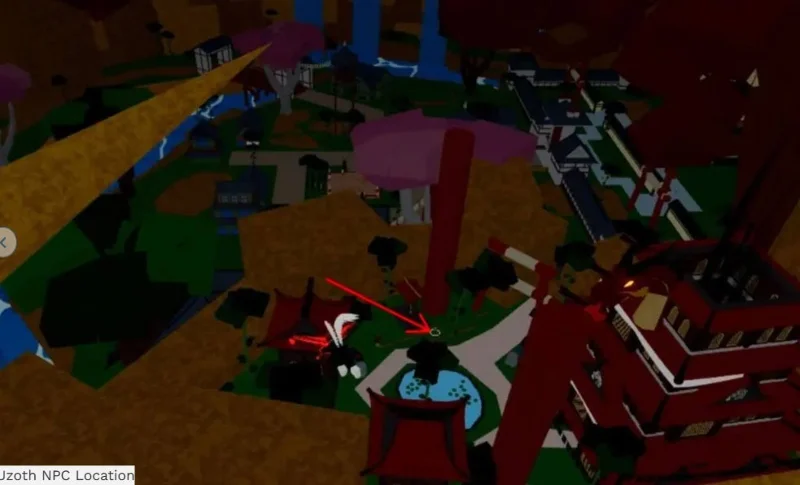
The Dragon Talon fighting style can be purchased from NPC Uzoth located on Hydra Island in the Third Sea. So after collecting all the materials and passing the level cap, set sail to the Third Sea. Now, locate the Dragon Dojo on Hydra Island. There you will find NPC Uzoth with horns on his head and flames coming out of his arms.
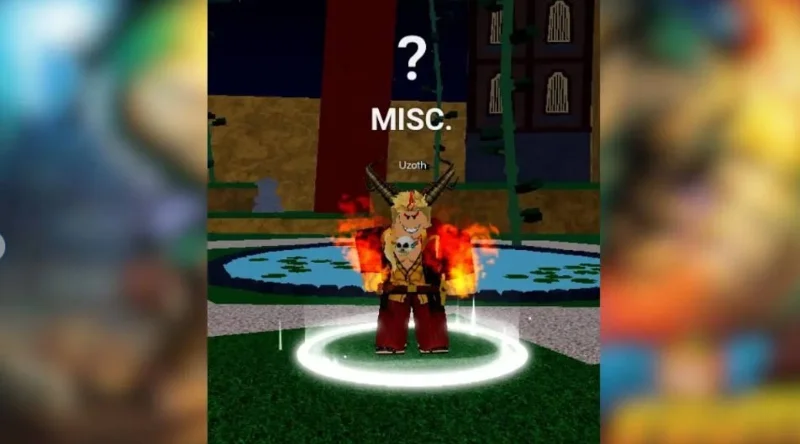
Interact with Uzoth and purchase Dragon Talon by sending the items you have collected. If you do not have all the items, Uzoth will ask you to burn hearts and will not give you anything.
There are a total of 3 additional movesets that you can unlock after purchasing the Dragon Talon fighting style. However, you must have 500+ Mastery in this fighting style and complete the Blue Belt quest from the Dojo Trainer NPC inside the Hydra Island Dojo.

Your next step is to go to the Dragon Hunter NPC next to the Dojo Trainer and complete his quests. These quests will reward you with Blaze Embers, which are essential items to upgrade your Dragon Talon fighting style. With that said, here are the three moves you can unlock later in the game using Blaze Embers:
Create a spooky office cubicle with Halloween desk decor ideas that keep your workspace usable, tidy, and mindful of workplace safety.
Plan a recognizable Halloween 2026 look with pop culture costumes inspired by Spider-Man, Supergirl, Toy Story 5, Moana, Mario, and Wednesday.
Sort leftover Halloween candy safely, share or repurpose sealed treats, and choose food use or compost for pumpkins based on their condition.
Compare workplace Halloween costume choices by respect, dress code, mobility, and safety—and learn when a subtle accessory or a policy check is the better option.
Find a couples costume that fits your style, budget, and comfort level, from Addams Family classics to original inside-joke duos.
Need a last-minute high school Halloween costume? Compare 10 easy closet-based ideas by prep time, comfort, school-day practicality, and simple safety checks.
Use a simple 2026 Halloween decorating timeline for indoor décor, outdoor displays, and fresh pumpkins, with practical adjustments for weather and events.
Mix five vivid, approachable Halloween cocktails with measured recipes, simple prep tips, and an alcohol-free option for your party guests.
Find 15 office-friendly Halloween costume ideas for 2026, with practical checks for dress codes, respectful themes, comfort, and workplace safety.
Plan a fun elementary school Halloween party with easy crafts, games, inclusive treats, costume tips, and a sample 75-minute classroom schedule.








