Pop Culture Costume Ideas That Will Dominate Halloween 2026

Plan a recognizable Halloween 2026 look with pop culture costumes inspired by Spider-Man, Supergirl, Toy Story 5, Moana, Mario, and Wednesday.
Apple Music shares your listening activity with your followers and shows your account to nearby devices. While Apple Music doesn’t have an incognito mode, there are a few settings you can tweak to make your Apple Music listening more private. Here are some settings you can tweak to make your Apple Music listening private.
Turn off Apple Music sharing
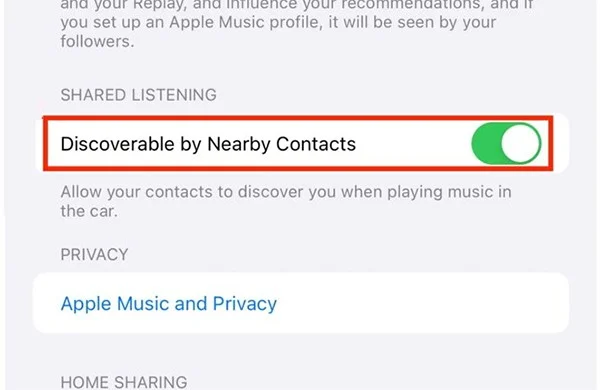
When you use Apple CarPlay to connect your iPhone to your car, there will be an additional Discoverable by Nearby Contacts setting, allowing your contacts to discover you when playing music in the car. If users want to protect their privacy when playing music, they can turn this setting off.
Go to Settings , select Music then turn off Discoverable by Nearby Contacts .
Stop sharing your Apple Music activity with others
When you create an Apple Music profile, it automatically shares your listening activity with your followers. If so, you should turn off sharing your Apple Music listening activity with others.
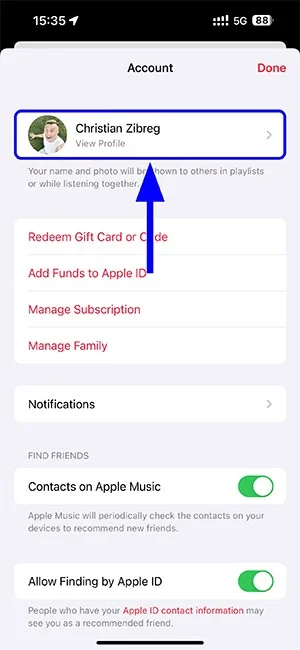
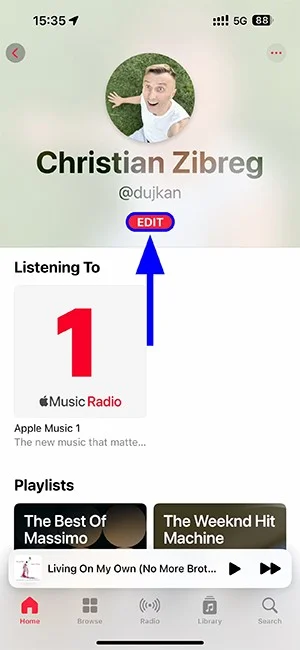
At the Apple Music interface, click on Home and then select the account avatar. Continue to click Edit to adjust the profile.
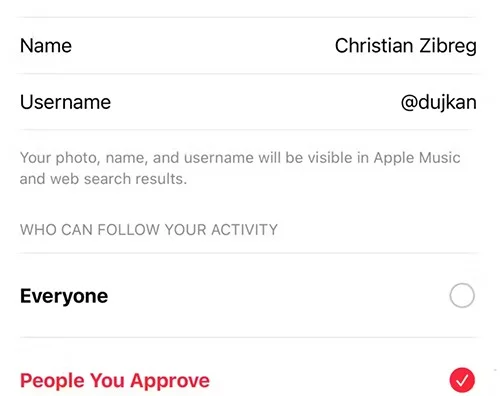
Next, scroll down to Who Can Follow Your Activity and select People You Approve .
Stop sharing Apple Music playlists with followers
When you created your Apple Music profile, you may have selected playlists to share with your followers. If you no longer want to share playlists, you can delete them.
Open your music profile on iPhone, then tap the Edit button . Next, in the Shared Playlists list , uncheck the playlists you share .
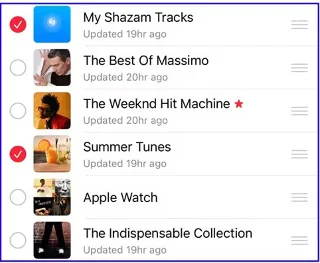
How to stop showing Apple Music listening activity
The songs and albums you listen to will appear on your profile so that when others access them, they will see them. We also access the music listening profile and select Edit . Next, scroll down to Show on Profile and turn off Listening To to not display the listening content on your Apple Music profile.
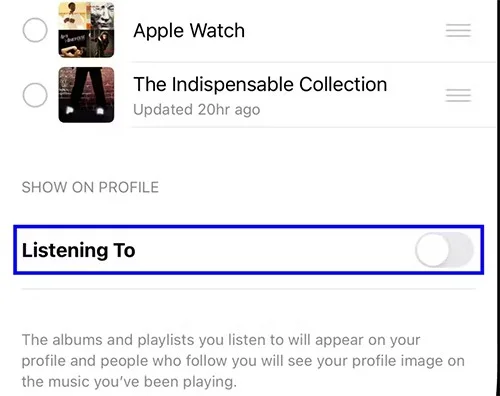
If you use Mac, select Additional Privacy Settings at Choose Who Can Follow Your Activity and also turn off the display of the music you are listening to.
How to delete Apple Music profile
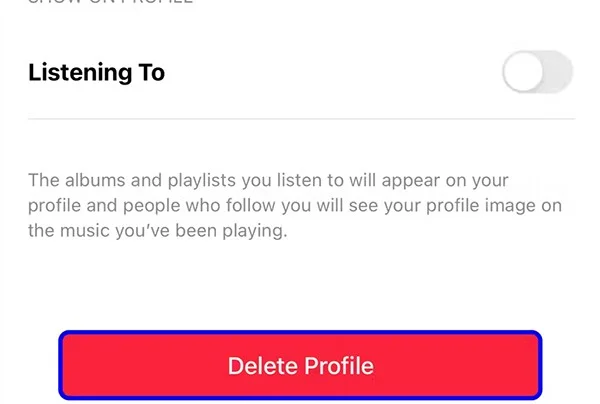
The last option is to delete the Apple Music profile if you no longer want to use the profile. We also click Edit in the Apple Music profile, then scroll down and select Delete Profile to delete the profile.
Plan a recognizable Halloween 2026 look with pop culture costumes inspired by Spider-Man, Supergirl, Toy Story 5, Moana, Mario, and Wednesday.
Sort leftover Halloween candy safely, share or repurpose sealed treats, and choose food use or compost for pumpkins based on their condition.
Compare workplace Halloween costume choices by respect, dress code, mobility, and safety—and learn when a subtle accessory or a policy check is the better option.
Find a couples costume that fits your style, budget, and comfort level, from Addams Family classics to original inside-joke duos.
Need a last-minute high school Halloween costume? Compare 10 easy closet-based ideas by prep time, comfort, school-day practicality, and simple safety checks.
Use a simple 2026 Halloween decorating timeline for indoor décor, outdoor displays, and fresh pumpkins, with practical adjustments for weather and events.
Mix five vivid, approachable Halloween cocktails with measured recipes, simple prep tips, and an alcohol-free option for your party guests.
Find 15 office-friendly Halloween costume ideas for 2026, with practical checks for dress codes, respectful themes, comfort, and workplace safety.
Plan a fun elementary school Halloween party with easy crafts, games, inclusive treats, costume tips, and a sample 75-minute classroom schedule.
Compare realistic side hustles for 2026 by startup cost, fees, flexibility, and income control, with current tax and scam guidance from official sources.








