Home
» Wiki
»
How to Make an Obsolescence-Proof PC on a Budget
How to Make an Obsolescence-Proof PC on a Budget
Anti-obsolescence PCs are often quite expensive because they are usually just the most expensive components crammed into a PC case. However, with some research and smart tech purchases, you can build a PC that you won't need to upgrade for at least 5 years.
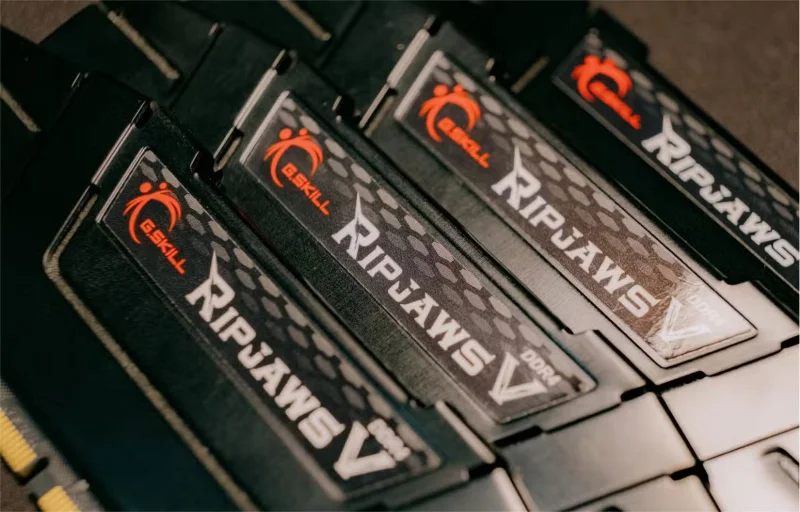
DDR5 is the latest generation of RAM. The next generation, DDR6 , is expected to hit consumers in 2026, while the previous version, DDR4 , is being phased out.
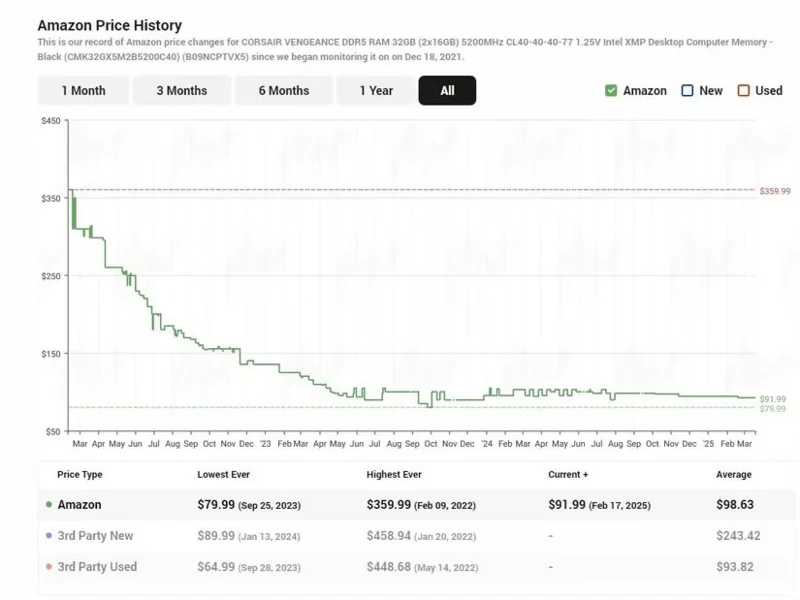
DDR5 Memory Price History
DDR5 prices will continue to fall, and it will take some time for DDR6 to be widely adopted, so DDR5 is the most sensible option if you don't want to worry about upgrading in the future. DDR5 is fast, and depending on your PC needs, 32-64GB of DDR5 will probably be more than enough even after DDR6 is released.
4. Buy the best CPU and GPU from the previous generation
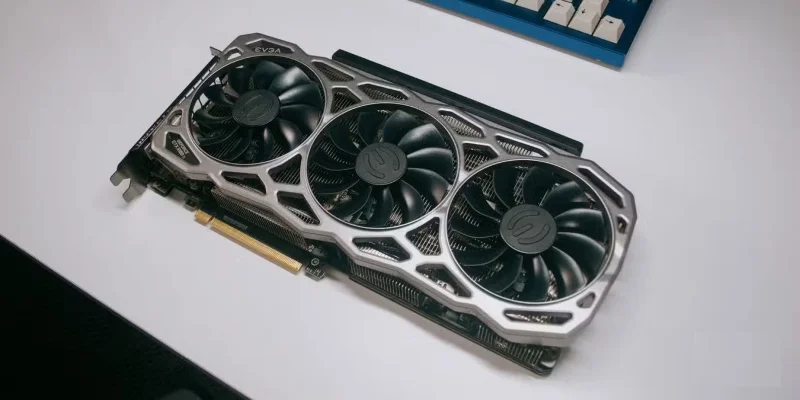
The latest generation GPUs will always be the most expensive. However, with the latest releases, people will upgrade and sell their previous generation high-end graphics cards for a lower price.
Look for reviews of high-end GPUs and CPUs that focus on value for money at the high end; focusing too much on value will put you in the mid-range and that won’t last as long as a high-end component. Keep an eye out for used high-end components at great prices, ideally around 70% SRP or less.
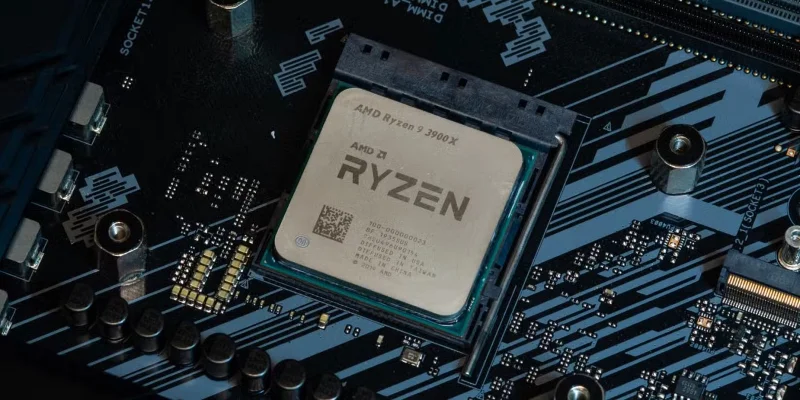
For example, using high-end parts like the Nvidia RTX 3080 Ti and AMD Ryzen 9 7900x will ensure that your GPU and CPU are powerful enough to handle the latest games and heavy programs until the GPU loses driver support. CPUs don’t use drivers, so they last much longer, especially if you regularly clean your motherboard and re-stick your CPU to keep it from overheating and failing.
3. Don't buy the best motherboard!
Even though you're buying the best product of the previous generation, that doesn't mean it needs to go on the best motherboard to support it.
However, you shouldn’t go for the lowest end, like the AMD A-series or Intel H-series. Fortunately, the mid-range motherboards for Intel and AMD are similar, like the AMD AM5 B650 for AMD and the Intel LGA 1700 B760 for Intel. However, not all B-series motherboards are the same, and you should look for two key features.
Many VRMs have heatsinks
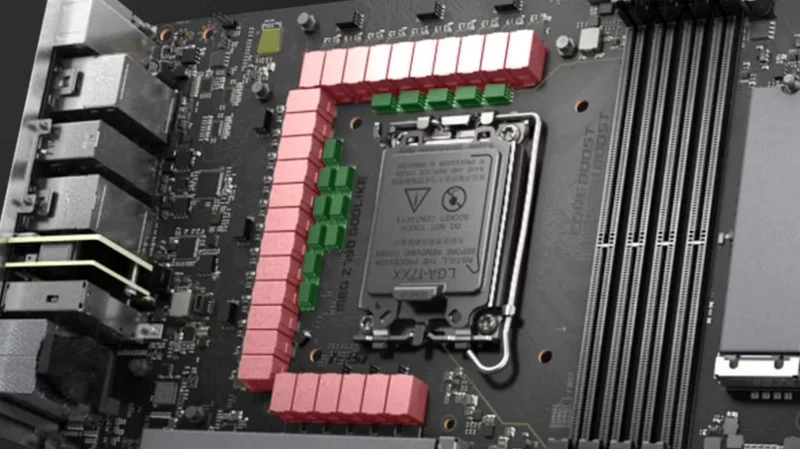
MSI MEG Z790 with VRM
Voltage regulator modules (VRMs) provide your CPU and other components with clean, stable power. This is a big job, and they can get pretty hot, so you'll want modules with heatsinks to help cool them.
If your motherboard doesn't have a high-quality VRM and doesn't have enough VRMs, your power-hungry CPU won't get the power it needs. There's no hard and fast rule on the exact number, but as a rule of thumb, aim for at least 10 VRMs. You can count them by looking for the chokes, the large blocks that surround the CPU.
For example, the Intel Core i9 13900K has a TDP of 253W, which is an incredible amount of power for a CPU. To handle that high power consumption, you'll want to pair it with the MSI B760 Gaming, which has multiple VRMs and a large heatsink.
Have at least 4 RAM slots
When buying RAM , try buying just two sticks of RAM for your desired amount of RAM. Two sticks use dual channel and using all four sticks does not increase speed.
Two sticks of RAM give you the flexibility to add more in the future without sacrificing current performance. A 4x8GB configuration won't perform any faster than 2x16GB, assuming the same clock speed, so it's better to buy 2x16GB like this Crucial 2x16GB kit. You'll have two empty slots to add more in the future.
2. Buy a reputable power supply
While it doesn't add much performance to your PC, the power supply or PSU plays an important role in properly building a PC.
A low-quality PSU can fail and take your other components with it, or worse, start a fire. You can also check out PSUCircuit ; this channel tests a wide variety of PSUs for reliability, efficiency, stability, and even high power spikes.
To choose the right PSU, we recommend using the PC Power Supply Calculator and aiming for the higher end of the recommendation. Always check reviews and buy from a reputable brand with a good warranty.
1. Save money by buying used components
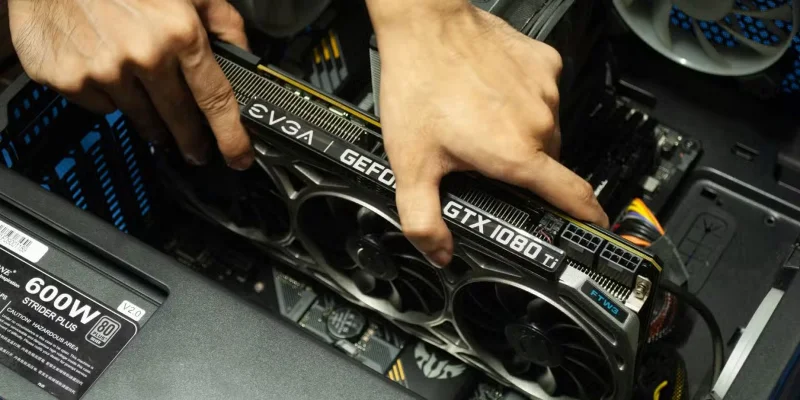
Install the graphics card into the PCIe slot
Many people are afraid to buy used components because they are too risky. However, understanding the risks can make buying used computer hardware a great option. For example, try to buy used computer components from a reputable supplier with a good warranty and return policy. The best used component stores will test and ensure that the hardware is up to standard before sending it out, so you can be confident in what you are buying.
Computer components are mostly housed in a case on a desk, computing for days. Unless it's a GPU used for cryptocurrency mining, which is not common these days, computer components aren't stressed enough to suddenly fail. If you only buy previous generation hardware, it won't be so old that it's gathering dust and prone to overheating.
If you’re worried about longevity, you can always reapply GPU thermal paste and buy a good CPU cooler to keep temperatures down. Join Facebook groups or keep an eye on deals on Facebook Marketplace and eBay, and you’ll eventually find great PC components at bargain prices.