When to Start Decorating for Halloween in 2026

Use a simple 2026 Halloween decorating timeline for indoor décor, outdoor displays, and fresh pumpkins, with practical adjustments for weather and events.
During the humid season, electronic and refrigeration equipment often malfunction or break down due to high humidity in the air. If you know how to handle humidity in your home, your equipment will avoid the above situations. Please refer to some of the tips we mentioned in this article!
Avoid places where water can accumulate
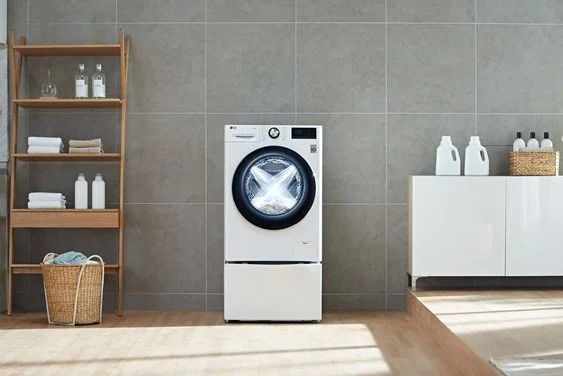
Places in the house where water easily accumulates are the floor, walls, glass surfaces, etc. For refrigerators and washing machines, you should buy stands and brackets to avoid direct contact with the floor. When placing TVs, refrigerators and washing machines, you should place them about 10cm-30cm away from the wall so that air can circulate and help the devices dissipate heat better.
Maintain use
Even if you do not need to use them, you should leave the TV, refrigerator and washing machine in standby mode for a certain period of time, do not turn them off. When in standby mode, these devices do not turn off completely, so they will generate heat and save electricity. As for the TV, you should turn it on for 10-15 minutes every day to limit water accumulation.
Close the door and turn on the air conditioner/dehumidifier.
Many people think that when the floor is wet in humid weather, they should open the door to let the wind dry the floor quickly. However, this makes the humidity worse and the TV, refrigerator, and washing machine are at greater risk of damage.
Ideally, you should close the door and turn on the air conditioner's Dry mode 2-3 times a day, each time for about 10-15 minutes. You should not turn on Dry mode all day, as this will cause the room to lose moisture, causing your skin to crack and your respiratory system to be affected.
Besides air conditioning, you can use a dehumidifier to absorb moisture, maintain stable humidity, improve dampness, prevent mold growth, protect TVs, refrigerators and washing machines.
If you are confused between a dehumidifier and an air conditioner, you can refer to the comparison of dehumidifiers and air conditioners .
Thus, with just a few simple steps, you have helped devices such as televisions, refrigerators and washing machines avoid mold during the wet season. Good luck!
Use a simple 2026 Halloween decorating timeline for indoor décor, outdoor displays, and fresh pumpkins, with practical adjustments for weather and events.
Mix five vivid, approachable Halloween cocktails with measured recipes, simple prep tips, and an alcohol-free option for your party guests.
Find 15 office-friendly Halloween costume ideas for 2026, with practical checks for dress codes, respectful themes, comfort, and workplace safety.
Plan a fun elementary school Halloween party with easy crafts, games, inclusive treats, costume tips, and a sample 75-minute classroom schedule.
Compare realistic side hustles for 2026 by startup cost, fees, flexibility, and income control, with current tax and scam guidance from official sources.
Upgrade your home office ergonomics with current OSHA and NIOSH guidance on chair fit, monitor height, laptop setup, lighting, and movement.
Learn why emotional intelligence matters in leadership, where it helps most, how to strengthen it, and how to tell whether your approach is working.
A practical roadmap for moving into tech without a degree: choose an accessible role, build job-ready skills, prove them with projects, and use hiring feedback to improve.
Build a credible LinkedIn personal brand in 2026 with current profile, content, newsletter, analytics, verification, and visibility guidance from LinkedIn.
Quiet quitting and quiet firing are catchy labels, not diagnoses. Learn what is verified, what depends on context, and what employees and managers can do next.








