Kawaii Halloween Decor Without Gore or Jump Scares

Create a gentle Halloween look with pastel colors, friendly ghosts, easy no-carve accents, and practical safety tips for your home.
As one of the most popular website building tools in the world, WordPress has once again become a target for malware. While security researchers are still trying to figure out how certain sites are getting infected, there are ways to check if your WordPress site is one of the victims and protect yourself against any future attacks.
WordPress website may have some malicious code
A team of security researchers from c/side, a cybersecurity firm, reported that 5,000 WordPress websites were targeted in a recent malware campaign. According to a report on the c/side blog, a malicious domain called WP3.XYZ is being “used to expose sensitive data, including administrator credentials and activity status ,” and allows the attackers to create unauthorized admin users. Those fake admins can then download dangerous WordPress plugins onto the vulnerable sites.
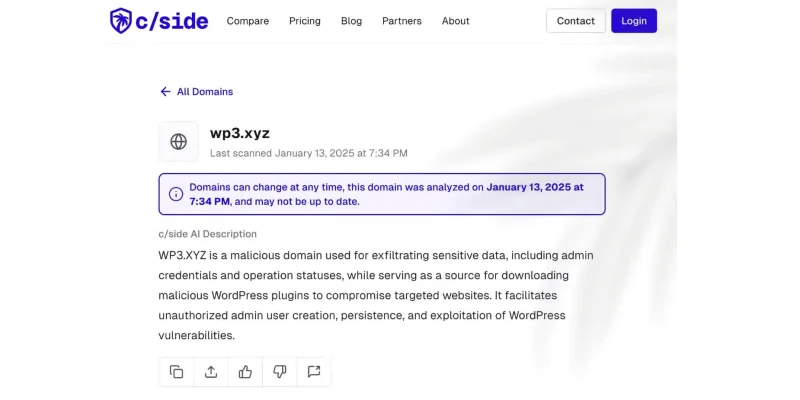
The good news is, acting as unauthorized admin accounts can be detected in the code, allowing you to review your site and remove them, along with any mysterious plugins.
How to check if a website is infected with malware and is protected
If you have a WordPress site, you should check your site's security using one of the following resources:
If vulnerabilities are highlighted, you should log into your WordPress account to remove unused, suspicious plugins as well as unauthorized admins.
Whether or not your site has been hit by the latest malware, you should still take steps to protect your WordPress site. For this attack, you can quickly implement protection by blocking the following domains in your firewall or security tool:
https://wp3[.]xyzIn addition to blocking malicious domains like these, you can also set up multi-factor authentication (MFA) for your account. Finally, you can add or double-check that you have protection against Cross-Site Request Forgery (CSRF) attacks.
The team at c/side is still investigating the source of the malicious scripts, so we don’t know exactly where the vulnerability lies. However, third-party plugins and poorly built website themes are often sources of malware. For this reason, you should check the source of your plugins to make sure they are well-reviewed and trustworthy.
Cyber-attacks, website hacks and phishing attacks are unfortunate realities of the digital age and it's important to stay vigilant, even if you'd rather leave your website alone while you focus on other areas of your business or personal life.
Create a gentle Halloween look with pastel colors, friendly ghosts, easy no-carve accents, and practical safety tips for your home.
Create a spooky office cubicle with Halloween desk decor ideas that keep your workspace usable, tidy, and mindful of workplace safety.
Plan a recognizable Halloween 2026 look with pop culture costumes inspired by Spider-Man, Supergirl, Toy Story 5, Moana, Mario, and Wednesday.
Sort leftover Halloween candy safely, share or repurpose sealed treats, and choose food use or compost for pumpkins based on their condition.
Compare workplace Halloween costume choices by respect, dress code, mobility, and safety—and learn when a subtle accessory or a policy check is the better option.
Find a couples costume that fits your style, budget, and comfort level, from Addams Family classics to original inside-joke duos.
Need a last-minute high school Halloween costume? Compare 10 easy closet-based ideas by prep time, comfort, school-day practicality, and simple safety checks.
Use a simple 2026 Halloween decorating timeline for indoor décor, outdoor displays, and fresh pumpkins, with practical adjustments for weather and events.
Mix five vivid, approachable Halloween cocktails with measured recipes, simple prep tips, and an alcohol-free option for your party guests.
Find 15 office-friendly Halloween costume ideas for 2026, with practical checks for dress codes, respectful themes, comfort, and workplace safety.








