Pop Culture Costume Ideas That Will Dominate Halloween 2026

Plan a recognizable Halloween 2026 look with pop culture costumes inspired by Spider-Man, Supergirl, Toy Story 5, Moana, Mario, and Wednesday.
It is often said that you can't force creativity , but that's not true. Creativity thrives when given boundaries and guidance .
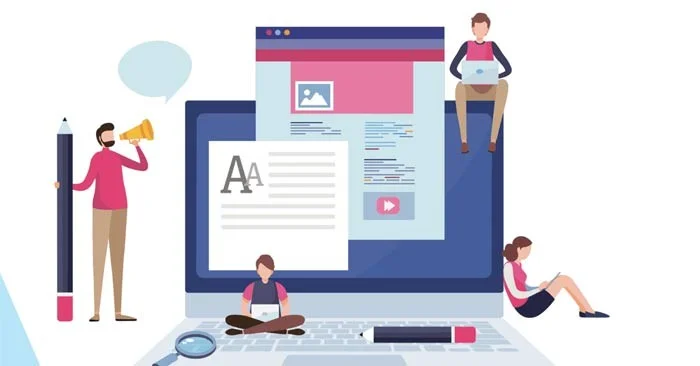
Boundaries give your creative process a clearly defined area to work in. Guidelines give your creative process a head start. They set the groundwork for you, saving you time and mental stress every time you create something new.
Any type of content creation requires a lot of creativity. Your team can make their content production process faster and create more engaging content by taking a few simple steps to streamline their workflow and support their work with the right content creation tools and support systems.
How to Speed Up Your Content Creation Process
Use templates so your team doesn’t have to build every piece of content from scratch. Create a library of templates for commonly created content formats, like blog posts, case studies, long-form content, white papers, landing pages, LinkedIn posts, videos, and social media posts.
Your team can build templates for the content they publish regularly. You can also use a production tool that provides pre-built templates as a starting point for creating new content.
Your team can increase productivity by modifying those templates, preloading valuable files for your brand, and quickly resizing content for different platforms, instead of having to build a new file for each format.
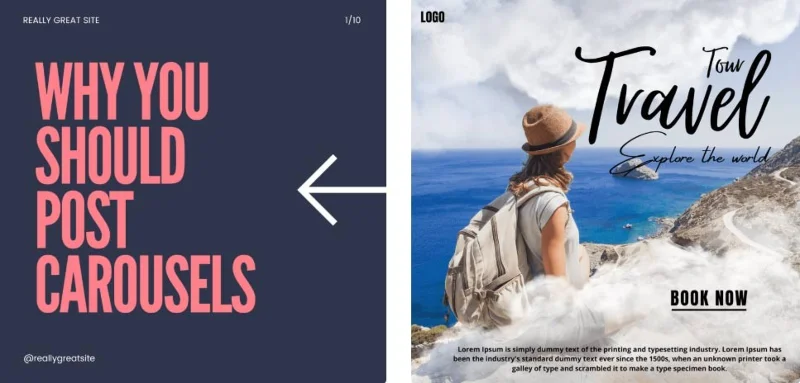
Your design process will run faster if you keep the physical assets needed to create content organized and easily accessible. Brand guidelines guide how your brand will be used, and they should link to an organized, downloadable source of brand assets. With that resource, your team won’t waste time searching for them or accidentally use the wrong file.
Use the brand kit you’ve created to link together all the brand assets content creators need to design and build digital content. Include links or downloads to multiple logo files, downloadable typography, stock images, embedded video content, and even focused quotes and case studies to enrich your content.
Use a digital asset management tool to store created documents in one place. Your team can create content faster by pulling from existing documents. They can streamline design reviews and reuse existing designs instead of starting from scratch each time.
With the help of AI, your team can create content much faster. There are now content creation tools that can design images and write content based on your team’s instructions. If you’re wondering how an AI image generator works, it’s basically an advanced machine learning algorithm that generates new images.
It’s important to remember that AI tools don’t have to create perfect, seamless finished products to be useful. Often, getting started with the first few lines of a project is the most difficult and time-consuming part of the process.
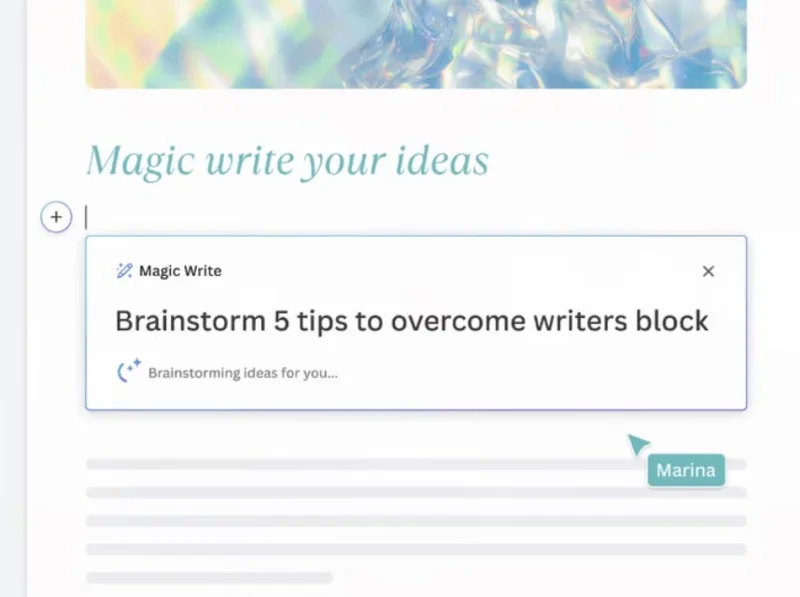
AI tools like Magic Write can generate a solid first draft that your team can use as a foundation. It can help overcome creative block, brainstorm ideas for structure or content, and get the grunt work of getting the basic words on the page done in no time. Then your team is free to tweak as needed.
Visual tools can also speed up your content creation process. Content is more effective at capturing the attention of potential customers when it has a visual element.
However, searching for stock images or hiring designers to create custom illustrations can be time-consuming. In Canva , use any AI graphics app to quickly create illustrations and images using text-to-image and add visual interest to articles, create infographics for landing pages, or create beautiful backgrounds for social media posts. You can also incorporate stunning AI anime art into any of your projects. Plus, you can access millions of high-quality images, videos, audio, and content with Canva’s premium content library.
There’s no need to create new content for every platform. Repurposing your content to cross-post across blogs, email marketing campaigns, and various social media platforms will help you reach a larger audience without spending a lot of time creating content.
By recycling your content across multiple platforms, you create rich content for your content marketing strategy. For example, you can turn a video format into a blog by adapting the transcript. You can take key points from a podcast and post them as social media bullet points, etc.
When repurposing content, tailor the length and tone to the medium. A blog post can be long and comprehensive, while an Instagram post might be better if it’s short, sweet, and attention-grabbing.
Use a tool to easily resize images so you can post your content across all social media platforms. Facebook, Instagram, TikTok, and other social media platforms require different sized images for the content you post. Choose a tool that allows you to use presets to quickly resize images.
No matter what type of content your team is creating, it’s important to design content that’s visually consistent with your brand. Create clear brand guidelines that they can use to create great content faster, that’s on-brand, and that meets your content standards.
Having easily accessible brand guidelines will save your team members time and effort in searching for that information and ensuring all their content is on-brand. This reduces the risk of your team having to revise work they’ve done that doesn’t fit the overall direction.
Developing brand guidelines should be part of your brand management process. Prepare a brand toolkit for internal teams to use. Your brand toolkit will describe what your brand stands for, what makes your brand visually unique, and how to use your brand elements.
Plan a recognizable Halloween 2026 look with pop culture costumes inspired by Spider-Man, Supergirl, Toy Story 5, Moana, Mario, and Wednesday.
Sort leftover Halloween candy safely, share or repurpose sealed treats, and choose food use or compost for pumpkins based on their condition.
Compare workplace Halloween costume choices by respect, dress code, mobility, and safety—and learn when a subtle accessory or a policy check is the better option.
Find a couples costume that fits your style, budget, and comfort level, from Addams Family classics to original inside-joke duos.
Need a last-minute high school Halloween costume? Compare 10 easy closet-based ideas by prep time, comfort, school-day practicality, and simple safety checks.
Use a simple 2026 Halloween decorating timeline for indoor décor, outdoor displays, and fresh pumpkins, with practical adjustments for weather and events.
Mix five vivid, approachable Halloween cocktails with measured recipes, simple prep tips, and an alcohol-free option for your party guests.
Find 15 office-friendly Halloween costume ideas for 2026, with practical checks for dress codes, respectful themes, comfort, and workplace safety.
Plan a fun elementary school Halloween party with easy crafts, games, inclusive treats, costume tips, and a sample 75-minute classroom schedule.
Compare realistic side hustles for 2026 by startup cost, fees, flexibility, and income control, with current tax and scam guidance from official sources.








