Pop Culture Costume Ideas That Will Dominate Halloween 2026

Plan a recognizable Halloween 2026 look with pop culture costumes inspired by Spider-Man, Supergirl, Toy Story 5, Moana, Mario, and Wednesday.
Freezing can help keep avocados fresher longer, but it can reduce the vitamin content over time. It can also affect the color and texture of the avocado. Here's how to store avocados in the freezer to keep their vitamin flavor at its best .
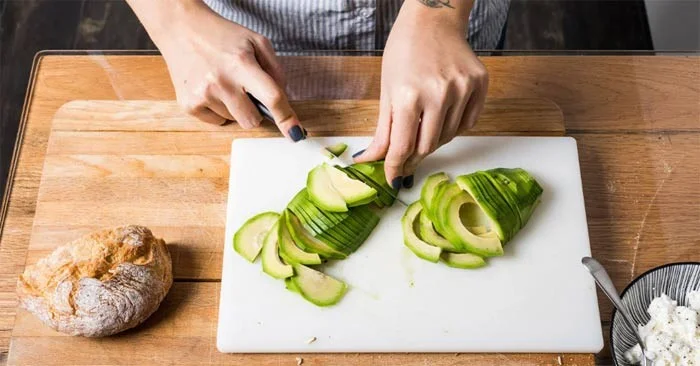
Things to know about freezing avocados
Freezing itself doesn't have much of an effect on the calorie, fiber, or mineral content of a food, but it can reduce the amount of water-soluble vitamins, such as vitamin C. Avocados are rich in folate and vitamin B6. They also contain vitamin C.
There are currently no studies that analyze exactly how many nutrients are lost when freezing avocados, but you should expect some loss — especially with extended storage.
Freezing avocados can reduce the texture of the fruit. When frozen, water expands and breaks down the structure of the avocado — an effect often seen in other frozen products. This can reduce the softness of the avocado.
Once thawed, avocados can become slimy, watery, and mushy. While you may not want to eat them on their own, you can remedy this unpleasant problem by blending them into a smoothie or pureeing them into guacamole or salad dressing.
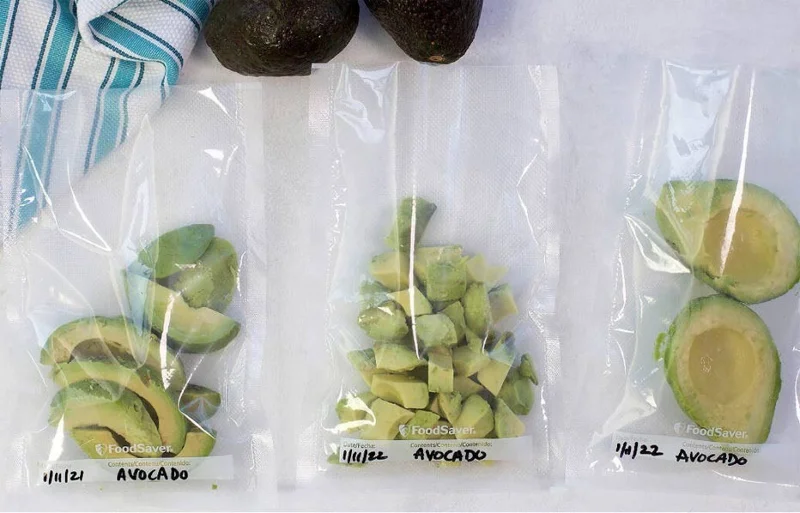
Avocados turn brown when exposed to oxygen in the air. When frozen, they are often pureed or cut in halves or pieces, which exposes them to air during freezing and thawing. Thawed avocados can turn brown quickly, so proper handling and storage is required.
While browning is natural and does not affect the flavor, some people may find it unappealing. To reduce the browning process, you can brush a little lemon juice on the fruit flesh before freezing.
Also, make sure the avocado is completely sealed. If not properly protected, it can develop freezer burn, which can cause discoloration and dryness.
Although the freezing process itself does not significantly affect flavor, various processing methods can.
If you use lime juice to prevent the fruit from browning, the flavor may change slightly. However, this flavor will not be as pronounced if you mix the avocado into a dip like guacamole.
Frozen butter products sold on the market may contain additives and other ingredients, so you should check the label if you are concerned about taste.
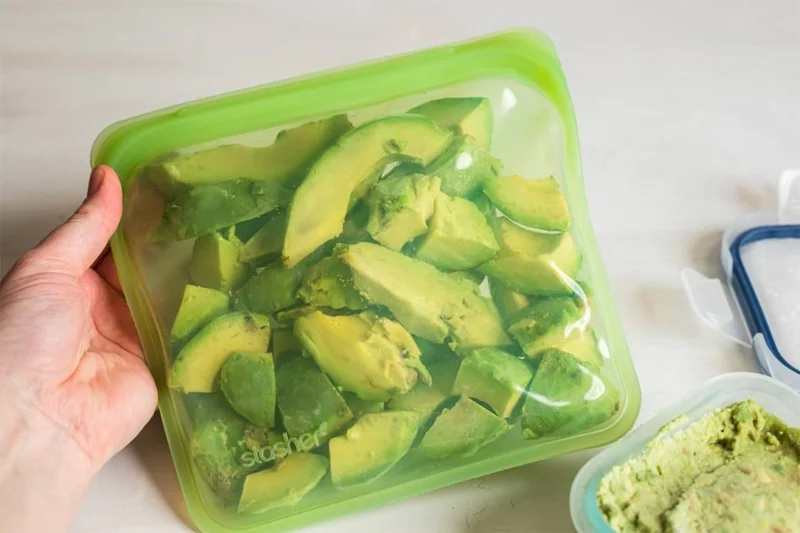
Whole avocados tend to turn brown and become very mushy when thawed, so you should cut, mash, or puree the fruit before freezing.
Start by cutting a ripe avocado in half, then removing the pit and peeling it. If you want, you can cut it into smaller pieces. Brush or spray the peeled avocado with a little lemon juice to help prevent browning, then wrap it in plastic wrap or place it in a resealable bag. If you have a vacuum sealer, you can use that instead.
It is important to allow as little air contact with the fruit as possible to prevent browning and freezer burn.
Label and date the avocado if desired, then freeze at 0°F (-18°C).
You can also freeze mashed or pureed avocado—or even homemade guacamole.
After peeling and seeding, mash or puree by hand or using a food processor.
If making guacamole, add the lime or lemon juice and any other seasonings—but avoid adding other produce like tomatoes or onions at this stage, as they tend to release water during the thawing process.
Transfer the crushed mixture to a container, ice cube tray, or resealable bag, pressing out all the air — either by hand or with a vacuum sealer. Label and date the bag and freeze at 0°F (-18°C).
When you are ready to use the frozen avocado, remove it from the freezer and thaw it in the refrigerator or at room temperature. Thawing usually takes about 1 hour at room temperature.
Thawed avocados are best used in salad dressings, smoothies, and other dishes like guacamole, dips, and spreads.
Many people find it unappealing to eat avocados plain or in salads because of the change in flavor and texture of the avocado, but you can absolutely do so if you wish.
Seasonings and additional ingredients can help mask sogginess and other changes associated with freezing.
Freezing avocados can help reduce food waste and allow you to eat them year-round. While most of the nutrients are preserved during freezing, the flesh tends to become mushy and may turn brown during storage or thawing.
Frozen avocados are best eaten mixed into dishes like guacamole, dips, and smoothies.
Plan a recognizable Halloween 2026 look with pop culture costumes inspired by Spider-Man, Supergirl, Toy Story 5, Moana, Mario, and Wednesday.
Sort leftover Halloween candy safely, share or repurpose sealed treats, and choose food use or compost for pumpkins based on their condition.
Compare workplace Halloween costume choices by respect, dress code, mobility, and safety—and learn when a subtle accessory or a policy check is the better option.
Find a couples costume that fits your style, budget, and comfort level, from Addams Family classics to original inside-joke duos.
Need a last-minute high school Halloween costume? Compare 10 easy closet-based ideas by prep time, comfort, school-day practicality, and simple safety checks.
Use a simple 2026 Halloween decorating timeline for indoor décor, outdoor displays, and fresh pumpkins, with practical adjustments for weather and events.
Mix five vivid, approachable Halloween cocktails with measured recipes, simple prep tips, and an alcohol-free option for your party guests.
Find 15 office-friendly Halloween costume ideas for 2026, with practical checks for dress codes, respectful themes, comfort, and workplace safety.
Plan a fun elementary school Halloween party with easy crafts, games, inclusive treats, costume tips, and a sample 75-minute classroom schedule.
Compare realistic side hustles for 2026 by startup cost, fees, flexibility, and income control, with current tax and scam guidance from official sources.








