Pop Culture Costume Ideas That Will Dominate Halloween 2026

Plan a recognizable Halloween 2026 look with pop culture costumes inspired by Spider-Man, Supergirl, Toy Story 5, Moana, Mario, and Wednesday.
If you are into AI models or chatbots, you may have seen discussions about the mysterious GPT-2 chatbot and its effectiveness. Today’s article will explain what the GPT-2 chatbot is and how you can access it.
What is GPT-2 Chatbot?
In late April 2024, a mysterious AI model called gpt2-chatbot became available on LMSYS, a site for testing and evaluating LLMs .
The excellent results of gpt2-chatbot have rapidly increased its popularity, with many claiming that it can match or even outperform GPT-4. Tweets from OpenAI CEO Sam Altman have only added to the hype.
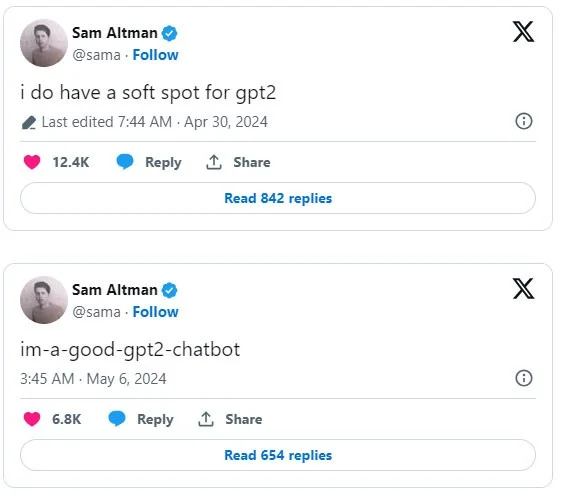
Shortly after the chatbot started trending, LMSYS removed it from its website citing traffic limits and high capacity in a post on X. However, it returned almost a week later with two different versions: im-a-good-gpt2-chatbot and im-also-a-good-gpt2-chatbot.
Later, when OpenAI released a new model called GPT-4o , it was revealed that the GPT-2 chatbot was not based on GPT-2 but on GPT-4o.
Is GPT-2 really GPT-4o?
That's right, the mysterious gpt2-chatbot is actually OpenAI's upgraded GPT-4o model, which offers more features than OpenAI's previous GPT models.
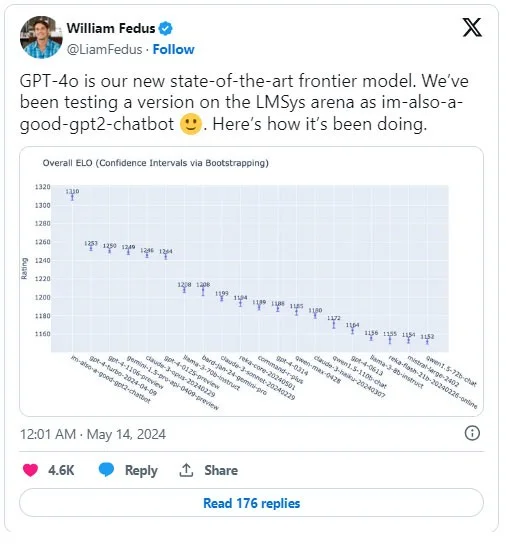
On the day GPT-4o was announced, an OpenAI employee revealed that they had tested GPT-4o on LMSYS under the name im-also-a-good-gpt2-chatbot. Sam Altman reposted this on X, confirming the claim.
You can still access and try out Chatbot GPT-2
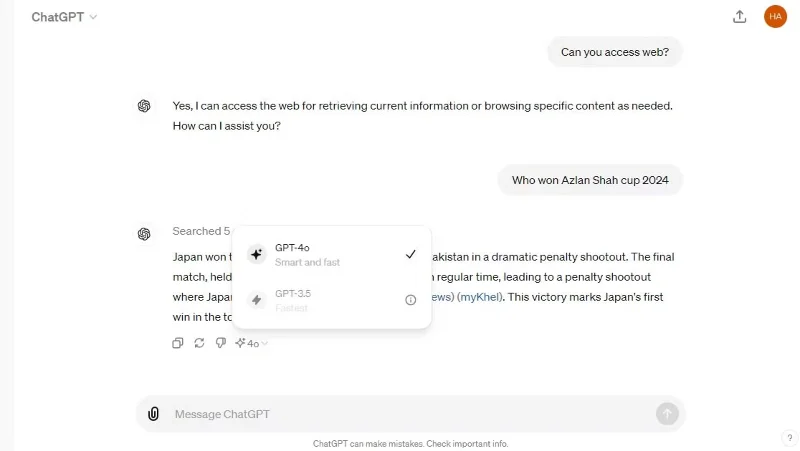
Now that GPT-4o is available to ChatGPT users and the GPT-2 chatbot is actually GPT-4o, just go to ChatGPT and use GPT-4o.
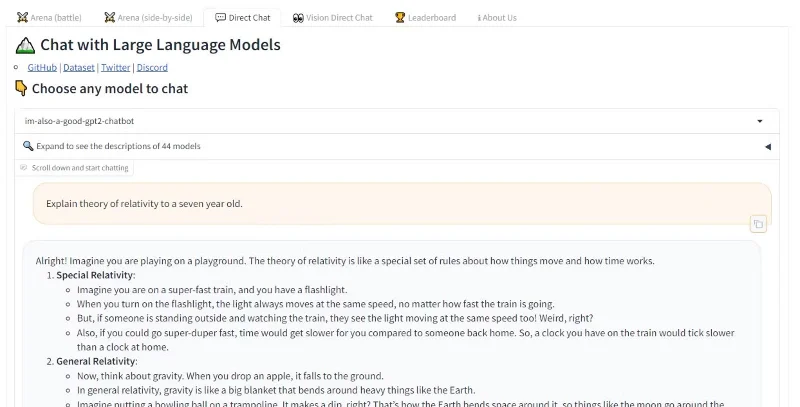
However, if you want to experience the trial versions of GPT-4o, the GPT-2 chatbot is still available on LMSYS. To access the GPT-2 chatbot, go to the LMSYS Chat page , select Direct Chat mode , and select im-also-a-good-gpt2-chatbot from the drop-down menu.
Is GPT-2 worth using? Or should I just use GPT-4o?
Even before it was revealed as GPT-4o, there was a lot of discussion about how effective the GPT-2 chatbot was. It performed even better than GPT-4, so there was speculation about whether it was GPT-4.5 or even GPT-5. According to X user @itsandrewgao, the GPT-2 chatbot solved the International Mathematical Olympiad question. Another X user created the Flappy Bird game using code generated by GPT-2.
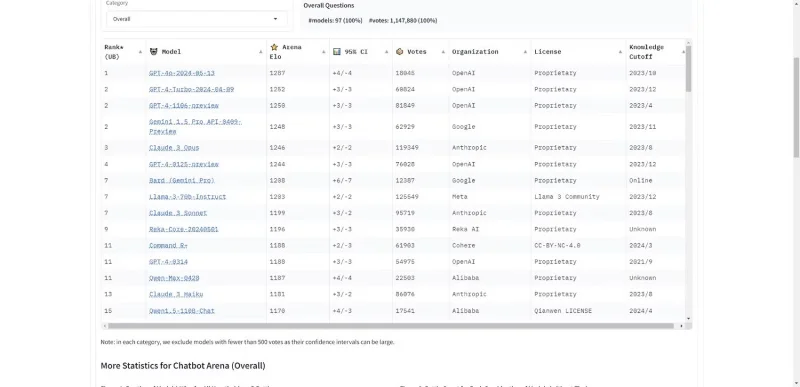
According to OpenAI’s data, GPT-4o outperforms any other AI model in the tests, and OpenAI’s demo also shows that GPT-4o is an improvement over existing models. Similarly, on the LMSYS Chatbot Arena Leaderboard, GPT-4o outperformed GPT-4 Turbo . So the hype around gpt2-chatbot (or GPT-4o) is justified. But since GPT-4o will continue to receive updates and tweaks after its release, it’s better to use GPT-4o over ChatGPT, rather than the older GPT-2 model for testing.
Plan a recognizable Halloween 2026 look with pop culture costumes inspired by Spider-Man, Supergirl, Toy Story 5, Moana, Mario, and Wednesday.
Sort leftover Halloween candy safely, share or repurpose sealed treats, and choose food use or compost for pumpkins based on their condition.
Compare workplace Halloween costume choices by respect, dress code, mobility, and safety—and learn when a subtle accessory or a policy check is the better option.
Find a couples costume that fits your style, budget, and comfort level, from Addams Family classics to original inside-joke duos.
Need a last-minute high school Halloween costume? Compare 10 easy closet-based ideas by prep time, comfort, school-day practicality, and simple safety checks.
Use a simple 2026 Halloween decorating timeline for indoor décor, outdoor displays, and fresh pumpkins, with practical adjustments for weather and events.
Mix five vivid, approachable Halloween cocktails with measured recipes, simple prep tips, and an alcohol-free option for your party guests.
Find 15 office-friendly Halloween costume ideas for 2026, with practical checks for dress codes, respectful themes, comfort, and workplace safety.
Plan a fun elementary school Halloween party with easy crafts, games, inclusive treats, costume tips, and a sample 75-minute classroom schedule.
Compare realistic side hustles for 2026 by startup cost, fees, flexibility, and income control, with current tax and scam guidance from official sources.








