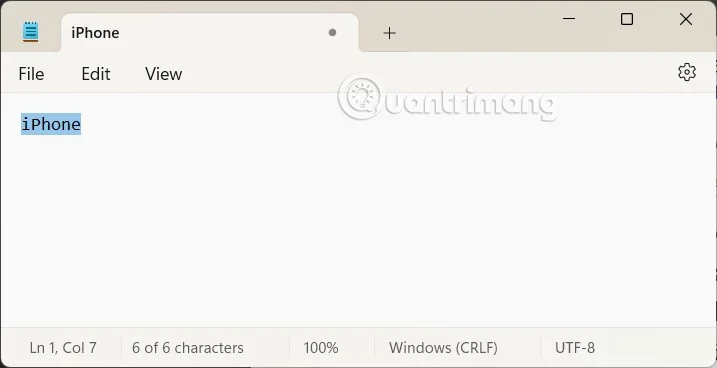
If you use Notepad on Windows 11, you will immediately see the Rewrite option, which rewrites selected text and adjusts the tone and length using AI. Although this tool is intended to enhance usability, some users find it unnecessary for Notepad. Additionally, to use this feature, you must sign in with your Microsoft account. Here is a guide to turn off Rewrite AI in Notepad .
Instructions to turn off Rewrite AI in Notepad
Step 1:
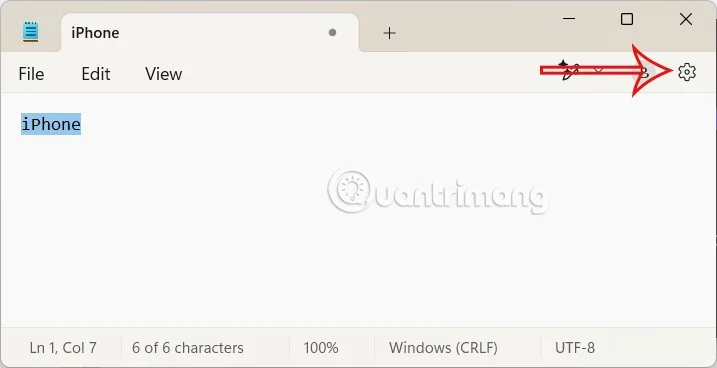
On the Windows interface, open the Notepad application and click on the gear icon .
Step 2:
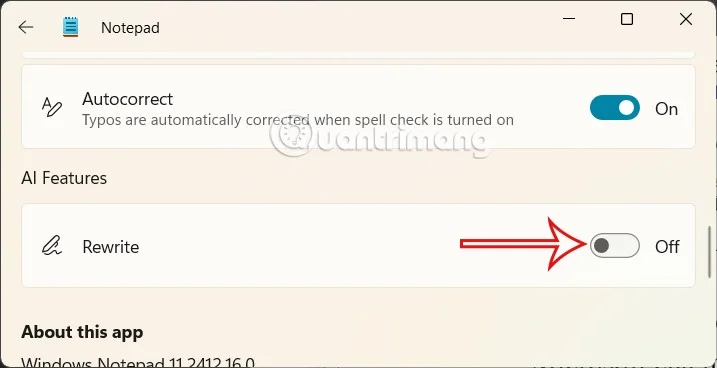
Go to the settings interface for the Notepad application on your computer. Scroll down, then click on the Rewrite feature to adjust it. By default, Rewrite mode is on, you just need to switch it to Off mode to turn it off.

Return to the Notepad interface, you will see that the Rewrite option is no longer displayed on the interface.

Once you complete the steps, the AI feature will no longer be available in the notes app and this action will also remove the Microsoft account reminder from Notepad.
When is the Rewrite feature used?
The Rewrite feature in Notepad is useful in many situations, especially when you need to quickly improve or adjust text without having to resort to complex software like Microsoft Word or a separate AI tool. Here are some situations where Rewrite makes sense:
1. Improve your writing style and expression
When you write a paragraph but feel that the sentences are not smooth, repetitive, or lack fluency.
For example, you might write, "I really enjoy this job because it's fun." Rewrite might suggest, "I really enjoy this job because it's engaging." This makes your writing look more professional, which is especially helpful when writing emails, work notes, or content that's not too long.
2. Change the tone
If you want to adjust your writing style to suit the audience or context, for example from informal to formal or vice versa.
For example, from being intimate to being more formal and serious: "I really like this." can be rewritten as "I am very satisfied with this." or vice versa "Please respond before the 10th." can be rewritten as "Please reply to me before the 10th." This will be very suitable when communicating with many different audiences such as bosses, friends, customers.
3. Shorten or expand the idea
If you need to make the text shorter for easier understanding or add details for clarity, you can Rewrite to present the content in more detail. From a long-winded style: "I think this can be done if we try our best." rewrite it as "I believe this is possible with maximum effort." or vice versa from "I agree." to "I completely agree with your point of view." Helps you save time when you need to convey information quickly or want to explain more thoroughly to the other person quickly.
4. Support for foreign language learning or quick translation
If you're writing in English (or a language that Rewrite supports), it can help correct your grammar and make your sentences sound more natural.
For example: "I go school every day." becomes "I go to school every day.". Helps support language learners or write multilingual content.

When should you NOT use Rewrite?
If you need to edit long, complex documents (like essays or reports), Rewrite in Notepad may not be powerful enough. In that case, tools like Microsoft Word, Grammarly, or ChatGPT will be more suitable.
If your content needs to retain a personal style or voice, Rewrite can take away from your uniqueness.