
Pop Culture Costume Ideas That Will Dominate Halloween 2026

Plan a recognizable Halloween 2026 look with pop culture costumes inspired by Spider-Man, Supergirl, Toy Story 5, Moana, Mario, and Wednesday.
Turning off the air conditioner's hot mode or turning on the air conditioner's heating mode is not difficult. This article will guide you in detail on how to turn on and off the hot air conditioner.
Table of Contents
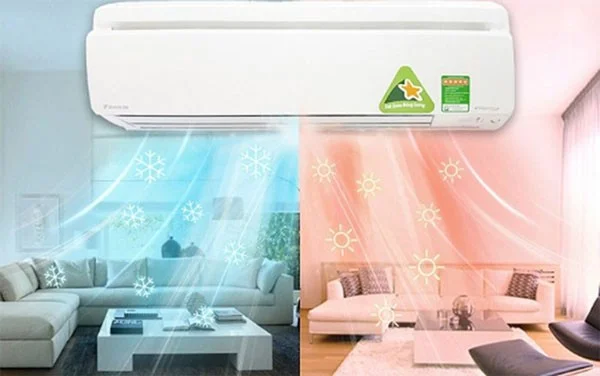
Similar to the cooling principle, the heating mode operates indirectly through a heat exchanger, meaning that the air will not be directly heated by the compressor and then blown onto the user, but will convert energy through the refrigerant (air conditioning gas) to warm the air and then spread evenly throughout the room, heating a large area.
For air conditioners , the compressor operation is the part that consumes the most electricity. In addition, some air conditioners also have an additional electric heater to increase the efficiency of heating the air.
Therefore, the actual operating performance in heating mode consumes more electricity than in cooling mode.
Depending on the brand and product line, you can adjust the temperature in the HEAT mode of the air conditioner within the range of 10-30 degrees Celsius, 16-30 degrees Celsius, 20-24 degrees Celsius...
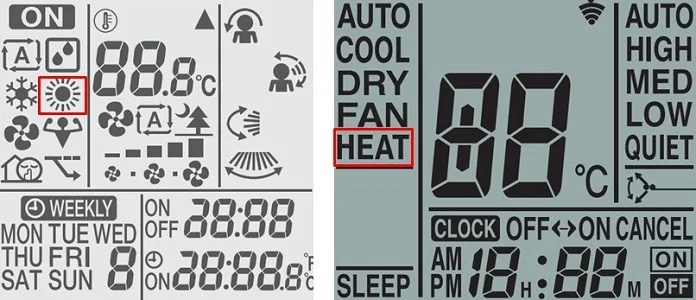
The air conditioner heating mode is usually displayed on the air conditioner through one of the two signs below:

Step 1: Start the air conditioner by pressing the ON/OFF (START/STOP) button.
Step 2: Press the MODE button -> select HEAT mode or the sun icon on the control screen.
Step 3: In the temperature adjustment area (TEMP), press the up or down arrow to increase/decrease the temperature to adjust the room temperature to suit the actual conditions.
Note : Each air conditioner brand has its own characteristics, so you can review the user manual that comes with the machine for the most correct operation.
If the air conditioner is already turned on and operating in another mode, to switch to heating mode, you just need to use the remote control and perform the following 2 steps:
Step 1: Press the MODE button until you see the word HEAT or the sun symbol appear.
Step 2: Press the up/down arrow to adjust the appropriate temperature.
Note
To set the warm mode on Funiki/Daikin air conditioner, press MODE, then select HEAT. At this time, the sun icon will appear on your air conditioner remote control.
On the remote control, press the MODE button to select the mode. The icons corresponding to the setting modes will appear as follows:
You can adjust the temperature on Funiki/Daikin air conditioner by pressing the TEMP button/pressing the ▲ (increase temperature) or ▼ (decrease temperature) button.
To set the warm mode on Panasonic air conditioner, press MODE, then press HEAT. At this time, the word HEAT will appear on your remote control.
At the control press the MODE button will have the following modes:
You can adjust the temperature on the Panasonic air conditioner by pressing the TEMP button/pressing the ▲ (increase temperature) or ▼ (decrease temperature) button. To switch from F to C, press and hold the down arrow in the Timer box for about 10 seconds.
Turn on the hot mode on Mitsubishi air conditioner
Experts recommend only setting the air conditioner temperature to hot mode for heating in winter at 22-25 degrees Celsius.
In addition, when the outdoor temperature is too low (about below 7 degrees Celsius), the heating efficiency of the air conditioner begins to decrease. For effective heating, users can combine the air conditioner with other heating devices such as fan heaters, heating lamps, oil heaters, etc.
The principle of heating and cooling air of air conditioner is the same, indirectly through heat exchanger.
The efficiency of the air conditioner when heating is about 4% greater than the efficiency when cooling, but the power consumption remains the same. So there is no way that the heating mode of the air conditioner consumes more electricity than the cooling mode.
To use the heating mode of the air conditioner properly, effectively and economically, users should pay attention to the following points:
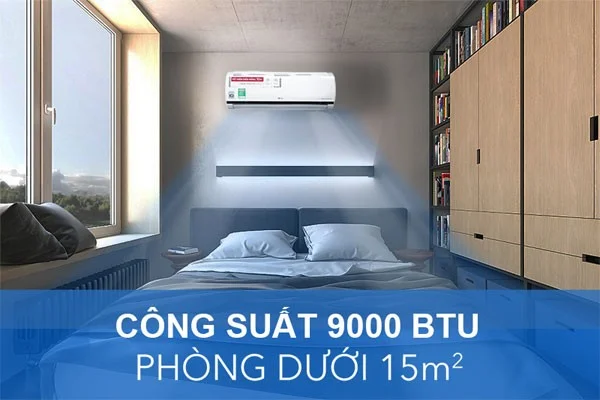
Air conditioners with a capacity of 9000 BTU (1HP) are most effective in both cooling and heating rooms with an area of 8 to 15 square meters. Air conditioners with a capacity of 12,000 BTU (1.5 HP) heat well in areas of 16 to 22 square meters. However, the installation location also partly affects the efficiency of the device, so your family should choose a suitable location to install the air conditioner.
In winter, reducing the set temperature by 2 degrees will help users save more than 10% of electricity. Therefore, you should choose a temperature that is not too different from the outside temperature, both to ensure energy savings and to avoid thermal shock when moving between two environments. In addition, because hot air is lighter than cold air, it is often pushed up, so the location and direction of the wind adjustment when used also have a significant impact.
Specifically, when you first turn on the air conditioner, you should adjust the wind speed to high to speed up the heat exchange process in the room. When the device operates stably, the room temperature is equal to the set temperature, so you should adjust the wind speed to low.
Using heating mode will make the air in the room dry. Therefore, you need to pay attention to the operating mode and support measures to ensure health. Your family should buy more humidifiers to ensure the skin and respiratory system when using heating mode in air conditioning.
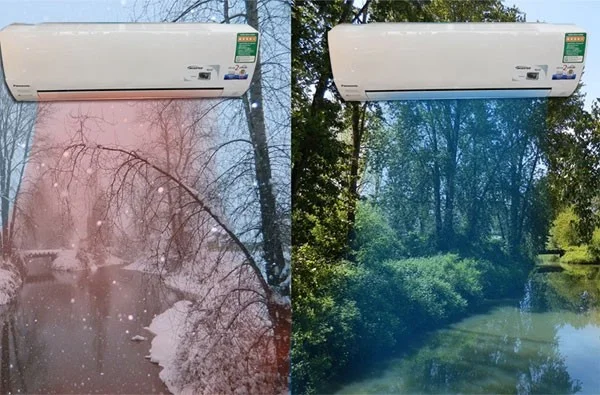
However, this will make it difficult for the air to circulate, and over time it will be harmful to your health because it creates conditions for harmful bacteria to grow. Therefore, having proper ventilation time after a few hours of using the air conditioner will help your family become smart consumers.
How to fix air conditioner heating mode not working
If the heating mode of your air conditioner is not working, it could be due to a number of different problems:
Hopefully with the above information your family will use the heating mode in the air conditioner effectively and save electricity.
And don't forget to visit META.vn to order air conditioners! Thank you for reading the article!
Plan a recognizable Halloween 2026 look with pop culture costumes inspired by Spider-Man, Supergirl, Toy Story 5, Moana, Mario, and Wednesday.
Sort leftover Halloween candy safely, share or repurpose sealed treats, and choose food use or compost for pumpkins based on their condition.
Compare workplace Halloween costume choices by respect, dress code, mobility, and safety—and learn when a subtle accessory or a policy check is the better option.
Find a couples costume that fits your style, budget, and comfort level, from Addams Family classics to original inside-joke duos.
Need a last-minute high school Halloween costume? Compare 10 easy closet-based ideas by prep time, comfort, school-day practicality, and simple safety checks.
Use a simple 2026 Halloween decorating timeline for indoor décor, outdoor displays, and fresh pumpkins, with practical adjustments for weather and events.
Mix five vivid, approachable Halloween cocktails with measured recipes, simple prep tips, and an alcohol-free option for your party guests.
Find 15 office-friendly Halloween costume ideas for 2026, with practical checks for dress codes, respectful themes, comfort, and workplace safety.
Plan a fun elementary school Halloween party with easy crafts, games, inclusive treats, costume tips, and a sample 75-minute classroom schedule.
Compare realistic side hustles for 2026 by startup cost, fees, flexibility, and income control, with current tax and scam guidance from official sources.








