How to use WhatsApp video call effects and wallpapers

WhatsApp offers built-in AI effects, filters, and backgrounds to enhance your video calling experience. This will make WhatsApp conversations much more interesting. You have many options to refresh the video calling interface on WhatsApp. Here is a guide to using effects, backgrounds for video calling on WhatsApp.

How to use WhatsApp video calling filters and backgrounds

Step 1:

We make a video call on WhatsApp as usual. Next, click on the wand icon as shown below. Then, we see the Effects, Filters and Background options below to choose from.

Now we click on each item to use the video call interface change.
How to use WhatsApp video call effects and wallpapers

Step 2:

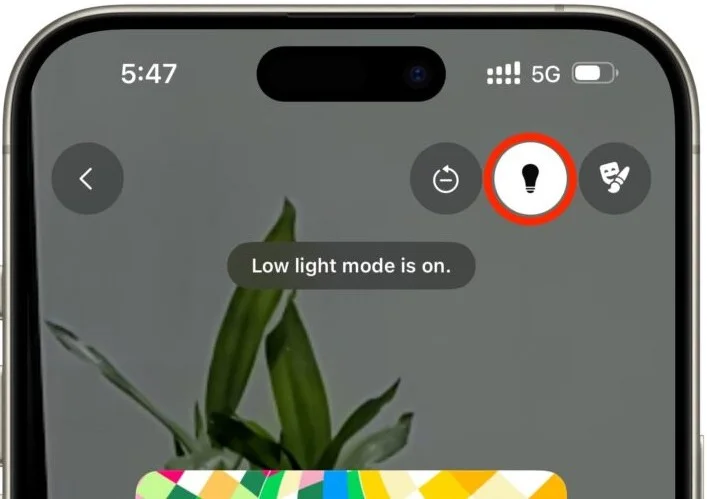
While chatting, if you want more light , click on the light bulb icon in the right corner of the video call interface.
How to use WhatsApp video call effects and wallpapers

Step 3:

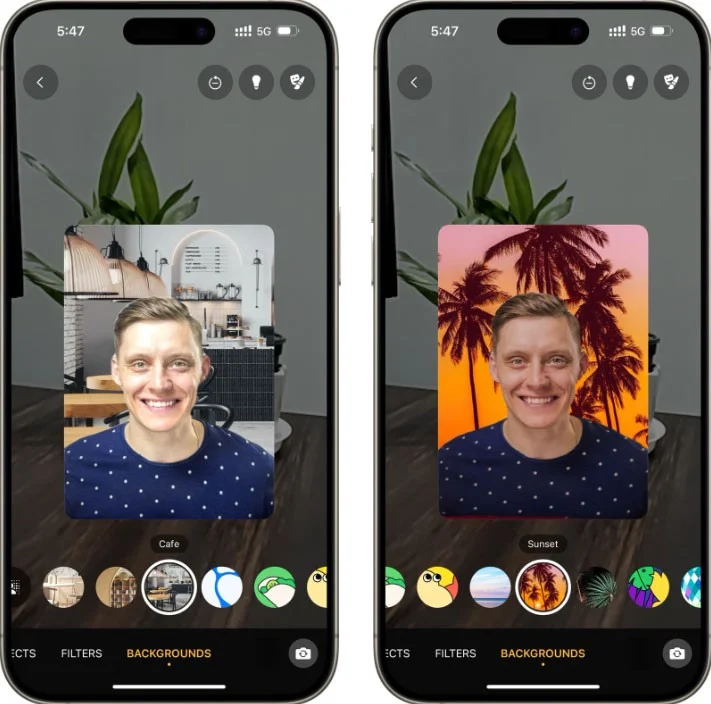
WhatsApp video call background is similar to other video calling apps. You can blur the WhatsApp video call background, or replace it with different scenes.
How to use WhatsApp video call effects and wallpapers

Step 4:

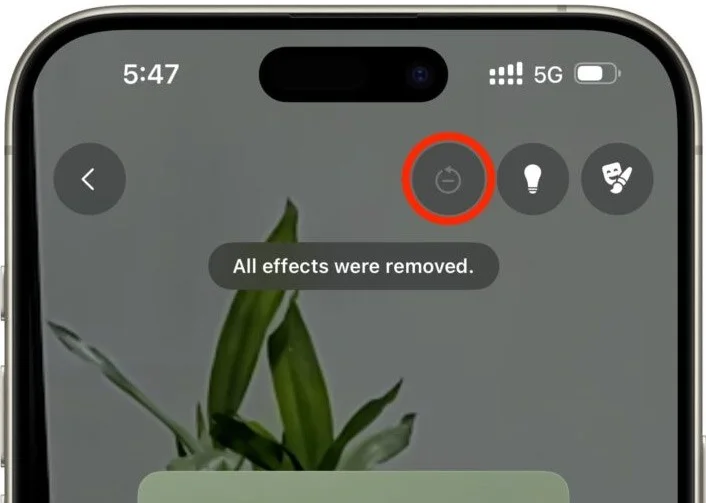
When you no longer want to use the effects, click the reset button above to remove all the effects you are applying to the video. Then the video interface on WhatsApp returns to the original screen.
How to use WhatsApp video call effects and wallpapers

Leave a Comment

Solving Microsoft Teams Unexpected Error Startup

Solving Microsoft Teams Unexpected Error Startup

Tired of Microsoft Teams "Unexpected Error" crashing your startup? Follow our step-by-step guide with the latest fixes for Solving Microsoft Teams "Unexpected Error" Startup. Get back to productive meetings in minutes!

How to Fix Microsoft Teams For Linux Installation Error

How to Fix Microsoft Teams For Linux Installation Error

Frustrated by Microsoft Teams "For Linux" installation error? Discover proven, step-by-step solutions for Ubuntu, Debian, Fedora & more. Fix it fast and get seamless collaboration now!

How to Fix Microsoft Teams Password Error Forgot

How to Fix Microsoft Teams Password Error Forgot

Struggling with Microsoft Teams "Password Error" because you forgot your password? Follow our step-by-step guide on how to fix Microsoft Teams password error forgot issues quickly and securely. No tech skills needed!

Troubleshooting Microsoft Teams Image Error in Chat

Troubleshooting Microsoft Teams Image Error in Chat

Struggling with Microsoft Teams "Image Error" in chat? Discover proven step-by-step troubleshooting tips to resolve image display issues fast. No more frustration—get your chats working smoothly today!

How to Fix Microsoft Teams Free Subscription Error

How to Fix Microsoft Teams Free Subscription Error

Tired of the frustrating Microsoft Teams "Free" Subscription Error blocking your meetings? Discover proven, step-by-step solutions to resolve it fast and restore smooth teamwork. Works on latest versions!

How to Fix Microsoft Teams Web App Browser Error

How to Fix Microsoft Teams Web App Browser Error

Struggling with Microsoft Teams "Web App" Browser Error? Discover proven, step-by-step solutions to resolve it fast. Clear cache, update browser, and more for seamless Teams web app access. Works on latest browsers!

Troubleshooting Microsoft Teams Group Chat Not Loading

Troubleshooting Microsoft Teams Group Chat Not Loading

Struggling with Troubleshooting Microsoft Teams Group Chat Not Loading? Discover proven, step-by-step fixes for the most common issues to get your chats loading smoothly again. Quick wins for desktop, web, and mobile.

How to Fix Microsoft Teams Proxy Error Connection

How to Fix Microsoft Teams Proxy Error Connection

Tired of Microsoft Teams proxy error blocking your calls? Discover simple, step-by-step fixes to resolve proxy connection issues instantly. No tech expertise required – get back to seamless teamwork!

How to Fix Microsoft Teams Time Limit Error

How to Fix Microsoft Teams Time Limit Error

Tired of Microsoft Teams "Time Limit" Error crashing your meetings? Follow our proven, step-by-step guide to fix it quickly—update app, clear cache, and more for seamless collaboration. Works on latest versions!

How to Fix Microsoft Teams Layout Error After Update

How to Fix Microsoft Teams Layout Error After Update

Facing Microsoft Teams Layout Error after the latest update? Discover proven step-by-step fixes to resolve layout glitches, restore perfect UI, and boost productivity fast. No tech skills needed!

How to Fix Microsoft Teams Error K Security

How to Fix Microsoft Teams Error K Security

Struggling with Microsoft Teams "Error K" Security? Follow our step-by-step guide to fix it quickly—no tech expertise needed. Get back to seamless collaboration today!

How to Fix Microsoft Teams Update Error 0x80070002

How to Fix Microsoft Teams Update Error 0x80070002

Struggling with Microsoft Teams Update Error 0x80070002? Discover step-by-step fixes to resolve it quickly. Clear cache, repair files, and get back to seamless updates today!

Solving Microsoft Teams Web Error Browser Login

Solving Microsoft Teams Web Error Browser Login

Tired of Microsoft Teams "Web Error" blocking your browser login? Follow our step-by-step guide with proven fixes to resolve Teams web login issues fast and securely. Get back to work!

How to Fix Microsoft Teams Error O Offline

How to Fix Microsoft Teams Error O Offline

Stuck with Microsoft Teams "Error O" Offline? Discover proven, step-by-step fixes to get back online fast. Clear cache, restart, and more – no tech skills needed!

Where is Microsoft Teams in Outlook? Locating the Missing Icon

Where is Microsoft Teams in Outlook? Locating the Missing Icon

Frustrated by the missing Microsoft Teams icon in Outlook? Learn exactly where to find it, why it disappears, and proven steps to restore it for effortless meetings. Updated for the latest versions!









