
Pop Culture Costume Ideas That Will Dominate Halloween 2026

Plan a recognizable Halloween 2026 look with pop culture costumes inspired by Spider-Man, Supergirl, Toy Story 5, Moana, Mario, and Wednesday.
Despite its many benefits, social media can be harmful if you share too much information. Part of keeping yourself and your loved ones safe is knowing when you shouldn't put certain information out into the world. The goal of this list is to share information that shouldn't be shared on social media.
1. Social Security Number
Sharing your social security number in a direct message or on your family feed is one of the worst things you can do on social media. It's extremely valuable to criminals.
When you reveal your social security number, you become vulnerable to identity theft in a number of ways. For example, someone could use this information to open a credit account and claim to be you.
Even with additional verification steps, you can never be sure. You should only share this number when absolutely necessary, and even then, only with people who have the rightful authority. Always verify before doing this.
2. Home address
Sharing your home address on social media can lead to unwanted visits from people, whether to spy on you or do some other harm. This is extremely dangerous, especially if you share this information on a public platform. Many people have had trouble with the map feature on Snapchat. That’s why turning off location is one of the most important privacy settings on Snapchat.
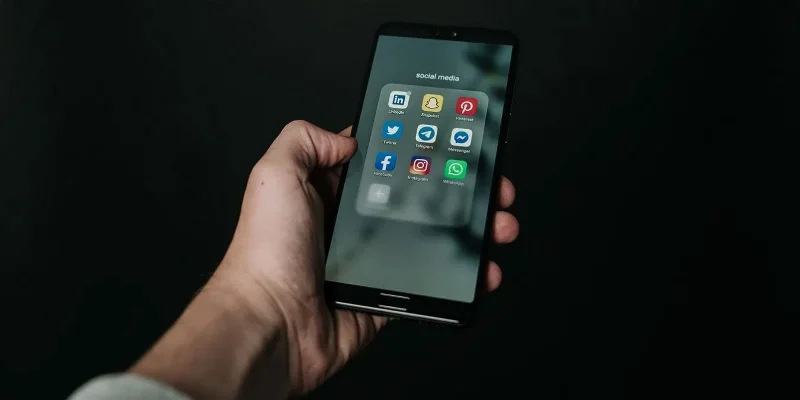
If you need to share your address with someone, use an instant messaging service. Make sure it's an encrypted messaging app so you're protected. And even then, only share your home address with people you know and trust.
Even if you don’t have social media, you should make sure that all of your home address information is offline. Sometimes people can figure out where you live by knowing who you are and then searching for it on directory websites. A Google search for your name can confirm whether you need to remove any information.
3. Your plans and experiences in real time
One big no-no that many people have made in the past is sharing their plans in advance. For example, they’ll post when they’re about to go on vacation or to a certain restaurant. This definitely ranks high on the list of things to not post on social media, but many people still do it.
Many people also share what they’re doing in real time on Instagram Stories. Even on private accounts, this can lead to unwanted attention. In extreme cases, you run the risk of being targeted and harmed by someone you don’t like.
In addition to not posting these details yourself, you should also discourage others you travel with from doing so.
4. Password
If you're thinking about sharing your login information via direct message (DM), think twice. If that information gets leaked, anyone can access your account.
Along with social media DMs, sharing login credentials via messaging apps is also a bad idea. If you really need to, use a password manager to securely share passwords with others.
In addition to revealing your login information, sharing your login information is a bad idea if the platform has strict policies. For example, many streaming services have restrictions on password sharing. Sharing these details puts your account at risk of being restricted.
5. Information about children
While it’s good to be proud of your kids, sharing too much about them can be a problem. Whenever an influencer posts a photo of their child in their content, many people wonder if they’ve thought about the potential risks of doing so.
Even if you don’t have hundreds of thousands of followers, sharing information about your children can put them at risk of physical harm. If they have their own social media accounts, it can leave them vulnerable to abusive comments and other forms of cyberbullying.
Posting pictures of your kids on social media can also cause a rift with your spouse if they are not comfortable posting that type of information or content. Even if you put emojis over their faces or blur out the photos, it’s best to avoid sharing information about them altogether.
It’s important to understand the risks of social media. While people often overshare, the effects can be significant. Along with learning what not to post on social media, you should also take steps to secure your social media accounts.
Please read more:
Plan a recognizable Halloween 2026 look with pop culture costumes inspired by Spider-Man, Supergirl, Toy Story 5, Moana, Mario, and Wednesday.
Sort leftover Halloween candy safely, share or repurpose sealed treats, and choose food use or compost for pumpkins based on their condition.
Compare workplace Halloween costume choices by respect, dress code, mobility, and safety—and learn when a subtle accessory or a policy check is the better option.
Find a couples costume that fits your style, budget, and comfort level, from Addams Family classics to original inside-joke duos.
Need a last-minute high school Halloween costume? Compare 10 easy closet-based ideas by prep time, comfort, school-day practicality, and simple safety checks.
Use a simple 2026 Halloween decorating timeline for indoor décor, outdoor displays, and fresh pumpkins, with practical adjustments for weather and events.
Mix five vivid, approachable Halloween cocktails with measured recipes, simple prep tips, and an alcohol-free option for your party guests.
Find 15 office-friendly Halloween costume ideas for 2026, with practical checks for dress codes, respectful themes, comfort, and workplace safety.
Plan a fun elementary school Halloween party with easy crafts, games, inclusive treats, costume tips, and a sample 75-minute classroom schedule.
Compare realistic side hustles for 2026 by startup cost, fees, flexibility, and income control, with current tax and scam guidance from official sources.








