Instructions for playing the Olympic-themed Doodle Champion Island Sports Game just introduced by Google

Google Doodle is a term that refers to special themed icons created by Google engineers to temporarily replace the icon on its search homepage to celebrate holidays, anniversaries, achievements and people. It can be said that this is a "cultural feature" of Google.

Normally, Google Doodles are just simple themed images, but for a major global event like the 2020 Tokyo Olympics, Mountain View engineers created a game called “Champion Island”, hidden as a Doodle image on the Google homepage for everyone to experience. This is also one of the most elaborate Doodle games ever created.

Unlike the usual simple one-click games from Google, “Champion Island” is an RPG that contains a series of mini-games as well as areas to explore, with cute graphics, simple gameplay, and all inspired by this year's Olympics.

Champion Island will be available on Google's homepage starting July 23, 2021, the same day as the Tokyo 2020 Olympics opening ceremony. You can also experience the game on the Google Doodle blog.

So what exactly is Champion Island? How fun is it? Let's find out!

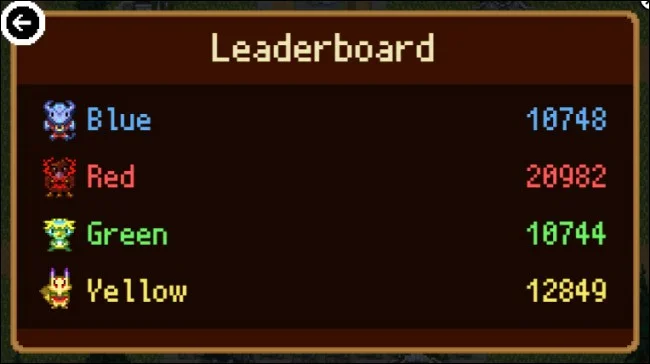
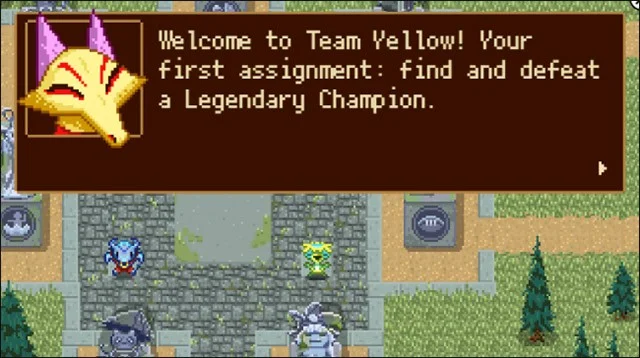
The game starts with you taking on the role of “Lucky the Ninja Cat”. After beating the first minigame, you are asked to join any team — Red, Blue, Yellow, or Green. There is a global leaderboard that shows which team is winning, so choose wisely.
Instructions for playing the Olympic-themed Doodle Champion Island Sports Game just introduced by Google

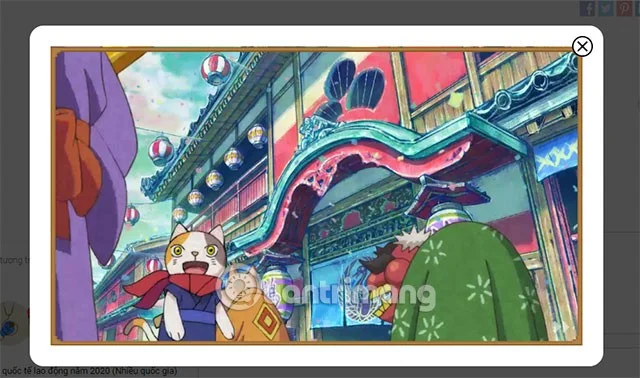
Once you’ve joined a team, the idea is to find the “champions” of each sport and challenge them to mini-games. These champions are inspired by Japanese history and folklore. The games are introduced with fun animated cutscenes.

In total, there are seven mini-games in Champion Island, including table tennis, rugby, running, swimming, and climbing. In addition to those games, there are side quests and quite a few other cool things. Overall, there is a lot to explore in Champion Island, so this could be a good companion to help us entertain ourselves during our days working from home.

Instructions for playing the Olympic-themed Doodle Champion Island Sports Game just introduced by Google

As mentioned, when you choose a team, you are joining a global team. Your progress and success in the game will contribute to the overall team score. The Olympics is a global event and Champion Island is also a global event.

Instructions for playing the Olympic-themed Doodle Champion Island Sports Game just introduced by Google

Tokyo 2021 Olympic Google Doodle Game Guide

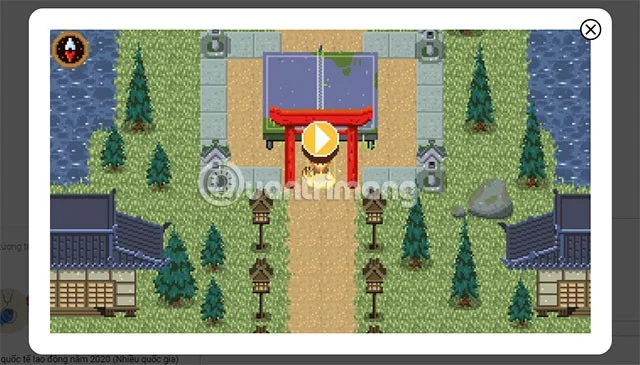
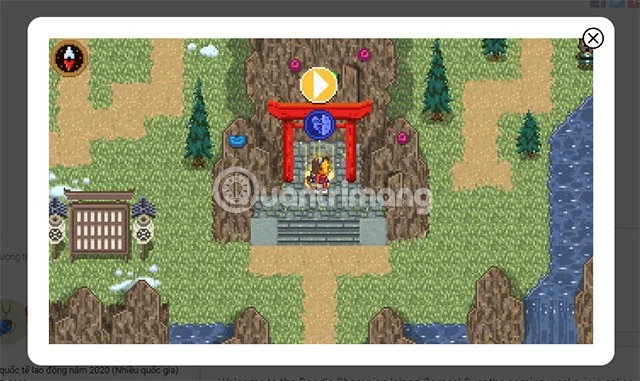
Step 1: First select the link below and select the play icon in the middle of the Torii gate to start playing.

Link to participate in Google Doodle Olympic Tokyo 2020

Instructions for playing the Olympic-themed Doodle Champion Island Sports Game just introduced by Google

After a few small transitions, the game moves to the main gameplay, you can click the skip button in the lower right corner to start the game.

Instructions for playing the Olympic-themed Doodle Champion Island Sports Game just introduced by Google

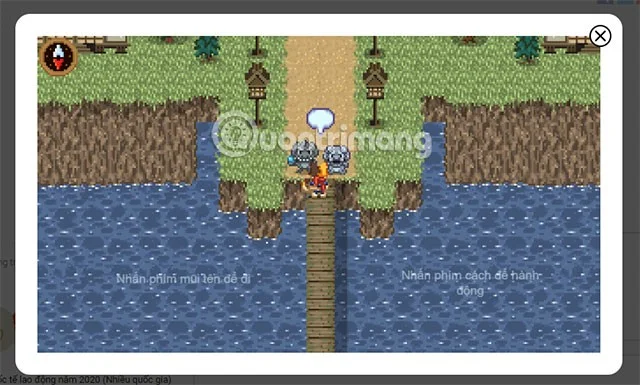
You use the WASD keys to move and press the space bar to play.

Instructions for playing the Olympic-themed Doodle Champion Island Sports Game just introduced by Google

A conversation will start between you and the NPCs around you and they will tell you what quest you are about to receive. Click the triangle button in the lower right corner of the content box to skip.

Instructions for playing the Olympic-themed Doodle Champion Island Sports Game just introduced by Google

Usually the play symbols will always be below the Torii Gate and accompanied by the sign of that sport. The example below is table tennis.

Instructions for playing the Olympic-themed Doodle Champion Island Sports Game just introduced by Google

Below is the mountain climbing game, when you overcome and win the previous sports, you can participate in the next sports.

Instructions for playing the Olympic-themed Doodle Champion Island Sports Game just introduced by Google

In addition to experiencing Doodle Champion Island Sports on the web, you can choose to play on your smartphone. The game is also designed specifically for both web and mobile, so you can experience it on both platforms.

Visit the Google Doodle blog for more details on the game. Enjoy!

See also:
Leave a Comment

Steam Top Sellers for the Week of October 12, 2026: What Rose and Fell

Steam Top Sellers for the Week of October 12, 2026: What Rose and Fell

Steam’s latest U.S. weekly chart covers October 6–13, 2026. See the biggest risers, falling titles, and what the revenue-based rankings do—and do not—tell you.

Steam Top Sellers for the Week of October 5, 2026: Games Rising and Falling

Steam Top Sellers for the Week of October 5, 2026: Games Rising and Falling

Steam’s latest weekly chart covers September 29–October 6, 2026. See which games climbed, slipped, returned, and what the rankings actually measure.

How to Use a Vegetable Steamer Basket

How to Use a Vegetable Steamer Basket

Master how to use a vegetable steamer basket for perfectly cooked, nutrient-rich vegetables in minutes. Follow this clear step-by-step guide to start steaming today.

How Long to Steam Broccoli in Microwave Steamer

How Long to Steam Broccoli in Microwave Steamer

How Long to Steam Broccoli in Microwave Steamer? Get the precise timing and step-by-step instructions for tender-crisp results that lock in nutrients and flavor.

Free Games for PC Steam

Free Games for PC Steam

Find and download the best free games for PC Steam with this complete guide. Learn how to browse, install, and play top free-to-play titles quickly.

How to Use Conair Steamer

How to Use Conair Steamer

How to Use Conair Steamer correctly to remove wrinkles fast from clothes and fabrics. Follow these clear steps for safe, effective results every time.

Shark Steamer Not Steaming

Shark Steamer Not Steaming

Shark Steamer Not Steaming? Follow these targeted troubleshooting steps to identify and fix the issue so your Shark steam cleaner works properly again.

How to Steam Fresh Broccoli

How to Steam Fresh Broccoli

Learn how to steam fresh broccoli perfectly in just five minutes. This simple stovetop method keeps nutrients intact and delivers tender-crisp results every time.

How to Steam Vegetables Without a Steamer

How to Steam Vegetables Without a Steamer

How to Steam Vegetables Without a Steamer using everyday kitchen tools like a pot, colander or microwave. Get crisp, nutrient-rich results with these proven methods.

Cool Multiplayer Games on Steam

Cool Multiplayer Games on Steam

Find cool multiplayer games on Steam with this guide covering discovery, installation, and play. Jump into co-op and competitive titles with friends today.