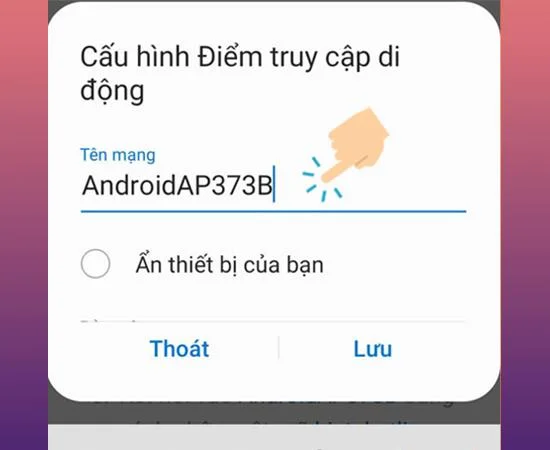
Play Wi-Fi on your phone is a very useful feature that allows you to share your Wi-Fi network with other devices to those around you. This article I will show you how to play Wi-Fi on Samsung Galaxy J3 !
1. Benefits of broadcasting Wi-Fi on your phone
- Share Wi-Fi for everyone to access the internet for free and fast on your own phone.
- Comfortable Internet access without everyone having 3G / 4G.
2. Instructions on how to play Wi-Fi on Samsung Galaxy J3
Quick guide: Settings> Connectivity> Internet Tethering> Turn on Mobile Hotspot> Configure mobile network.
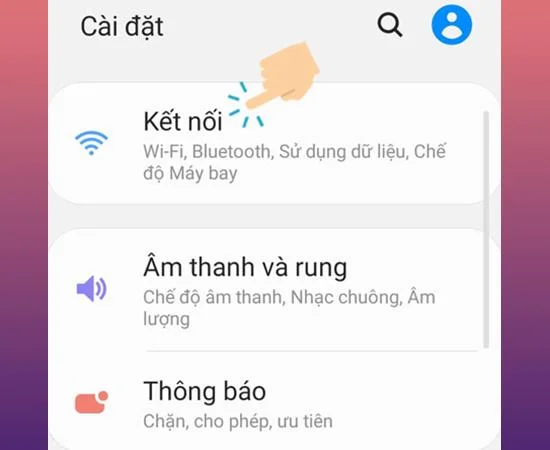
- Step 1: Go to Settings
First, on the main screen, choose Settings > select Connect to continue.
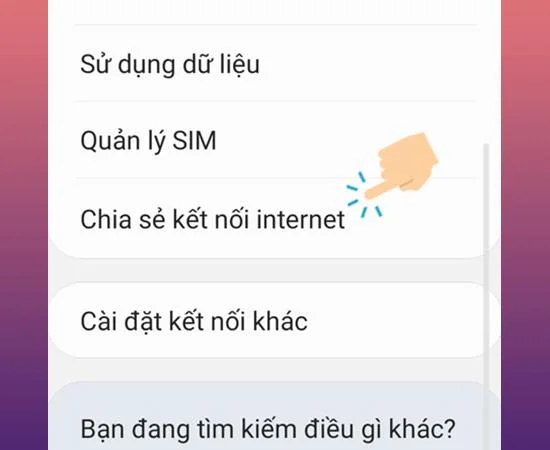
- Step 2: Select Share internet connection
Now you select Share internet connection as shown below.
![Instructions on how to play Wi-Fi on Samsung Galaxy J3 simple]()
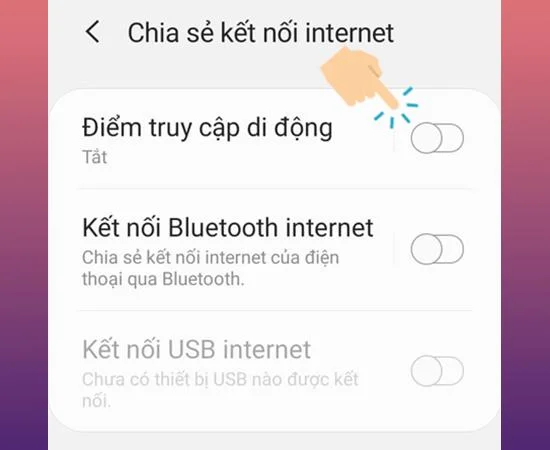
- Step 3: Turn on Mobile Hotspot
Here you turn on the Mobile Hotspot mode .
![Instructions on how to play Wi-Fi on Samsung Galaxy J3 simple]()
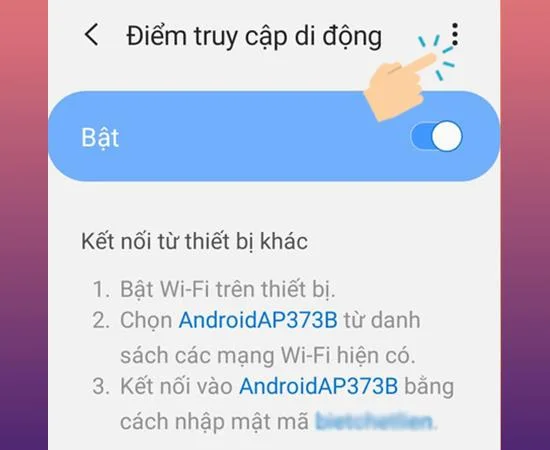
- Step 4: Select the 3 dot icon
Next, you select the 3-dot icon in the upper right corner of the screen as shown below.
![Instructions on how to play Wi-Fi on Samsung Galaxy J3 simple]()
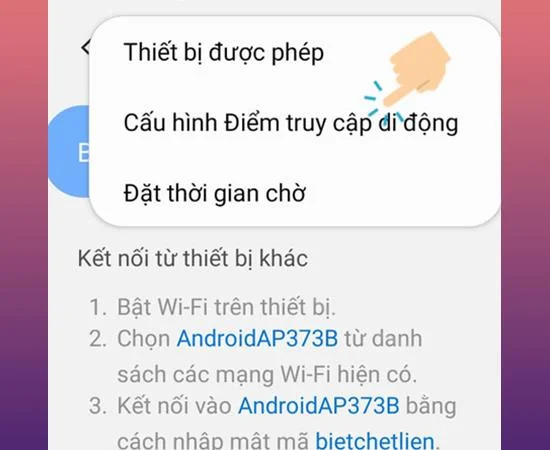
- Step 5: Select Configure Mobile Hotspot
You select Configure Mobile Hotspot to enter the configuration settings.
![Instructions on how to play Wi-Fi on Samsung Galaxy J3 simple]()
- Step 6: Configure the Mobile Hotspot
Finally you set up the network name and password > Select Save.
![Instructions on how to play Wi-Fi on Samsung Galaxy J3 simple]()
So with a few simple steps you can now play mobile Wi-Fi for other devices on Samsung Galaxy J3. Hope this article helps you. Good luck.
Maybe you are interested:
>>> Instructions to turn off the screen when listening to music on Youtube (Android) 2019
>>> How to install the factory on Samsung Galaxy A3 2016 easiest
>>> How to install fingerprint unlock on Samsung Galaxy J7 Prime fastest