Desk Decorating Ideas for a Spooky Office Cubicle

Create a spooky office cubicle with Halloween desk decor ideas that keep your workspace usable, tidy, and mindful of workplace safety.
Apple and Samsung are set to launch their thinnest flagship phones yet this year: the iPhone 17 Air and Galaxy S17 Edge. These “super-thin” phones certainly have attractive designs, but is that enough to warrant a purchase over safer alternatives?
Table of Contents
These ultra-thin phones will most likely have worse battery life than regular phones simply because there is less space inside the case to accommodate a large battery.
You can mitigate this drawback by using new silicon-carbon batteries with higher energy density, but neither company has started using that technology yet. Even then, most people would still prefer to keep the phone as thick as possible but get longer battery life.
A prime example is that the S25 Edge will have a 3,900mAh battery according to a leaked certification. That's 100mAh less than the base Galaxy S25, which is a significantly smaller phone.
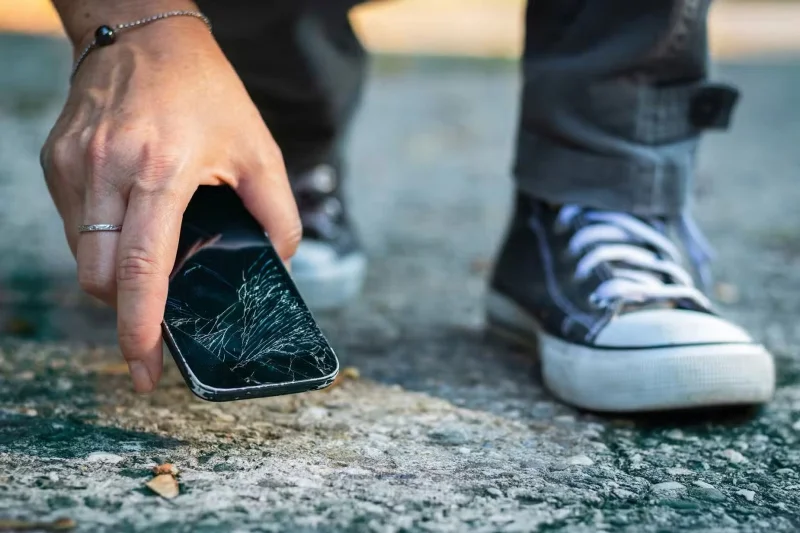
Thinner phones are also less durable by design, as they are less resistant to bending and impact. Their poorer shock absorption can also make accidental drops more dangerous.
The standout feature of these thinner phones is that they are significantly lighter, so they won't strain your hands as much and be cumbersome to carry in your pocket.
According to reliable leaker Ice Universe, the Galaxy S25 Edge will weigh the same as the base S25 (162 grams) despite having a screen almost as large as the S25+, which weighs 190 grams.
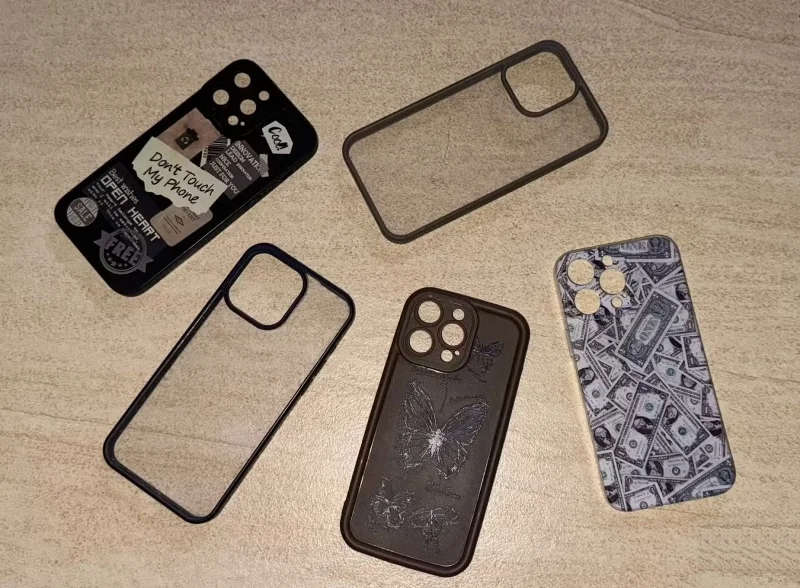
Most people put a case on their phone, which adds to the overall weight and thickness, especially if it's a rugged case or has a built-in kickstand or card holder.
A thinner frame can help offset these unintended consequences, so your phone stays protected without adding weight.
The iPhone 17 Air is rumored to have a 5.5mm chassis (not counting the camera bump), while the Galaxy S25 Edge could be slightly thicker at 5.84mm.
The thinner design leaves less space for large heatsinks, so the S25 Edge and iPhone 17 Air may suffer from poorer heat dissipation than other models.
This can potentially impact performance, as devices are forced to throttle to avoid overheating, but if you only use your phone for basic tasks, you'll probably be fine.
A thinner case can make the camera bump look bulky by comparison. Camera components can be the hardest to shrink without sacrificing quality, as smaller image sensors tend to produce worse photos.
Additionally, an unintended consequence of this design can be that the phone is much heavier at the top. This can make the phone more prone to dropping because the center of gravity is further away from your palm, so you may want to buy a ring phone holder to ensure a secure grip.
There is one important bright spot here, though. Since the camera bump is larger, manufacturers can design cases that fit snugly around it.
That way, the camera bump won't stick out and wobble when placed on a flat surface.
The S25 Edge lacks a telephoto lens and is expected to start at $999, like the Galaxy S25+. Likewise, the iPhone 17 Air is rumored to have a single rear camera and could cost close to the $899 iPhone 16 Plus .
We don't know at this point whether this was done to make a little more room for the battery or to keep the price down, but either way, you're not getting the value for your money. Additionally, the speakers on both devices are likely to be smaller.
A thinner design isn't a huge advantage, especially when it comes with so many sacrifices. Ultra-thin phones are a cool idea, and it's tempting to try them out, but many people probably won't actually buy an ultra-thin phone for its own sake. Apple and Samsung will have to do better than that to convince people.
Create a spooky office cubicle with Halloween desk decor ideas that keep your workspace usable, tidy, and mindful of workplace safety.
Plan a recognizable Halloween 2026 look with pop culture costumes inspired by Spider-Man, Supergirl, Toy Story 5, Moana, Mario, and Wednesday.
Sort leftover Halloween candy safely, share or repurpose sealed treats, and choose food use or compost for pumpkins based on their condition.
Compare workplace Halloween costume choices by respect, dress code, mobility, and safety—and learn when a subtle accessory or a policy check is the better option.
Find a couples costume that fits your style, budget, and comfort level, from Addams Family classics to original inside-joke duos.
Need a last-minute high school Halloween costume? Compare 10 easy closet-based ideas by prep time, comfort, school-day practicality, and simple safety checks.
Use a simple 2026 Halloween decorating timeline for indoor décor, outdoor displays, and fresh pumpkins, with practical adjustments for weather and events.
Mix five vivid, approachable Halloween cocktails with measured recipes, simple prep tips, and an alcohol-free option for your party guests.
Find 15 office-friendly Halloween costume ideas for 2026, with practical checks for dress codes, respectful themes, comfort, and workplace safety.
Plan a fun elementary school Halloween party with easy crafts, games, inclusive treats, costume tips, and a sample 75-minute classroom schedule.








