Home
» Wiki
»
Latest Magic Hero Hyper Idle Wars Codes and How to Enter Codes
Latest Magic Hero Hyper Idle Wars Codes and How to Enter Codes
Magic Hero Hyper Idle War is a strategy game that arranges characters and lets them fight automatically. Your job is just to collect and upgrade the Heroes in the game, increase their combat power, arrange them strategically and win.
And like many other mobile games, you can receive all the rewards that the developer gives to players through entering codes. Magic Hero game codes will give players currency, character fragments, characters or rewards to help you increase your character's combat power. Below are the Magic Hero game codes and how to receive the codes.
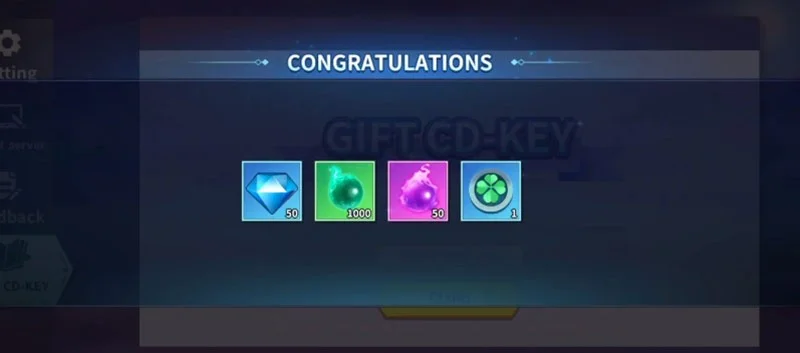
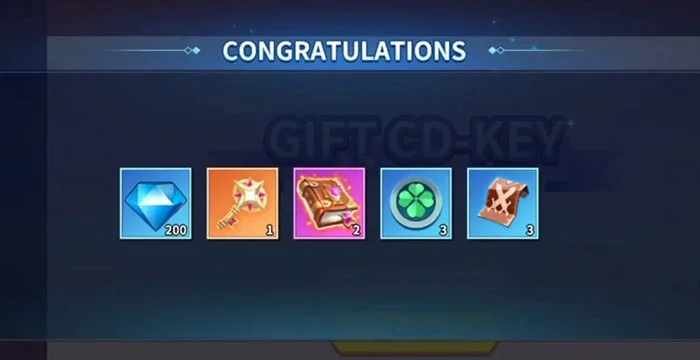
Enter this code to receive a certain amount of in-game currency including diamonds, gold, lucky coins, hero fragments, summoning books...
vip777
Still in code usage time
Enter this code to receive a certain amount of in-game currency including diamonds, gold, lucky coins, hero fragments, summoning books...
vip999
Still in code usage time
Enter this code to receive a certain amount of in-game currency including diamonds, gold, lucky coins, hero fragments, summoning books...
HW03Y7
Time limit for using code
Enter this code to receive a certain amount of in-game currency including diamonds, gold, lucky coins, hero fragments, summoning books...
ZNQ4MZ
Time limit for using code
Enter this code to receive a certain amount of in-game currency including diamonds, gold, lucky coins, hero fragments, summoning books...
BCRD0Z
Time limit for using code
Enter this code to receive a certain amount of in-game currency including diamonds, gold, lucky coins, hero fragments, summoning books...
L7LINA
Time limit for using code
Enter this code to receive a certain amount of in-game currency including diamonds, gold, lucky coins, hero fragments, summoning books...
C7XKW5
Time limit for using code
Enter this code to receive a certain amount of in-game currency including diamonds, gold, lucky coins, hero fragments, summoning books...
How to enter Magic Hero code to redeem gifts
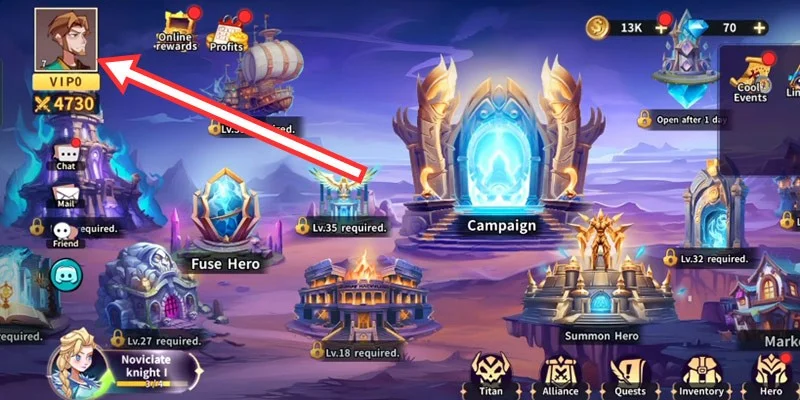
Step 1: As soon as you enter the game, complete the initial mission, then select the avatar icon in the upper left corner of the screen after you have completed the initial mission.
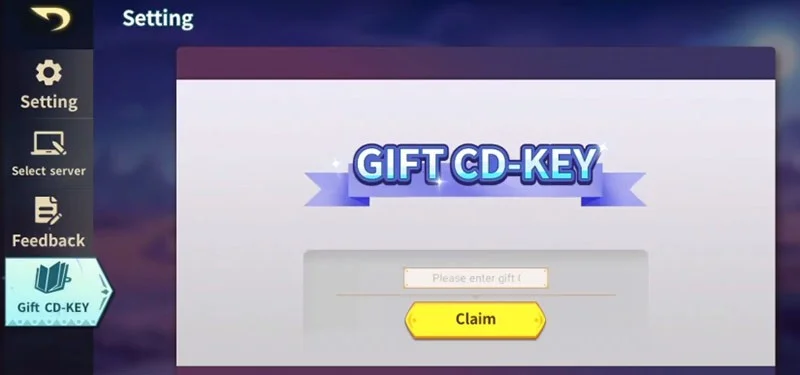
Step 2: Select Gift CD-KEY and enter all the codes into the code input box on the right and select Claim (Redeem Code) to exchange the codes for rewards.
Step 3: If the code is still valid, you will receive rewards corresponding to the giftcode.
Where to get more Magic Hero codes?
Just save this page on your bookmarks bar and check back every day. Select CTRL+D if you are using Google Chrome or Coc Coc , and just check back every day because we will update the code continuously.
Or if you are using social networking applications such as Facebook, Instagram, X or similar social networks, follow the official page of the game developer Tojoy Game. They will update not only the game code but also game information such as new game content updates, events with game codes as rewards, server changes...
In addition, the player community is also a place where you can receive codes. The player community here will help you get new codes, new content that is about to be released, and new events.
Some notes about game code
Each game code will provide different rewards and can only be used once per account. You must enter each code correctly to be able to redeem the corresponding reward. If you enter the code and receive a notification that the code has expired, please leave a comment below to help us put them on the list of expired codes.