Heart rate monitor on Samsung Galaxy S7 helps you to measure your current heart rate at all times.
To measure heart rate on Samsung Galaxy S7, follow the instructions:
Step 1. You access the S-Health application.
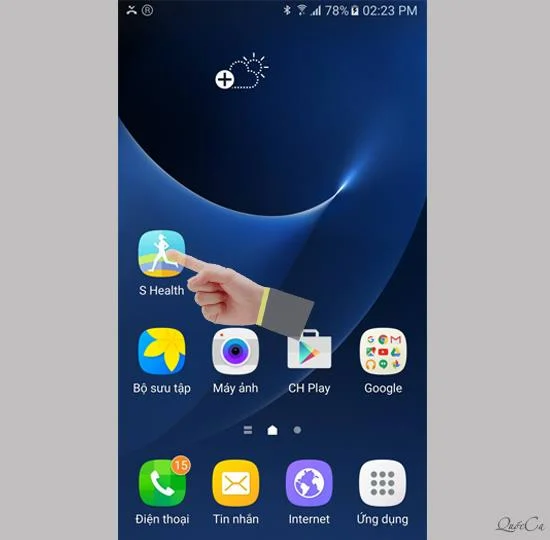 You access the S-Health application
Step 2. Select heart rate measurement.
![Measure heart rate on Samsung Galaxy S7]() Choose heart rate measurement
Step 3. Place your finger on the sensor.
![Measure heart rate on Samsung Galaxy S7]() Place your finger on the sensor
Step 4. The machine conducts the measurement.
![Measure heart rate on Samsung Galaxy S7]() The machine conducts the measurement
Step 5. Finish and the meter will report the measurement results.
![Measure heart rate on Samsung Galaxy S7]() Completed and the meter reports the results
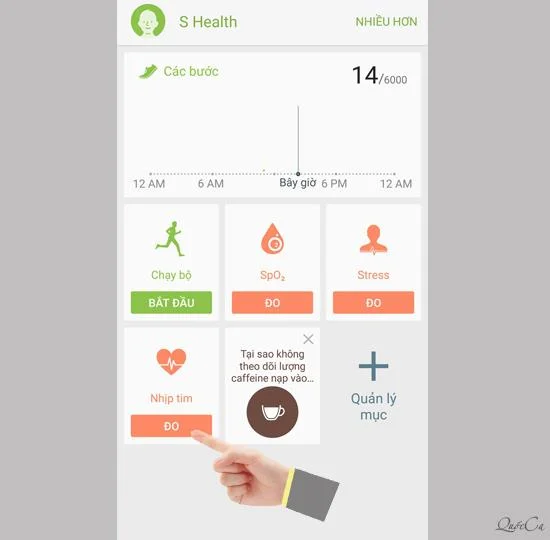 Choose heart rate measurement
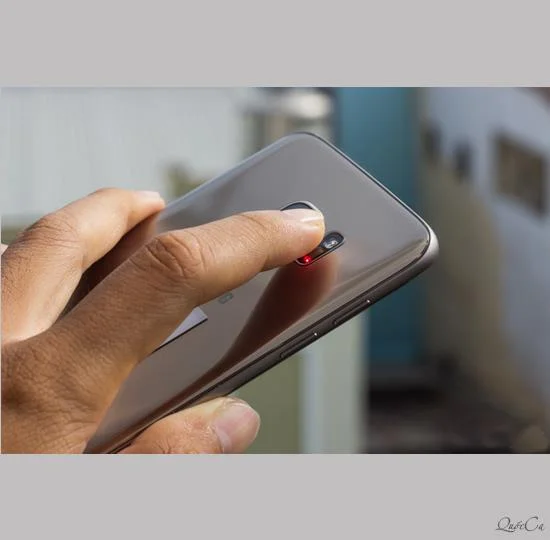 Place your finger on the sensor
 The machine conducts the measurement
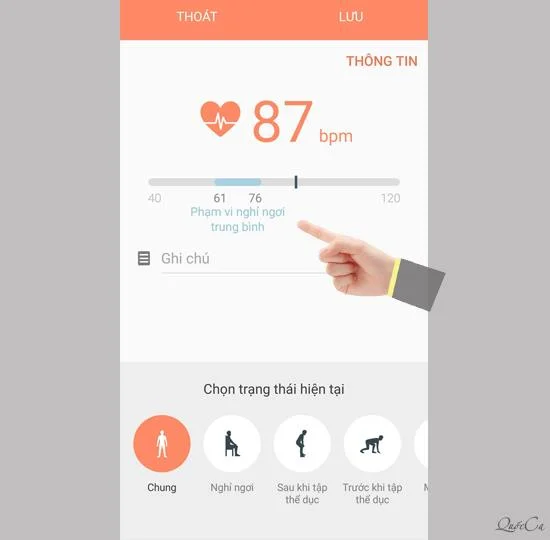 Completed and the meter reports the results