Desk Decorating Ideas for a Spooky Office Cubicle

Create a spooky office cubicle with Halloween desk decor ideas that keep your workspace usable, tidy, and mindful of workplace safety.
OpenAI recently introduced a video-generating AI tool called “Sora” for ChatGPT Plus and Pro users. But this is not the first of its kind. In fact, there are many services that support the creation of AI-based videos very quickly. They are gradually becoming a great assistant for creators, but sometimes confusing for viewers because it is often difficult to determine which videos are real and which clips are generated by AI.
As the AI video creation market grows rapidly, it is becoming increasingly difficult to detect fake or AI-generated videos online. To help address this issue, Meta has introduced a watermarking tool called “Meta Video Seal,” which works by adding a watermark to AI-generated video content.
According to Meta, adding watermarks to AI-generated videos will not have much impact on the user experience. Watermarks can also be embedded directly without affecting the overall look of the video. Additionally, Video Seal can also add hidden messages to videos, which can then be detected to trace the video's origin.
What makes “Meta Video Seal” special is its ability to “resist” common video editing efforts including blurring, cropping, or compression algorithms for easier online sharing. This means that if someone edits a video containing a watermark using Meta Video Seal, the watermark will remain intact, helping to verify the authenticity and origin of the video.
Meta is releasing the tool under a licensing license, along with training documentation and inference code. There's also an interactive demo so anyone can try out the model.
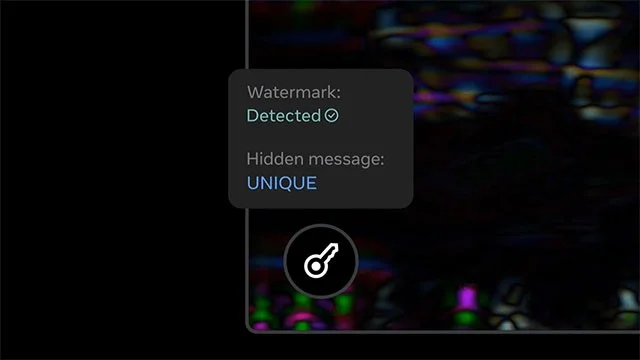
“While AI tools can help bring the world closer together, it is important that we implement safeguards to mitigate the risk of imitation, manipulation, and other forms of misuse that could undermine their benefits,” Meta said. “‘Watermarking’ AI-generated videos is an important step toward better traceability for AI content and models.”
With Video Seal, Meta aims to make it harder for bad actors to exploit AI to spread misinformation. While AI can do amazing things and make useful content more accessible, there need to be some barriers in place to ensure accurate information is available to everyone.
Create a spooky office cubicle with Halloween desk decor ideas that keep your workspace usable, tidy, and mindful of workplace safety.
Plan a recognizable Halloween 2026 look with pop culture costumes inspired by Spider-Man, Supergirl, Toy Story 5, Moana, Mario, and Wednesday.
Sort leftover Halloween candy safely, share or repurpose sealed treats, and choose food use or compost for pumpkins based on their condition.
Compare workplace Halloween costume choices by respect, dress code, mobility, and safety—and learn when a subtle accessory or a policy check is the better option.
Find a couples costume that fits your style, budget, and comfort level, from Addams Family classics to original inside-joke duos.
Need a last-minute high school Halloween costume? Compare 10 easy closet-based ideas by prep time, comfort, school-day practicality, and simple safety checks.
Use a simple 2026 Halloween decorating timeline for indoor décor, outdoor displays, and fresh pumpkins, with practical adjustments for weather and events.
Mix five vivid, approachable Halloween cocktails with measured recipes, simple prep tips, and an alcohol-free option for your party guests.
Find 15 office-friendly Halloween costume ideas for 2026, with practical checks for dress codes, respectful themes, comfort, and workplace safety.
Plan a fun elementary school Halloween party with easy crafts, games, inclusive treats, costume tips, and a sample 75-minute classroom schedule.








