NSW Thunderstorm Update: Warning Cancelled, Storm Risk Remains | Nov. 25

The Bureau of Meteorology’s latest NSW summary lists a cancelled severe thunderstorm warning. Storms remain possible in parts of northern and western NSW.
Verified and updated: November 25, 2026, 9:38 a.m. UTC. Microsoft’s public status page reported its consumer products operational at the time of review. That does not confirm the health of every Microsoft 365 business tenant: Microsoft directs business and enterprise customers to the Service health page in the Microsoft 365 admin center for incidents affecting their organization.
When cloud tools stop working, the immediate costs can include missed customer requests, delayed payments, unavailable records, and staff unable to coordinate. Check the provider’s official status, establish which systems and users are affected, and switch to your prepared fallback process before local troubleshooting makes the disruption worse. No broad Microsoft 365 business incident was independently confirmed in the sources reviewed for this article.

For a work or school account, sign in to the Microsoft 365 admin center and open Health > Service health. Microsoft says this view shows active incidents and advisories for services such as Teams and Exchange Online, along with the affected service, user impact, current status, and update history. The administrator view can also show issues that require action in your own environment.
If you cannot access the admin center, check Microsoft’s public service status page. Microsoft describes this as a backup when an active issue blocks access to Service health. For Azure-hosted workloads, check Azure status and the tenant-specific Azure Service Health view. A public status page may not show every tenant-level problem.
Microsoft distinguishes an advisory, where a service remains available but some users may be affected, from an incident involving an unavailable service or major function. Read the incident’s impact and updates, not just its label. Planned maintenance is tracked in the Microsoft 365 Message center, rather than the Service health incident list. These steps follow Microsoft’s official service health guidance.
First, establish scope. Ask whether the problem affects one person, one network, one application, or multiple teams. Check a second device or network only if that can be done safely and without exposing business data. Note the time, error message, affected service, and business task blocked. Avoid repeatedly changing account settings or deleting local data while the provider is investigating.
Next, rank work by consequence. Identify tasks with immediate customer, safety, payroll, financial, or regulatory impact. Activate the approved workaround for those tasks, such as a phone number, offline form, alternate payment procedure, or read-only copy of essential reference information. Tell staff what is unavailable, what workaround to use, who owns decisions, and when the next update will come.
If Microsoft has posted a matching incident, follow its updates and avoid duplicating support requests for the same known issue. If your organization is affected but no matching incident appears, Microsoft says administrators can use Report an issue in Service health or open a support request. Keep your own incident log so you can reconcile transactions and tasks after service returns.
Prepare before an outage. List the cloud services each critical business process depends on, including identity, email, file storage, customer management, and payment systems. Name an owner and fallback for each process. Keep emergency contacts, procedures, and vendor support details available through a channel that does not rely on the same cloud account.
Backups help only when they can be restored. Maintain protected copies of essential data, define recovery priorities, and periodically test restoration with the people who would perform it. For information that must be available during an outage, decide in advance whether an offline copy is appropriate, who may access it, and how updates made during downtime will be reconciled.
Establish an alternate way to communicate with employees and customers, such as SMS, phone trees, or a separately managed conference bridge. Australia’s Australian Cyber Security Centre guidance recommends tested backup communication methods and clear, time-stamped updates during outages. The guidance is for service providers, but the practices are useful when planning your own incident communications.
Do not treat a green status indicator as proof that every business workflow has recovered. Confirm sign-in, data access, integrations, and the specific tasks that were interrupted. Reconcile offline transactions and queued messages, and tell staff when normal procedures resume. Review the incident log to identify which dependencies caused the greatest disruption and whether the workaround worked.
Outlook: No recovery time can be predicted for a future incident from a status page alone. If a disruption occurs, the provider’s incident updates may change as the investigation progresses. A documented fallback plan, tested recovery, and a separate communications channel can reduce operational impact, but cannot guarantee uninterrupted service.
At the verification time above, Microsoft’s public page reported consumer products operational. Business users should check their tenant’s Service health page for a more specific answer.
The issue may be limited to your tenant, network, device, identity provider, or a connected service. Compare affected users and services, then check tenant-specific Service health.
Follow your incident procedure and provider guidance. Avoid repeated retries for high-impact transactions; record the attempt and use the approved fallback until service is confirmed restored.
The Bureau of Meteorology’s latest NSW summary lists a cancelled severe thunderstorm warning. Storms remain possible in parts of northern and western NSW.
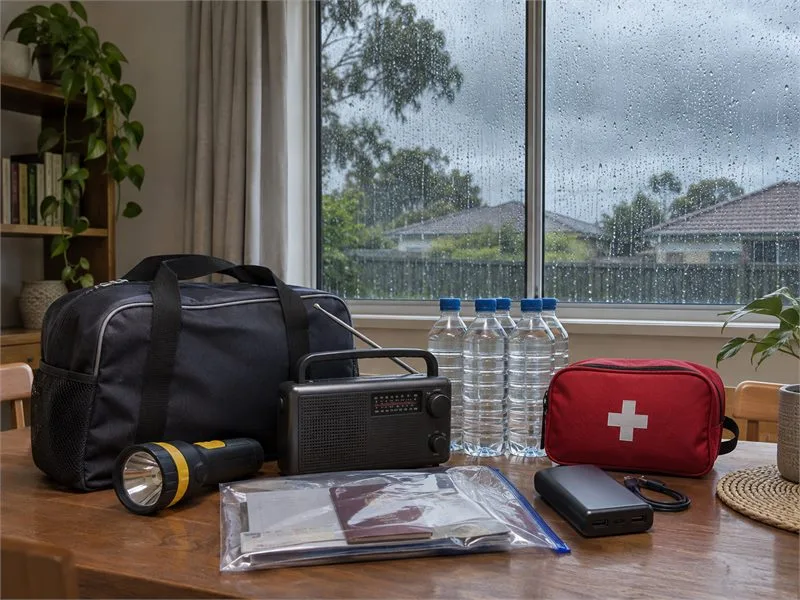
Prepare for severe storms in NSW with a practical home and family checklist, warning guidance, and the right emergency contacts: 000 and SES 132 500.
Nintendo’s Ver. 1.9.0 update adds eight remixed courses, two Knockout Tour rallies, automatic race and battle replays, and gameplay fixes to Mario Kart World.
Dough Balls Pizza Place Pty Ltd entered creditors’ voluntary liquidation on 20 November. Here’s what the liquidator’s appointment and reported restaurant closures mean.
Dough Balls Pizza Place entered liquidation on Nov. 20. Learn what its closure means for gift cards, deposits, orders, and employee entitlements in Australia.
Check Microsoft 365 and Azure service health, identify whether an outage affects your business, and protect essential operations with practical continuity steps.
Understand how cloud failures spread, what “Code Red” signals, and how Australian businesses can verify an outage, limit downtime and prepare for recovery.
Nintendo’s Mario Kart World 1.9.0 update adds eight course variants, two Knockout Tour rallies and race replays, alongside gameplay fixes. See the verified patch notes.
Gatwick’s third-party AutoPay service remains unavailable after unauthorized access. See what data may be involved, what remains unknown, and what drivers can do.
NOAA warns of Thanksgiving storm risks across the East and wet weather in the West. Learn how weather can affect flights, connections and your travel plans.