Desk Decorating Ideas for a Spooky Office Cubicle

Create a spooky office cubicle with Halloween desk decor ideas that keep your workspace usable, tidy, and mindful of workplace safety.
Microsoft is offering free AI lessons that will not only help you write better prompts, but also set a new world record. Sure, you can help Microsoft achieve its goals, but you can actually learn a lot of really useful things along the way.
What is Microsoft's free AI training program?
Microsoft is hosting a 50-day AI Skills Fest from April 8 to May 28, 2025. The program includes live events, live training, self-paced lessons, hackathons, and more. Sessions cover topics suitable for all skill levels. Beginners can take introductory AI classes and learn core concepts like machine learning or natural language processing. Microsoft AI tools like Copilot, Fabric, and Azure are also being taught.
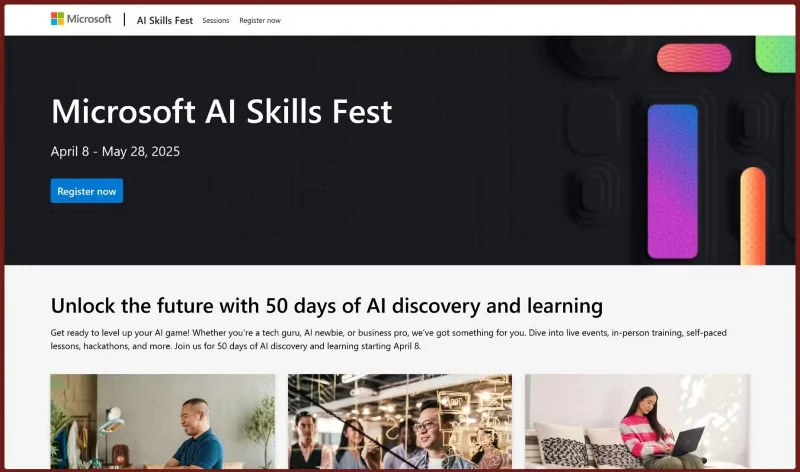
If you're already well versed in AI, there are advanced lessons and even an AI Agent hackathon to create "AI-powered solutions using AI agents ." Lessons are available in over 30 languages and cater to both regional and global audiences, so there's something for everyone here.
The general idea is that you’ll find something worth your time, no matter what your AI skill level. You can start with easy-to-understand, introductory lessons or choose something more in-depth. Regardless, the whole experience is packaged into one course, where people can pick and choose which lessons they want. Some of Microsoft’s paid courses are free during the AI festival, but you’ll still have to pay for a certificate.
That’s where the Microsoft AI Skills Fest Challenge Sweepstakes come in. It’s a weekly draw with 50,000 free certifications up for grabs. All you have to do is start one of the eligible AI Skills Fest challenges and fill out the form on the page linked above. Any non-winning entries will automatically roll over to the next draw, so you only need to enter once.
You can also enter the Guinness World Records
The highlight of Microsoft's AI festival is its attempt to set a Guinness World Record for "most users completing a multi-level artificial intelligence lesson online in 24 hours." The event runs from April 7, 23:00 UTC to April 8, 23:00 UTC.
There are over 30 sessions listed on the challenge website that qualify you for this feat. These include speedwriting classes, sessions on how to use Generative AI at home or work, and classes on how to build an AI agent in Copilot, among others.
The best part is that if you sign up for the course and complete it by April 8, you’ll be eligible to download a record-breaking attempt badge. You’ll need to authorize Microsoft to represent you in an agreement with Guinness World Records. The AI Skills Fest registration page also posted a statement clarifying this:
If I participate in a world record attempt at the AI Skills Fest, I hereby authorise Microsoft to act as my agent and enter into an agreement with Guinness World Records on my behalf. I confirm that I have reviewed the Guinness World Records terms and conditions.
The world record attempt may be a marketing stunt, but people can get some real value out of it. AI is a hot topic, and Microsoft is a tech giant with a big stake in the game. Getting free training, even if it’s just to write better prompts, can help a lot.
Create a spooky office cubicle with Halloween desk decor ideas that keep your workspace usable, tidy, and mindful of workplace safety.
Plan a recognizable Halloween 2026 look with pop culture costumes inspired by Spider-Man, Supergirl, Toy Story 5, Moana, Mario, and Wednesday.
Sort leftover Halloween candy safely, share or repurpose sealed treats, and choose food use or compost for pumpkins based on their condition.
Compare workplace Halloween costume choices by respect, dress code, mobility, and safety—and learn when a subtle accessory or a policy check is the better option.
Find a couples costume that fits your style, budget, and comfort level, from Addams Family classics to original inside-joke duos.
Need a last-minute high school Halloween costume? Compare 10 easy closet-based ideas by prep time, comfort, school-day practicality, and simple safety checks.
Use a simple 2026 Halloween decorating timeline for indoor décor, outdoor displays, and fresh pumpkins, with practical adjustments for weather and events.
Mix five vivid, approachable Halloween cocktails with measured recipes, simple prep tips, and an alcohol-free option for your party guests.
Find 15 office-friendly Halloween costume ideas for 2026, with practical checks for dress codes, respectful themes, comfort, and workplace safety.
Plan a fun elementary school Halloween party with easy crafts, games, inclusive treats, costume tips, and a sample 75-minute classroom schedule.








