Do you want to set up your own multiplayer Minecraft server? Do you want to find the server IP address in Minecraft so others can connect to your Minecraft server?
Multiplayer Minecraft offers an entirely new dimension to play and even several years after release, there are thousands of daily players in the game. This tutorial will show you both how to set up your own Minecraft server and how to find the IP address of your Minecraft server.
Minecraft is an amazing game whether you like to play alone, on devices on a LAN, or multiplayer. For a game that looks so simple on the surface, it has surprising depth and is endlessly engaging. The ability to play on Minecraft servers is a real benefit to those who want an alternative to playing Minecraft alone in their own world. Playing Minecraft with others is a lot of fun, creating, adventuring, and surviving together.
Understanding Minecraft Servers
Running your own Minecraft server also allows you to set your own rules, accept only people you’re comfortable playing with, use mods, and basically play in any way you want.
If you cannot find a server with the mods and rules you’re comfortable with, running your own Minecraft server is an excellent option.

Your server IP address in Minecraft
Your server IP address in Minecraft is your PC IP address. Your game will act as the server so for others to connect, they will need your IP address in order to point their game to yours. It sounds complicated but actually isn’t.
To find your IP address in Windows, do this:
Use the Windows+R Keyboard Shortcut
Press the Windows key+R to open a run window or right-click the Windows icon and click ‘Run’

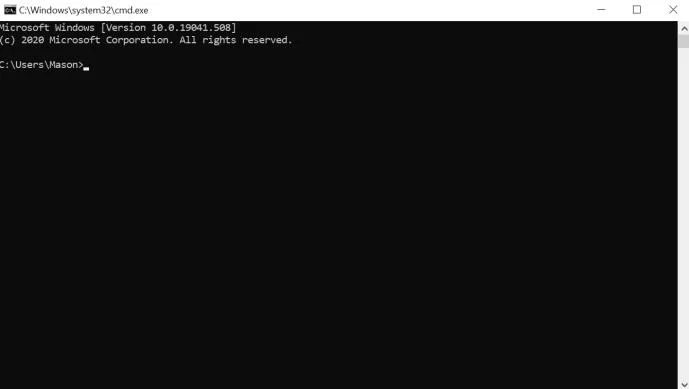
Type ‘cmd’ and hit Enter.
A black command window should open.

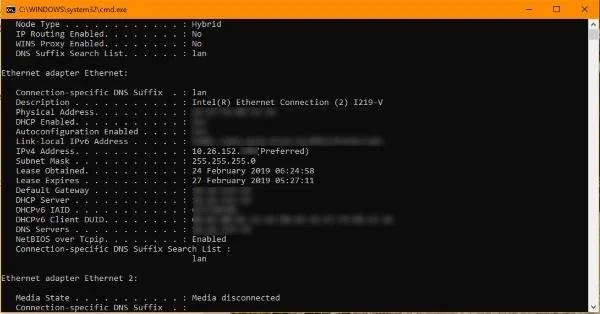
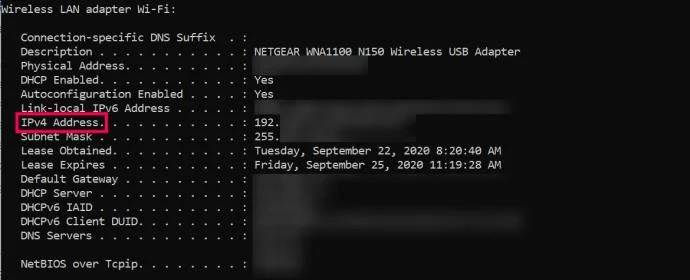
Type ‘ipconfig /all’ and hit Enter.

Your IP address will be listed under Ethernet if you’re using a wired connection and be listed under IPv4 Address. Leave the CMD window open if you want to set up your own Minecraft server otherwise close it.
You will need to forward ports through your router to your Minecraft server. You’ll have to refer to your router’s manual for that as each manufacturer does it a different way. You will need to forward TCP port 25565 if you want people to connect over the internet.
To access most router’s settings, simply type your IP Address (located on your router) into a browser’s address bar. From here, type the username (usually “admin”) and password (located on the router) to access the settings.
Setting up a Minecraft server
Setting up a Minecraft server is very straightforward. You could be up and running in less than an hour if all goes to plan.
Follow these steps and you could be playing in no time! If you have Minecraft already installed, you won’t need to install Java. If you don’t, the download will include a link to the Java install.
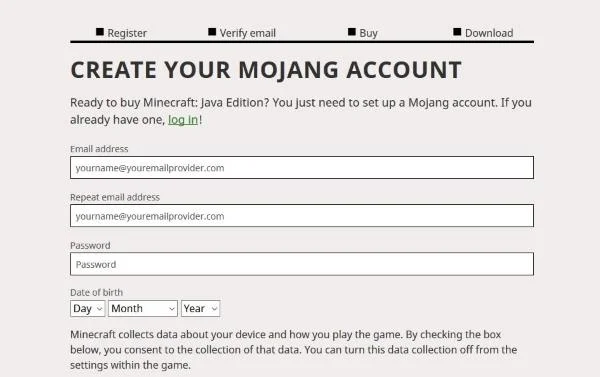
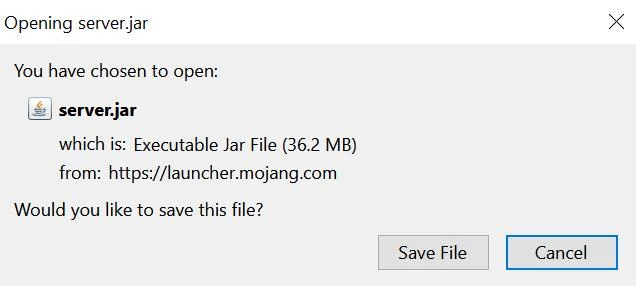
Download the Minecraft: Java Edition server from the Mojang website. You will have to create an account to access the software.

Visit this site and check your Java version or just download a copy from here.

Create a folder on your computer to store all Minecraft files and install Minecraft: Java Edition server and Java on your computer. Running a server requires lots of files, it is much easier to keep them in one place.
Right-click the .jar file and choose the “Run as administrator” option to start things off.

Open eula.txt in the application folder and change eula=false to eula=true.
Go to your CMD window you used earlier and navigate to your Minecraft folder. E.g. ‘cd C:Minecraft’ and hit Enter.
Type ‘java -jar minecraft_server.1.9.5.jar’ and hit Enter. Change the filename to whatever your Minecraft jar file is called.

Check your Minecraft server is visible on this website. Type in your server IP address and select Check.
To play on your own server, type ‘Localhost’. Your guests will have to put your server name and/or IP address depending on how you set it up.
Play!
Your Minecraft server should run smoothly now and allow connections from the outside as long as you enabled port forwarding on your router.
Without port forwarding, your router will block connection attempts from outside your network so this is a vital step. It is also a theoretical hole in your network security so keep an eye on firewall alerts while running your server.
How Do People Join Your Server?
Assuming you have friends and family or even complete strangers who would enjoy playing with you, you may wonder how they can join your server once you’ve given them your IP address.
To access a server using the IP address, follow these instructions:
- Open Minecraft on your computer
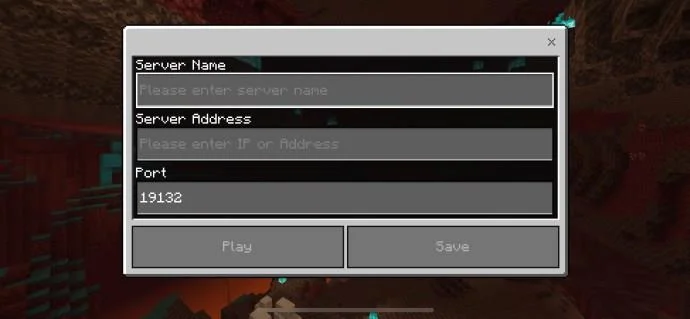
- Click on the option for ‘Direct Connect’
- Paste or type in the Server IP address (this may also be a domain name as well)
- Click ‘Join Server’

That’s all there is to it! Once you’ve successfully joined the server you can begin having fun building with your friends.
Frequently Asked Questions
Just in case we didn’t answer all of your questions, we have more answers here:
I get an error message when I try to access a server. What can I do?
If you’re getting an error when connecting, the first thing you should do is reset your router. As this relates to your IP Address, a simple restart should fix the error. u003cbru003eu003cbru003eNext, you can check your computer’s anti-virus settings to ensure that nothing is blocking you from accessing the server. Finally, try editing your server’s settings.
Where else can I find my IP Address?
Whether you’re using a Mac, Game Console, PC, or even a phone, your router’s IP Address is actually on the box itself. Look for a sticker or printed label on your Router for the IP Address.u003cbru003eu003cbru003eAside from that, both Mac and Game Consoles have the IP Address listed within the Preferences or Network Settings.u003cbru003eu003cbru003eLastly, head over to your favorite search engine using your favorite web browser and type in u0022External IP Addressu0022 Assuming you’re connected to your wifi network, you’ll find the right IP Address here.
Final Thoughts
This article only covers the very basics of setting up a multiplayer Minecraft server. There is huge scope from here, from customizing your server, adding mods, and a whole bunch of other stuff. Check out this page for server commands, or this page if you have a Mac or Linux computer instead of Windows.
Minecraft is an awesome game that continues to be awesome even after Microsoft bought it from Notch. If you want to create your own multiplayer server or just find your IP address for Minecraft, you now know how!
If you play Minecraft, you might want to check out other TechJunkie articles, including Minecraft keeps crashing with Java Not Responding Errors – What To Do and The Best Minecraft Easter Eggs.
If you’re looking for the perfect Minecraft server to play on, there are lists available online of active servers. Many of these lists include the IP addresses so you can easily copy and paste using the Direct Connect method to join in. Assuming a friend has sent you an invite code, it’s even easier to join someone’s server. Simply click on the option to play, click on ‘Friends’, and click on ‘Join Realm’. Follow the instructions for entry and you’re good to go!