Couples Costume Ideas for 2026: Iconic Pairs and Clever Tropes

Find a couples costume that fits your style, budget, and comfort level, from Addams Family classics to original inside-joke duos.
Minecraft, the hugely popular 3D blocky world exploration game owned by Microsoft, is now available on almost every major gaming hardware platform — except the PlayStation 5. PS5 gamers have so far had to share the same version of Minecraft with their PS4 consoles through backward compatibility.
However, back in June, developer Mojang (owned by Microsoft) confirmed that it was developing a version of the popular sandbox game Minecraft that would run natively on Sony’s PlayStation 5 console. This week, Mojang confirmed that Minecraft for PS5 is now officially available for purchase and download from the PlayStation Store. Ahead of its full release, the developer has been testing and gathering feedback from users through a special “preview” release. The results have been very positive.
Mojang says the original PS5 version of Minecraft will allow gamers to experience much better rendering quality in the game, while also supporting both 4K resolution and 60fps. Of course, the PS5 version of Minecraft will also support cross-play with other Minecraft ports.
Additionally, for those who haven't purchased the PS4: Bedrock Edition of Minecraft, the PS5 version will cost $19.99. However, if you've already purchased the PS4 version of the game, the PS5 port will be free - just log in to the PlayStation Store to download it. If you own the PS4 physical version of Minecraft, you'll need to insert the disc into your PS5 to get your free digital copy.
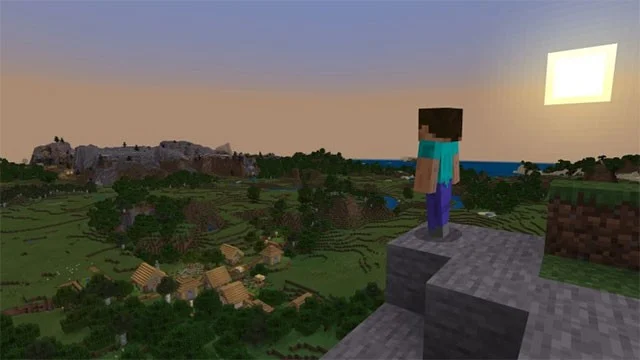
In related news, Mojang recently announced that support for playing Minecraft via the PlayStation VR headset will end in March 2025. Along with the release of the Minecraft PS5 version, Mojang also rolled out a new free content update this week called Bundles of Bravery, which comes with packs, which are essentially in-game bags that allow users to have a portable inventory of items.
Additionally, the update also adds Hardcore mode for those playing the Bedrock variant of Minecraft, which now includes the PS5 version. This means that not only is the survival difficulty very high, but any characters and worlds you create can die permanently. The update also adds Hardcore zones that allow up to 10 players to play the game in such Hardcore mode.
Although it has been released for a long time and has simple graphics, Minecraft is still one of the attractive games for families and children because the game is available on all systems and has simple gameplay that encourages gamers to unleash their creativity.
Developer Mojang hopes: "By developing the native version of Minecraft for PS5, we will be able to make the game run more efficiently on PlayStation consoles."
Find a couples costume that fits your style, budget, and comfort level, from Addams Family classics to original inside-joke duos.
Need a last-minute high school Halloween costume? Compare 10 easy closet-based ideas by prep time, comfort, school-day practicality, and simple safety checks.
Use a simple 2026 Halloween decorating timeline for indoor décor, outdoor displays, and fresh pumpkins, with practical adjustments for weather and events.
Mix five vivid, approachable Halloween cocktails with measured recipes, simple prep tips, and an alcohol-free option for your party guests.
Find 15 office-friendly Halloween costume ideas for 2026, with practical checks for dress codes, respectful themes, comfort, and workplace safety.
Plan a fun elementary school Halloween party with easy crafts, games, inclusive treats, costume tips, and a sample 75-minute classroom schedule.
Compare realistic side hustles for 2026 by startup cost, fees, flexibility, and income control, with current tax and scam guidance from official sources.
Upgrade your home office ergonomics with current OSHA and NIOSH guidance on chair fit, monitor height, laptop setup, lighting, and movement.
Learn why emotional intelligence matters in leadership, where it helps most, how to strengthen it, and how to tell whether your approach is working.
A practical roadmap for moving into tech without a degree: choose an accessible role, build job-ready skills, prove them with projects, and use hiring feedback to improve.








