Minecraft is fun just as it is and presents a great challenge, but sometimes you want to get past the boring stuff and move things along. So, did you know that you can turn on cheats for Minecraft?

Not every version of Minecraft is compatible with cheats. Before you attempt to use them, you need to make sure your version can allow them. Below is a list of the specific platforms and versions that let you use cheats.
Minecraft Versions That Allow You to Run Cheat Commands
- Java Edition (both PC and Mac)
- Pocket Edition on mobile devices
- Windows 10 Edition
- Education Edition
- Xbox Edition (Possibly)
- Nintendo Switch Edition (Possibly)
If you play Minecraft on a platform or version other than these six, you won’t be able to allow cheats. These non-cheat platforms include (but are not limited to):
- Bedrock Edition
- New Nintendo 3DS Edition
- Pi Edition
- PlayStation 4 Edition
- Wii U Edition
- PlayStation Vita Edition
How to Enable Cheats in Minecraft
In this section, you’ll learn how to enable cheats in each version that supports them. The steps are all straightforward, and you can enable cheats in just a few clicks.
Java Edition
To enable cheats on Java Edition, follow these instructions:
- Launch Minecraft.
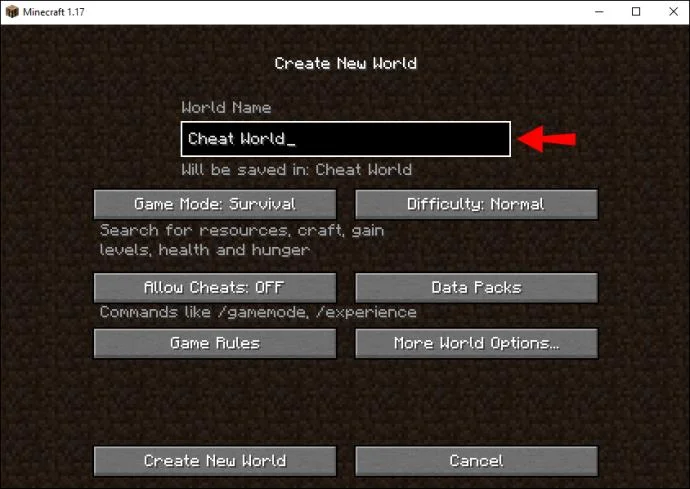
- Create a new world.

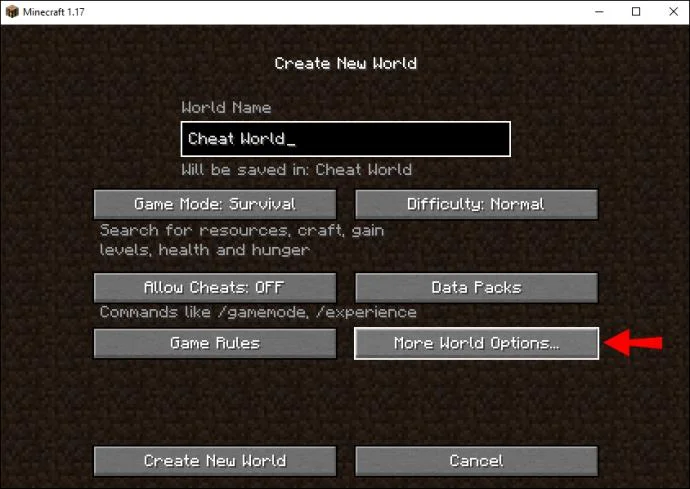
- Select “More World Options.”

- In the new window, select “Allow Cheats” and make sure the option says the cheats are on.
- Select “Create New World” to start playing in a world where cheats work.
There’s also a way to allow cheats in Java Edition after you create a world. To do so requires a simple workaround:
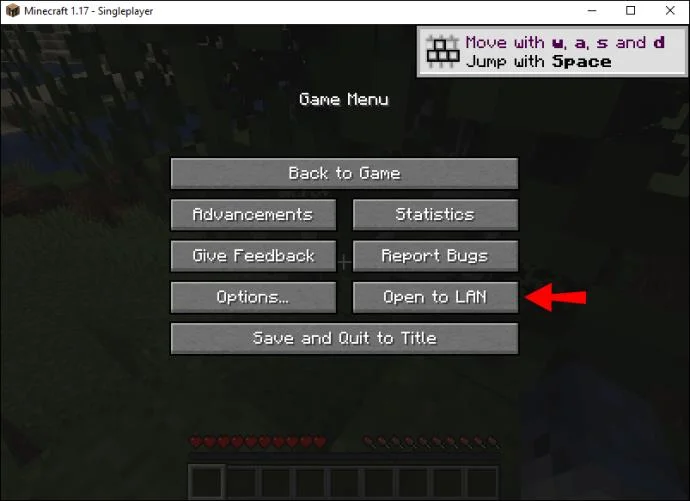
- When you’re in your new world, open the menu.
- Go to “Open to LAN.”

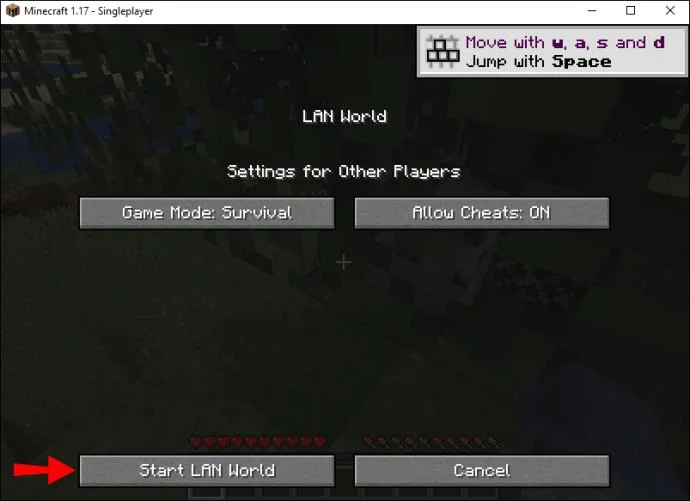
- Set the “Allow Cheats” option to on.

- Select “Start LAN World.”

Now you can use cheats.
This workaround only works in the Java Edition, so you can’t enable cheats in new worlds where cheats were never allowed in the first place.
Pocket Edition
In Minecraft Pocket Edition, you don’t have to navigate through a few windows like you would on other platforms. The option to enable cheats is right at the center of the screen. All you need is one tap to turn them on.
- Launch Minecraft Pocket Edition.
- Start creating a new world.

- Tap the toggle in the middle that says “Cheats.”

- Once it slides to the right, cheats are enabled.
- Start your new world.
- You’ll now be able to use cheats in this world.
The game will warn you that you can’t unlock achievements in this world, but that’s okay. You’re mainly here to mess around with the game. Unlocking achievements can wait for when you decide to play in Survival Mode.
Windows 10 Edition
The Windows 10 Edition has a similar layout to Minecraft Pocket Edition. The toggle is also near the center of the screen. Since you’ll be using a mouse, all you have to do is move your cursor to the right place and click.
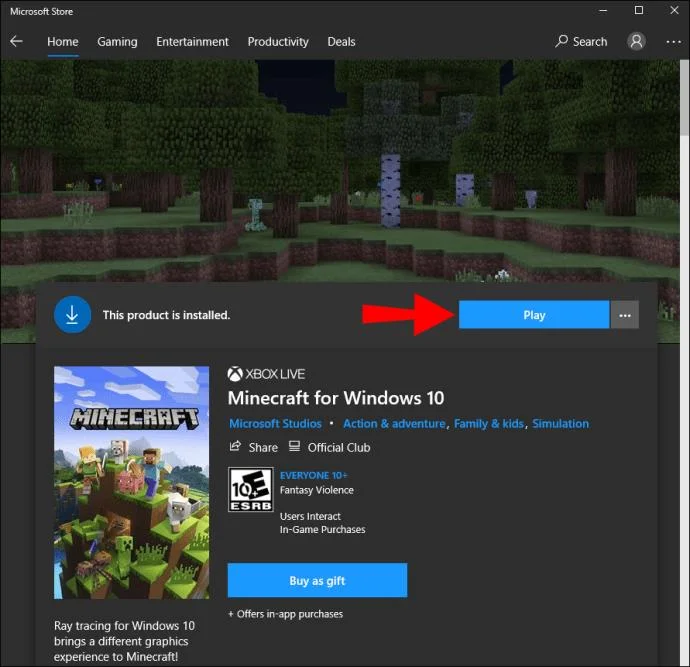
- Launch Minecraft Pocket Edition.

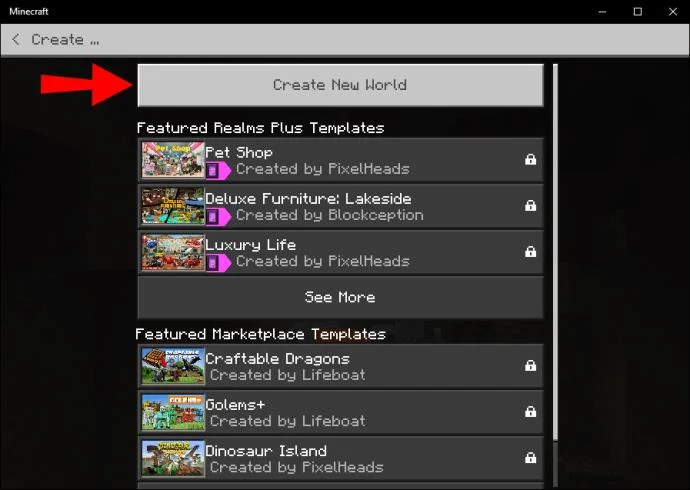
- Start creating a new world.

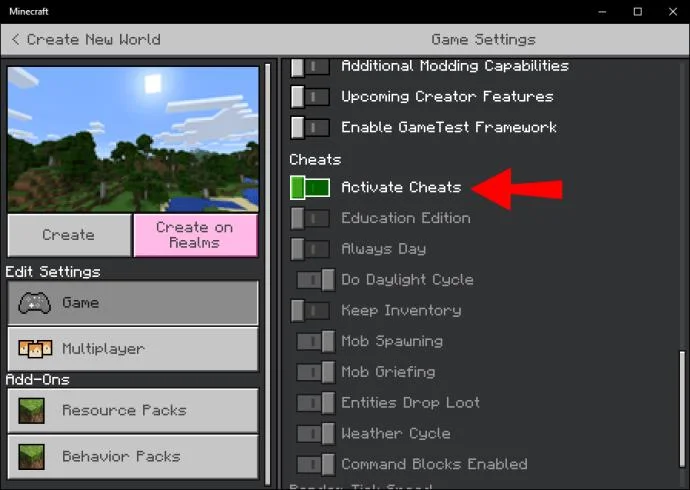
- Click on the toggle in the middle that says “Cheats.” Once it slides to the right, cheats are enabled.

- Start your new world. You’ll now be able to use cheats in this world.
Achievements also don’t work in worlds with cheats enabled. On Windows 10, using cheats is easier as you have access to a mouse and keyboard.
Education Edition
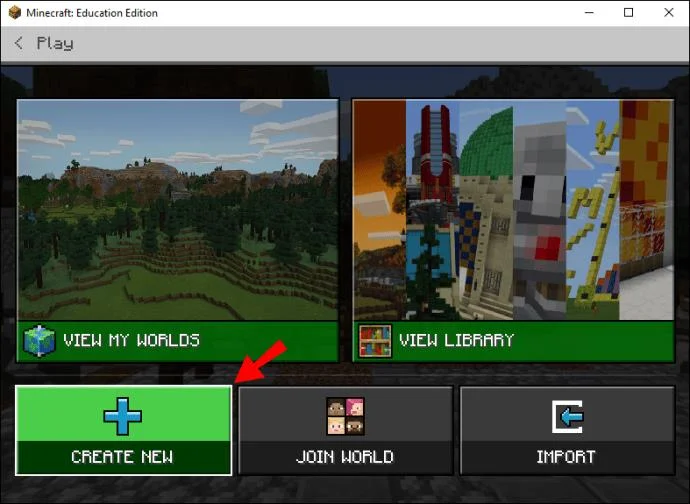
The instructions for Minecraft Education Edition on PC or mobile are identical to the above two versions (thanks to their similar interface). For the Education Edition, perform the following action.
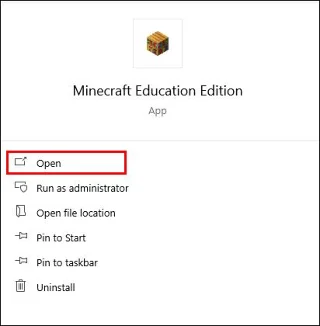
- Launch Minecraft Pocket Edition.

- Start creating a new world.

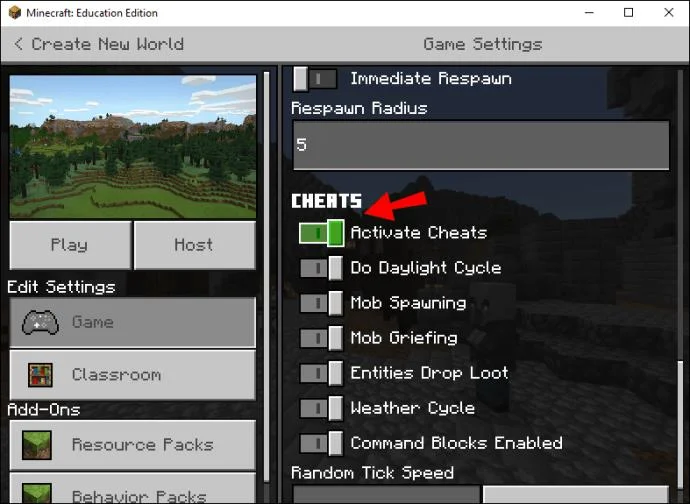
- Click or tap on the toggle in the middle that says “Cheats.” Once it slides to the right, cheats are enabled.

- Start your new world. You’ll now be able to use cheats in this world.
Nintendo Switch Edition and Xbox Edition
For Nintendo Switch and Xbox, there is conflicting information if they can use cheats. The newest sources include some that say both can use cheats, but the methods of doing so are strangely not readily available. Other sources say that cheats are only limited to PC editions and on mobile devices.
Due to the confusing nature of the available information, we won’t discuss these versions to avoid steering you wrong and creating difficulties.
Additional FAQs
How do I turn off cheats in Minecraft?
There’s a way to turn cheats off in-game following the same instructions listed above, but here’s a way to do that externally:
1. Download and install NBTExplorer.
2. Use it to open “level.dat” corresponding to your Minecraft world.
3. Change “allowCommands” so that the value goes from one to zero.
4. Save the file.
Internally, you can use the same workaround for Java Edition but instead turning cheats off. However, this only works on Java Edition and not the others.
What are the most popular Minecraft cheats?
Some of the most popular cheats in Minecraft are:
• /tp ¬– to teleport
• /difficulty – to change the difficulty
• /weather – to alter weather conditions
• /gamemode – to switch between different game modes
• /locate – to find a structure type nearest to you
• /time – to change the day’s hours
These are some of the most popular and practical commands when it comes to Minecraft cheat codes.
Are You Cheating?
Technically, you are if you’ve just enabled these cheats. But for some, that’s part of the fun. We hope this article has helped you learn how to enable cheats in Minecraft. You’ll now be able to enjoy the game in different ways and at your own pace.
What cheat do you use the most? Do you think consoles should allow for cheats? Let us know in the comments section below.