Pop Culture Costume Ideas That Will Dominate Halloween 2026

Plan a recognizable Halloween 2026 look with pop culture costumes inspired by Spider-Man, Supergirl, Toy Story 5, Moana, Mario, and Wednesday.
The speed of urbanization is directly proportional to the amount of waste causing serious environmental pollution, finding a source of fresh, clean air is not easy. Understanding the importance of clean air, Nagakawa Group continues to launch the Nagakawa NAG3502M air purifier with many outstanding features.
Article content
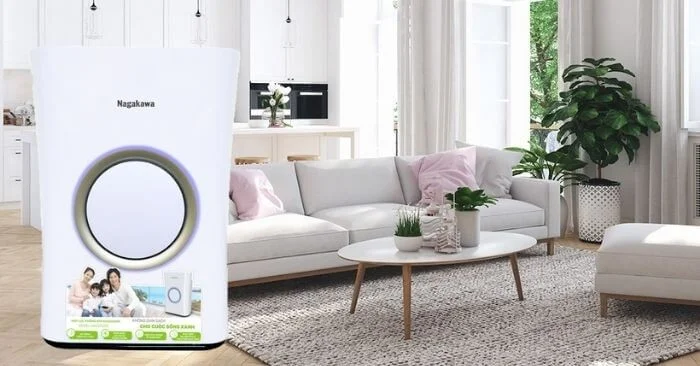
This air purifier stands out with its simple, elegant design that does not take up space in the room. The curves running along the body of the machine create a softness for the living space. The white case is made of super durable ABS plastic that does not fade, giving it a beauty that lasts over time.
The most special feature in the machine's structure is the HEPA 13 filter for better air filtration. The machine is equipped with the most advanced features, allowing it to clean a space of up to 50m2 and a clean filtration flow of 400m3/h.
Multi-function but the machine is simply designed for easy cleaning and filter replacement. You can completely replace the filter at home without needing a repairman.
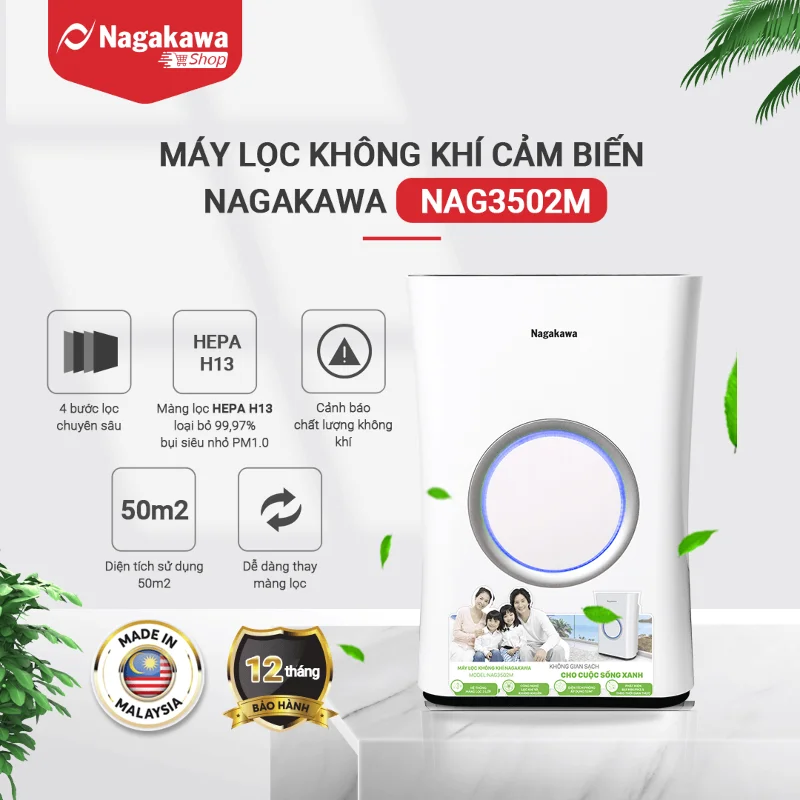
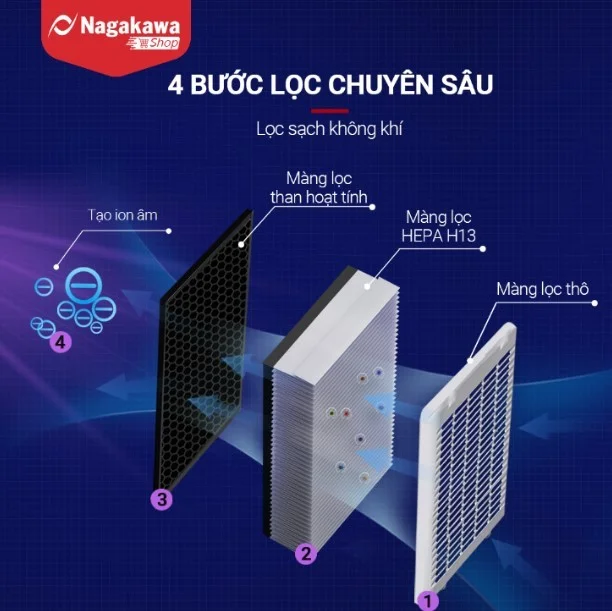
The NAG3502M air purifier has 4 filters, including a HEPA H13 filter for optimal cleaning efficiency, cleaner air than conventional filters.
NAG3502M air purifier is installed with many smart utilities such as:
It is difficult to determine the exact air quality through the senses. Therefore, the Auto function was born with the task of measuring air pollution and automatically adjusting the capacity and fan speed according to the air quality at that time. This smart mode helps you enjoy clean green air with peace of mind and save electricity.
Once the mode is activated, the machine will operate more smoothly with a gentle wind flow, the noise is reduced to ~35db, and the LED indicator lights are also completely turned off. Ensuring the most quiet and refreshing space for you to rest and fall into a deep sleep.
In the air, there is a lot of fine dust with a size smaller than 2.5µm, pollutants such as paint odor, bacterial spores, bad odors, moldy odors, harmful chemicals... And the PM2.5 Infrared dust sensor was born with the function of accurately detecting the "presence" of these impurities and giving warnings through the electronic screen.
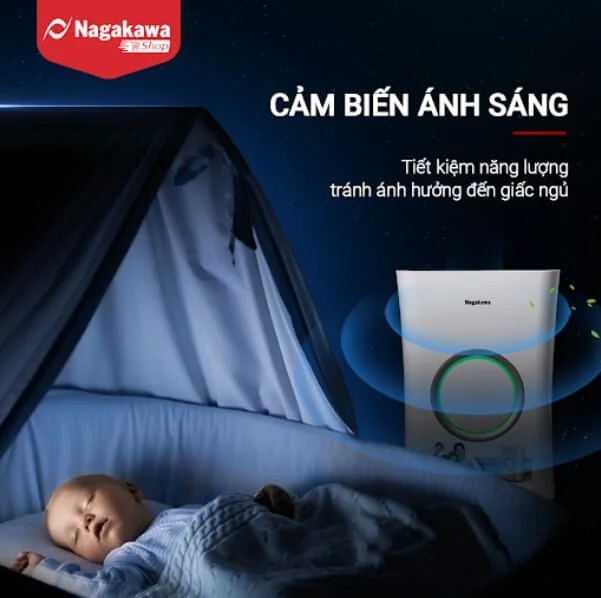
The air purifier's light sensor will work continuously to detect the ambient light intensity. When the light is dark, the machine will automatically turn off the air quality indicator lights and control lights to save energy and ensure the user's sleep quality. When the light returns to normal, the lights will be turned on and the functions will operate as usual.
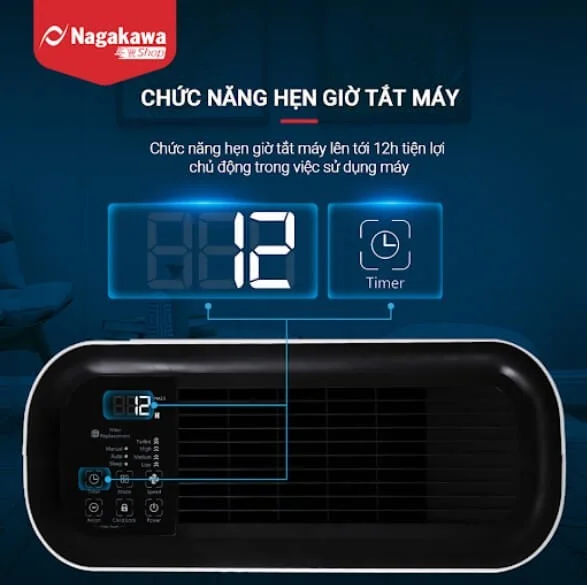
It is a waste of electricity if the machine runs continuously when no one is home, so the timer function was born to save this situation. You can be completely proactive in using the air purifier to avoid wasting electricity.
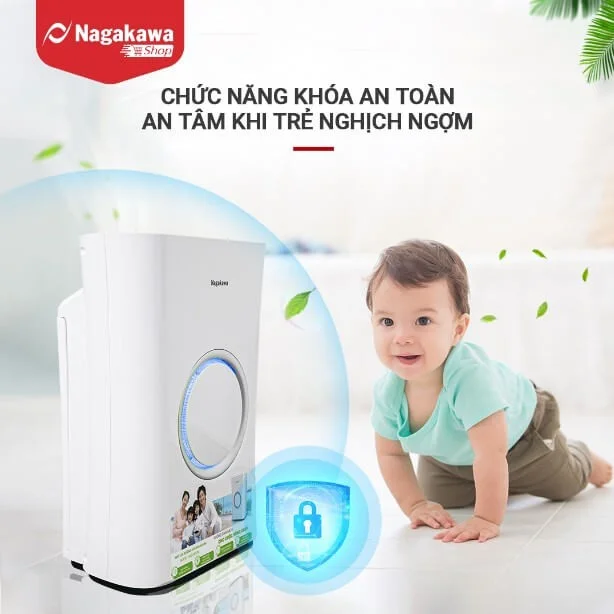
This feature prevents any accidental changes or incorrect operation, making it safe to use around children, pets, and people who are “technologically illiterate”.
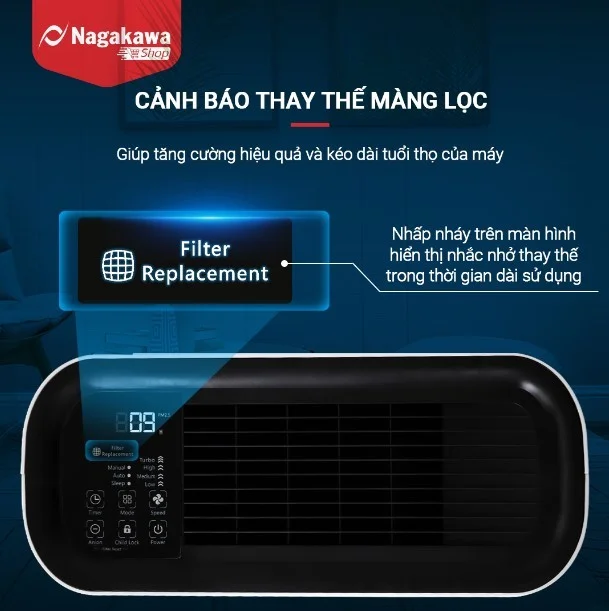
Air quality, frequency and air filtration needs of each family are not the same, so it is difficult to determine when to replace the new filter. Therefore, NAG3502M has been equipped with a filter replacement warning light, this function helps ensure air quality, save costs and prolong the life of the machine.
Like other products, Nagakawa has a very good after-sales policy. When buying the NAG3502M air purifier, customers will receive a 12-month warranty. The product comes with a user manual and an electronic warranty card. Currently, the product is being sold on the market at a price of about 7 million VND, with differences between sales units depending on promotional programs and discounts for consumers.
In today's era, every family needs an air conditioner like the NAG3502M, which can clean large spaces, clean the air, provide healthy ions, and has many smart features. Stay ahead of the trend of using HEPA H13, bring the NAG3502M air purifier home!
Plan a recognizable Halloween 2026 look with pop culture costumes inspired by Spider-Man, Supergirl, Toy Story 5, Moana, Mario, and Wednesday.
Sort leftover Halloween candy safely, share or repurpose sealed treats, and choose food use or compost for pumpkins based on their condition.
Compare workplace Halloween costume choices by respect, dress code, mobility, and safety—and learn when a subtle accessory or a policy check is the better option.
Find a couples costume that fits your style, budget, and comfort level, from Addams Family classics to original inside-joke duos.
Need a last-minute high school Halloween costume? Compare 10 easy closet-based ideas by prep time, comfort, school-day practicality, and simple safety checks.
Use a simple 2026 Halloween decorating timeline for indoor décor, outdoor displays, and fresh pumpkins, with practical adjustments for weather and events.
Mix five vivid, approachable Halloween cocktails with measured recipes, simple prep tips, and an alcohol-free option for your party guests.
Find 15 office-friendly Halloween costume ideas for 2026, with practical checks for dress codes, respectful themes, comfort, and workplace safety.
Plan a fun elementary school Halloween party with easy crafts, games, inclusive treats, costume tips, and a sample 75-minute classroom schedule.
Compare realistic side hustles for 2026 by startup cost, fees, flexibility, and income control, with current tax and scam guidance from official sources.








