Leftover Halloween Candy and Pumpkins: What to Do Next

Sort leftover Halloween candy safely, share or repurpose sealed treats, and choose food use or compost for pumpkins based on their condition.
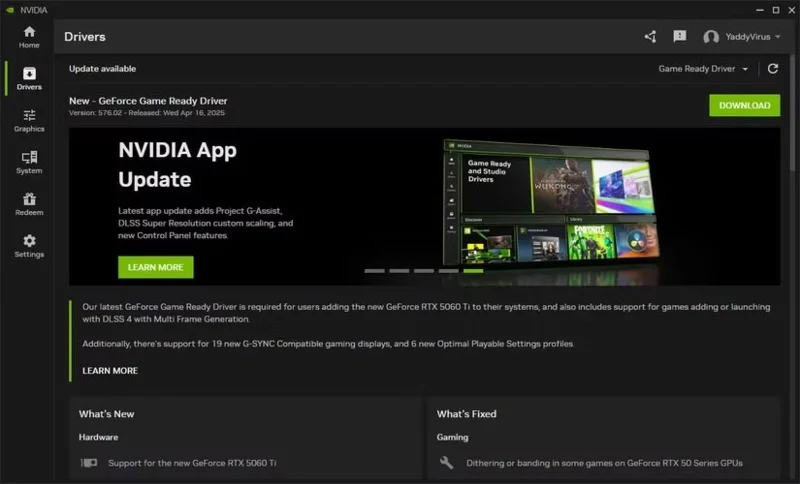
If you haven’t updated your Nvidia GPU in a while, now’s a good time. The company’s latest driver update addresses a number of long-standing bugs while also delivering significant performance gains.
Update now and run the game faster
Most Nvidia GPU driver updates bring bug fixes or feature additions like DLSS4 support in new and existing games. However, the 576.02 update reportedly brings a 5-10% performance improvement, as shown by increased FPS across games.
A thread on the Nvidia subreddit has screenshots showing a 7% improvement in Cyberpunk 2077 with the game's RT Overdrive preset, which enables both Ray and Path Tracing, compared to the previous driver version. The 5070 Ti used in this case achieved 80 FPS without framerate injection and DLSS set to balanced.
Benchmarks also reported significant performance gains on the 50-series cards. Another 5070 Ti user, CurryGorYT, saw a 7% improvement in their GPU in 3DMark Steel Nomad, with a final score of 6,467 and an average frame rate of 64.68 FPS. Tech619 reported their 3DMark Steel Nomad score increased from 8,832 to 9,215 with an average of 92.16 FPS after the update on an MSI RTX 5080 Vanguard.
The biggest performance increase was on CellTastic's RTX 5070 Ti - 8% with the latest driver, with the score increasing from 6504 to 7006 on the Steel Nomad. Interestingly, an RTX 5090 user reported no performance difference on the same thread.
The improvements aren't limited to RTX 50-series cards. There are claims of 3-5% performance gains on 40-series GPUs. Reddit user AerithGainsborough7 shared a thread showing improvements of 3, 4.1, and 3.6% in Steel Nomad, Blackmyth Wukong, and Cyberpunk 2077 on the RTX 4070 Ti, respectively.
Keep in mind that the performance gains mentioned above are on desktop versions of the GPU. While these numbers may not seem like much, mature drivers like Nvidia’s often offer much smaller, if any, performance improvements. Considering the incredibly thin performance margins between Nvidia’s new GPU releases, these numbers are pretty solid.
Dozens of stability issues have been resolved.
As mentioned before, driver updates are mostly focused on bug fixes and feature additions, and Nvidia has implemented a lot of bug fixes in this update. There are also stability improvements for various games.
Nvidia has fixed dithering or banding in some games on 50-series GPUs. Game stability issues when playing with DLSS and G-Sync enabled together have also been resolved. Minor stutters that were annoying when forcing VSync via the Nvidia Control Panel have also disappeared.
Games like inZOI, Fortnite, Monster Hunter Wilds, Overwatch 2, Senua's Saga: Hellblade II, The First Berserker: Khazan, The Last of Us Part I, and Uncharted: Legacy of Thieves, among many others, have also received fixes for various issues.
There are too many fixes in this update to list them all, but if you're having issues with your GPU, there's a good chance that applying this graphics driver update will fix the problem.
Sort leftover Halloween candy safely, share or repurpose sealed treats, and choose food use or compost for pumpkins based on their condition.
Compare workplace Halloween costume choices by respect, dress code, mobility, and safety—and learn when a subtle accessory or a policy check is the better option.
Find a couples costume that fits your style, budget, and comfort level, from Addams Family classics to original inside-joke duos.
Need a last-minute high school Halloween costume? Compare 10 easy closet-based ideas by prep time, comfort, school-day practicality, and simple safety checks.
Use a simple 2026 Halloween decorating timeline for indoor décor, outdoor displays, and fresh pumpkins, with practical adjustments for weather and events.
Mix five vivid, approachable Halloween cocktails with measured recipes, simple prep tips, and an alcohol-free option for your party guests.
Find 15 office-friendly Halloween costume ideas for 2026, with practical checks for dress codes, respectful themes, comfort, and workplace safety.
Plan a fun elementary school Halloween party with easy crafts, games, inclusive treats, costume tips, and a sample 75-minute classroom schedule.
Compare realistic side hustles for 2026 by startup cost, fees, flexibility, and income control, with current tax and scam guidance from official sources.
Upgrade your home office ergonomics with current OSHA and NIOSH guidance on chair fit, monitor height, laptop setup, lighting, and movement.