Pop Culture Costume Ideas That Will Dominate Halloween 2026

Plan a recognizable Halloween 2026 look with pop culture costumes inspired by Spider-Man, Supergirl, Toy Story 5, Moana, Mario, and Wednesday.
Many people prefer a handwritten to-do list to a complicated to-do list app, but there’s still room for innovation. When many people hear about the Ivy Lee Method, they think it’s worth a try. Here’s why!
Table of Contents
The method takes its name from Ivy Lee, a consultant who shared the method with a group of business executives at Bethlehem Steel Corporation in Pennsylvania in 1918.
Instead of managing a long to-do list that you can't hope to complete in a day, the Ivy Lee Method tasks you with prioritizing six things that you can realistically hope to complete.
The premise is simple. Pick 6 tasks and rank them from most important to least important. Then, work your way down the list.
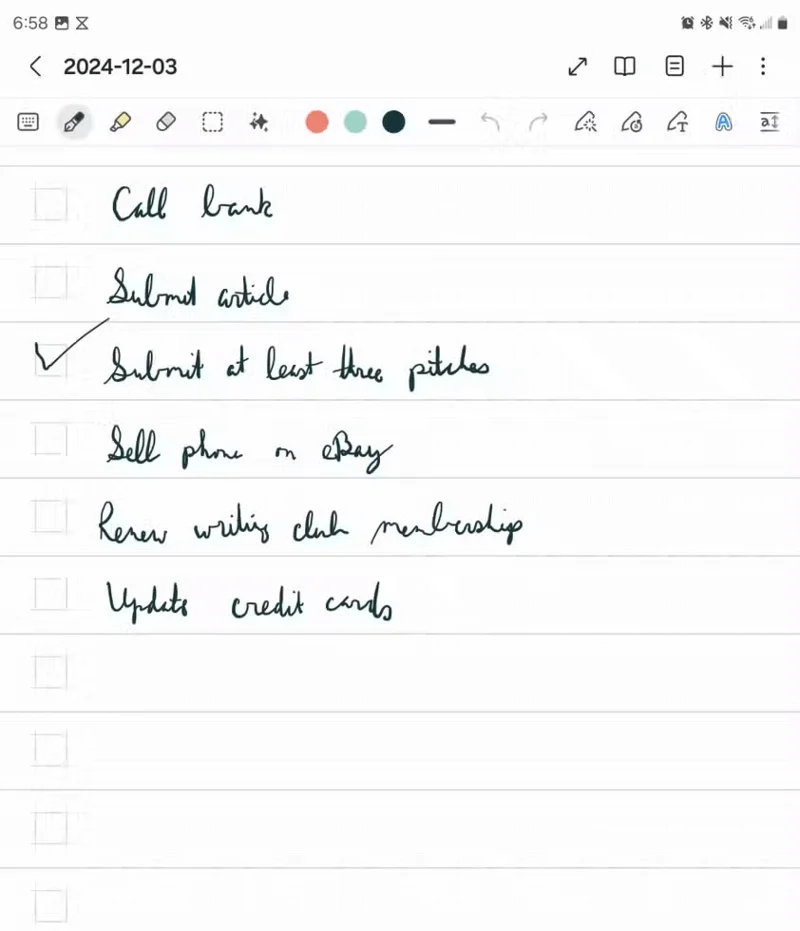
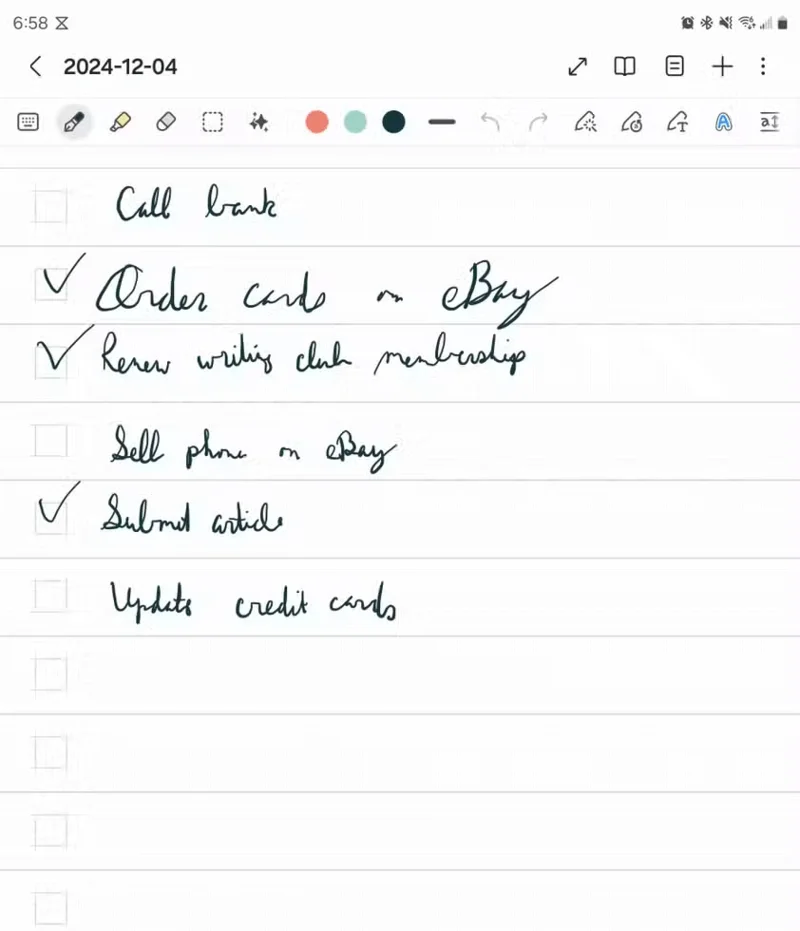
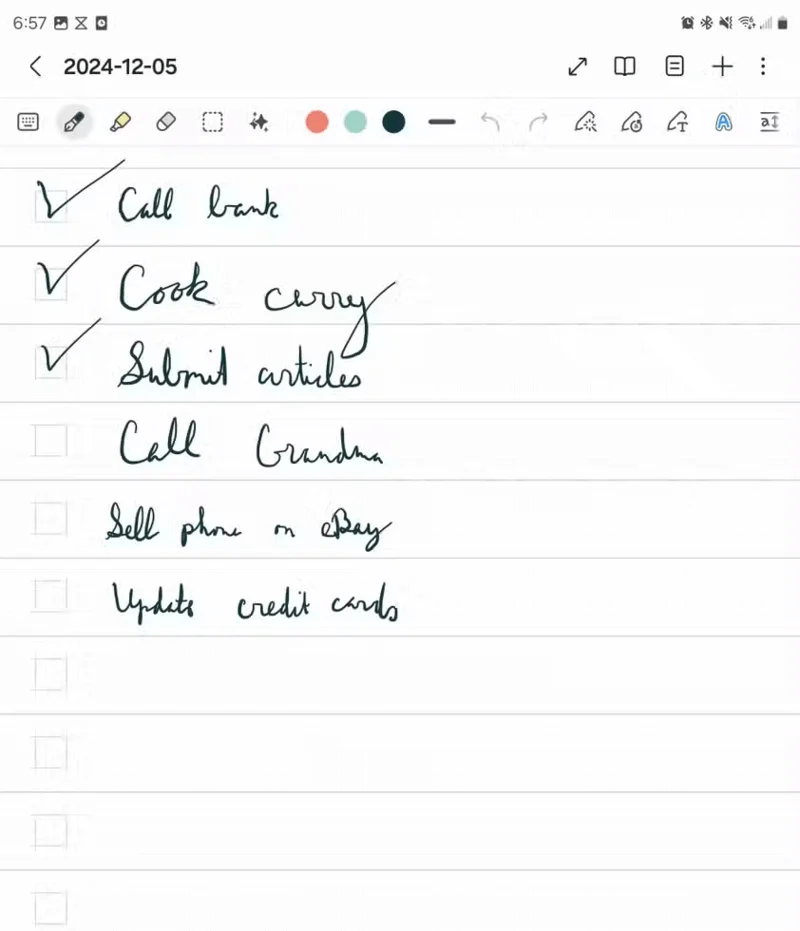
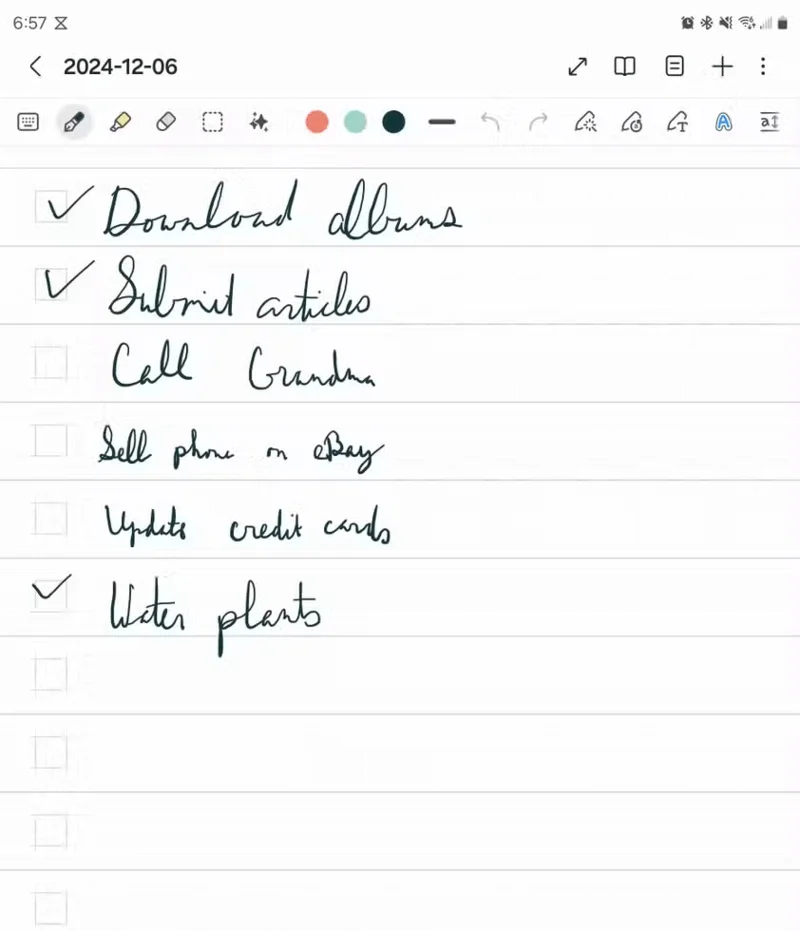
People always have their phones close by and sometimes work on their phones instead of their computers, so this makes sense. Your lists will always be accessible.
For example, I used the Samsung Notes app. I hand-wrote notes and used a to-do list-style template. That way, I could check a box next to an item when it was done.
The Ivy Lee method recommends writing down six tasks the night before so you know what you'll do the next day. In a professional setting, this means pausing at the end of the workday to write down six tasks you'll do when you return to the office the next day.
Many people do not use this method exclusively for work purposes. In some cases, work-related tasks may overlap with important family and household tasks that need to be addressed.
Many people’s evenings tend to be extremely busy with kids, so they don’t sit down to write down their tasks until right before bed. Now, they just pull out their S Pen, grab their phone, and think of six possible things they can do that day.
The great thing about the Ivy Lee method is its simplicity. Here are some of the strengths that people really appreciate about it:
Trying the Ivy Lee method is a worthwhile experiment, but many people don't think they'll stick with it.
Ultimately, the Ivy Lee method is still a to-do list, and it comes with the same core drawback as other to-do lists. Namely, you can’t complete everything on your list every day. That makes the list look like a catalog of all the things you haven’t done yet.
In some ways, the Ivy Lee method can actually make you more discouraged. Cutting the list down to six items makes the task seem simple. That only makes you more discouraged when the week is over and half of your list on Friday is the same as it was on Monday.
Let’s say you have young children and work from home. No matter what your to-do list is, your children always come first, forcing you to change your plans unexpectedly. Plus, for some people, the idea of tracking monthly goals instead of daily tasks seems more logical. It allows more space for reflection, keeping an eye on the big picture, and being more realistic.
There's no denying the benefits of the Ivy Lee method. If you're really willing to put in the effort, here are some tips to get the most out of it.
Plan a recognizable Halloween 2026 look with pop culture costumes inspired by Spider-Man, Supergirl, Toy Story 5, Moana, Mario, and Wednesday.
Sort leftover Halloween candy safely, share or repurpose sealed treats, and choose food use or compost for pumpkins based on their condition.
Compare workplace Halloween costume choices by respect, dress code, mobility, and safety—and learn when a subtle accessory or a policy check is the better option.
Find a couples costume that fits your style, budget, and comfort level, from Addams Family classics to original inside-joke duos.
Need a last-minute high school Halloween costume? Compare 10 easy closet-based ideas by prep time, comfort, school-day practicality, and simple safety checks.
Use a simple 2026 Halloween decorating timeline for indoor décor, outdoor displays, and fresh pumpkins, with practical adjustments for weather and events.
Mix five vivid, approachable Halloween cocktails with measured recipes, simple prep tips, and an alcohol-free option for your party guests.
Find 15 office-friendly Halloween costume ideas for 2026, with practical checks for dress codes, respectful themes, comfort, and workplace safety.
Plan a fun elementary school Halloween party with easy crafts, games, inclusive treats, costume tips, and a sample 75-minute classroom schedule.
Compare realistic side hustles for 2026 by startup cost, fees, flexibility, and income control, with current tax and scam guidance from official sources.








