Home
» Wiki
»
Phones running Snapdragon 8 Elite Gen 2 chip will soon support eSIM, super thin design will dominate the market
Phones running Snapdragon 8 Elite Gen 2 chip will soon support eSIM, super thin design will dominate the market
Many phone makers have started introducing ultra-thin devices to test the waters before deciding whether they can become mainstream. This means that ultra-thin smartphones could become more popular next year as manufacturers try to meet the needs of a segment of users who prioritize design over function.
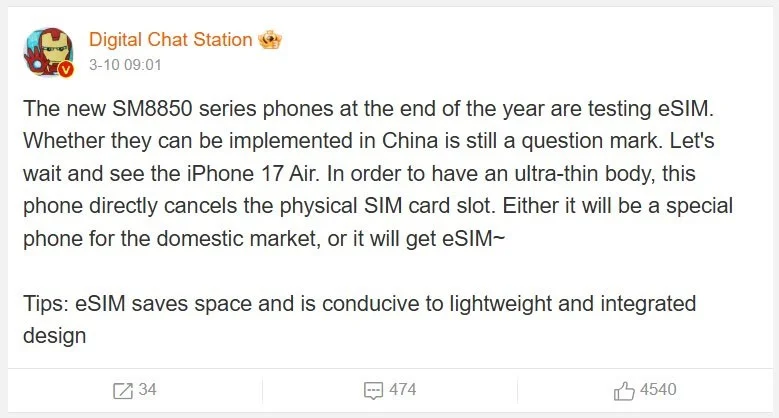
However, the issue of heat dissipation is not the only drawback of thin and light designs. These smartphones also have to make many other trade-offs to take advantage of every millimeter of limited space. One effective solution is to use eSIM technology. It is expected that by the end of this year, some flagships using Snapdragon 8 Elite Gen 2 chips will be able to support this change.
Digital Chat Station's source doesn't say which devices using the Snapdragon 8 Elite Gen 2 will get eSIM. However, the technology is still not widely adopted in China, meaning manufacturers will likely have to launch two versions of the same smartphone - one with eSIM support and one without. Apple's iPhone 17 Air is expected to launch later this year with a super-slim design similar to the aforementioned flagships, but since Apple switched to eSIM early, it shouldn't have much trouble launching the new product.
For the Android market, this will be the first time eSIM is applied to a smartphone using the Snapdragon 8 Elite Gen 2. It is likely that Chinese OEMs will be the pioneers to switch to this technology. After all, Chinese brands are often known to be more agile in switching to new standards compared to competitors like Samsung. So it is not surprising that companies like Xiaomi, OnePlus, OPPO… will be the first to launch thinner flagships with eSIM support on the market.
There’s also the issue of network compatibility. For those who don’t know, physical SIMs offer the best network coverage, and while eSIMs are getting better, there’s still a long way to go. However, because eSIM technology integrates the SIM chip directly into the phone, it takes up significantly less space than a nano SIM card, allowing ultra-thin smartphones to use the space available for other features.