5 Halloween Cocktails That Are Easy to Serve at Your 2026 Bash

Mix five vivid, approachable Halloween cocktails with measured recipes, simple prep tips, and an alcohol-free option for your party guests.
Great news for podcast fans . Pocket Casts is now free to use on the web, as well as via Mac and Windows apps.
Free for everyone, unlock more with an account
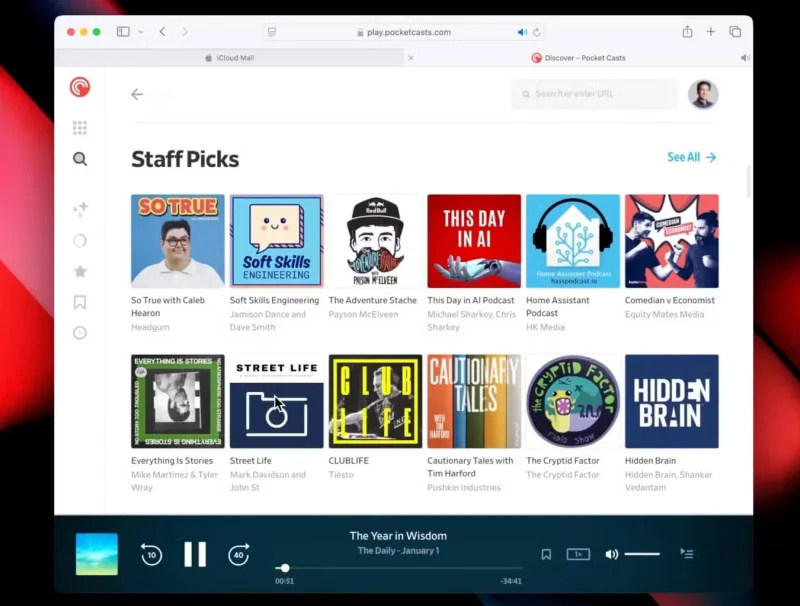
Previously, you needed a premium subscription of $3.99/month or $39.99/year to enjoy Pocket Casts on the desktop platform. But now you can do it for free.
Just hit play to start listening to a podcast. You can also create a free account to unlock three extra features on your Mac, Windows, or web player:
In the announcement blog post, Pocket Casts explained the reasoning behind the decision:
Podcasts are built on an open, decentralized standard, RSS, which means anyone can create, share, and listen to content freely without the approval of a particular platform. But today, major platforms are moving away from open standards, turning creators over to proprietary systems that limit distribution and control discovery through algorithms.
At Pocket Casts, we advocate for an open podcast ecosystem.
Pocket Casts is also available as an Android and iOS app, which were free before today's announcement.
A Pocket Casts Plus subscription is still available and can unlock a number of other features. Some of those include folders to organize podcasts, smart shuffle to randomly select an episode to play next, and the ability to listen on wearables. You also get 20GB of free cloud storage for personal media.
Another great way to listen to podcasts
Now that Pocket Casts has made its web and desktop clients free, it provides another great option for podcast fans who want to listen to the next episode. As you can imagine, there are a lot of free apps you can use to listen to podcasts.
Two of the major streaming music services, Spotify and Apple Music , also offer great ways to listen to podcasts. Spotify offers a number of advantages to podcast listening, like offline downloads and more. And in 2024, Apple launched a web app for Apple Podcasts, where you can listen to an episode without needing a dedicated app.
I've always loved using Pocket Casts on my iPhone, especially with the CarPlay version which is great for listening on the go. It's great to now be able to listen to more episodes on my Mac.
Mix five vivid, approachable Halloween cocktails with measured recipes, simple prep tips, and an alcohol-free option for your party guests.
Find 15 office-friendly Halloween costume ideas for 2026, with practical checks for dress codes, respectful themes, comfort, and workplace safety.
Plan a fun elementary school Halloween party with easy crafts, games, inclusive treats, costume tips, and a sample 75-minute classroom schedule.
Compare realistic side hustles for 2026 by startup cost, fees, flexibility, and income control, with current tax and scam guidance from official sources.
Upgrade your home office ergonomics with current OSHA and NIOSH guidance on chair fit, monitor height, laptop setup, lighting, and movement.
Learn why emotional intelligence matters in leadership, where it helps most, how to strengthen it, and how to tell whether your approach is working.
A practical roadmap for moving into tech without a degree: choose an accessible role, build job-ready skills, prove them with projects, and use hiring feedback to improve.
Build a credible LinkedIn personal brand in 2026 with current profile, content, newsletter, analytics, verification, and visibility guidance from LinkedIn.
Quiet quitting and quiet firing are catchy labels, not diagnoses. Learn what is verified, what depends on context, and what employees and managers can do next.
Fractional executives offer senior leadership without a full-time hire. Learn when the model works, what to ask, and the risks to manage.








