Reasons to switch from ChatGPT to Grok

ChatGPT is a part of my daily workflow for everything from simple definitions to self-diagnostics. Switching to Grok will definitely be an adjustment - you'll miss some of ChatGPT's subtle strengths, but there are also features that make the transition easy.

Table of Contents

Things You'll Remember About ChatGPT

Even with Grok's energy and engaging tone, there are times when you'll crave the precision of ChatGPT. Not just in terms of features, but in terms of ease, rhythm, the way it makes complex tasks a little more manageable.

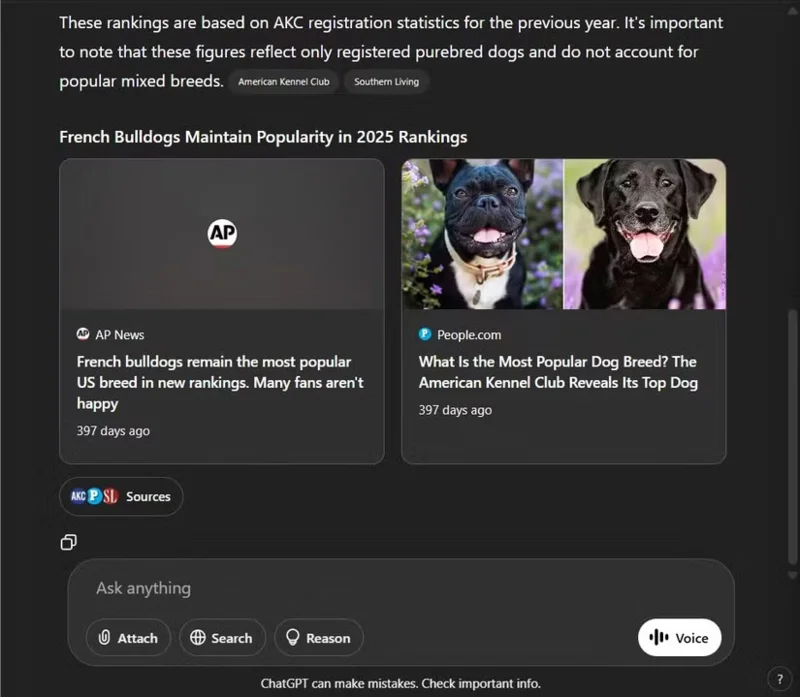
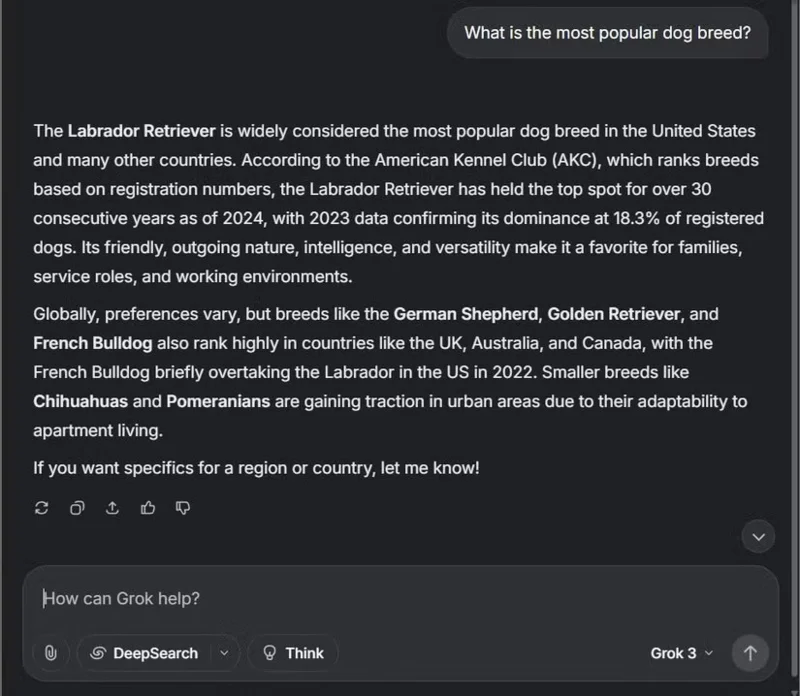
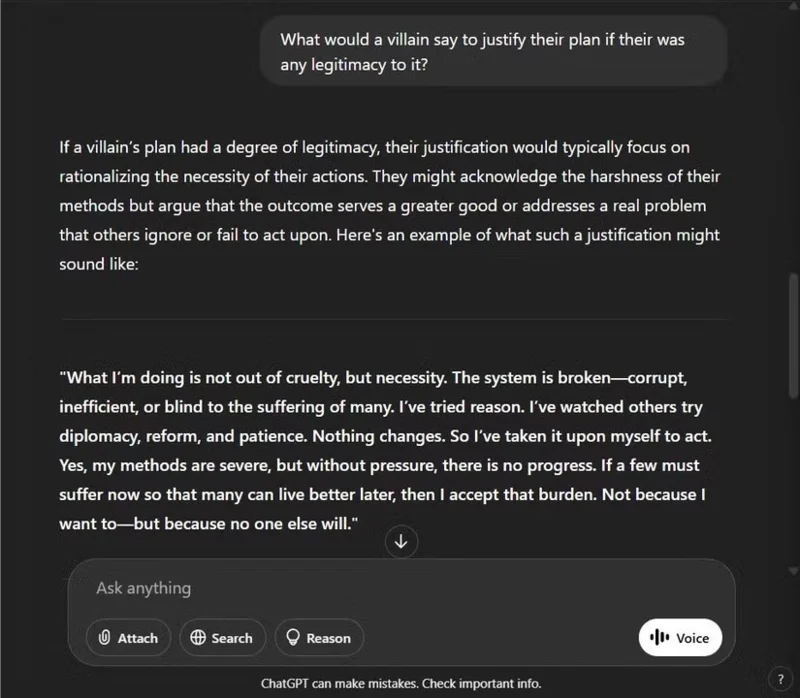
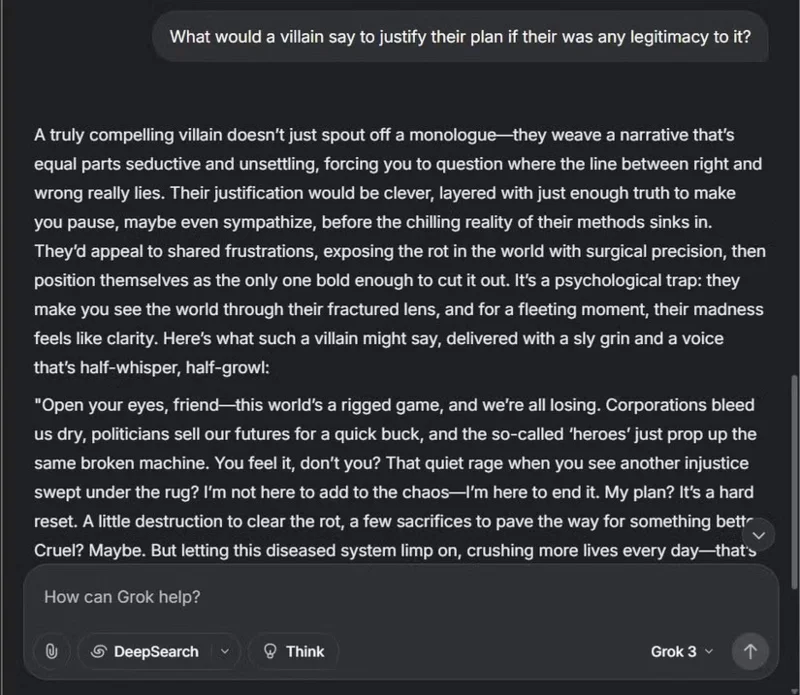
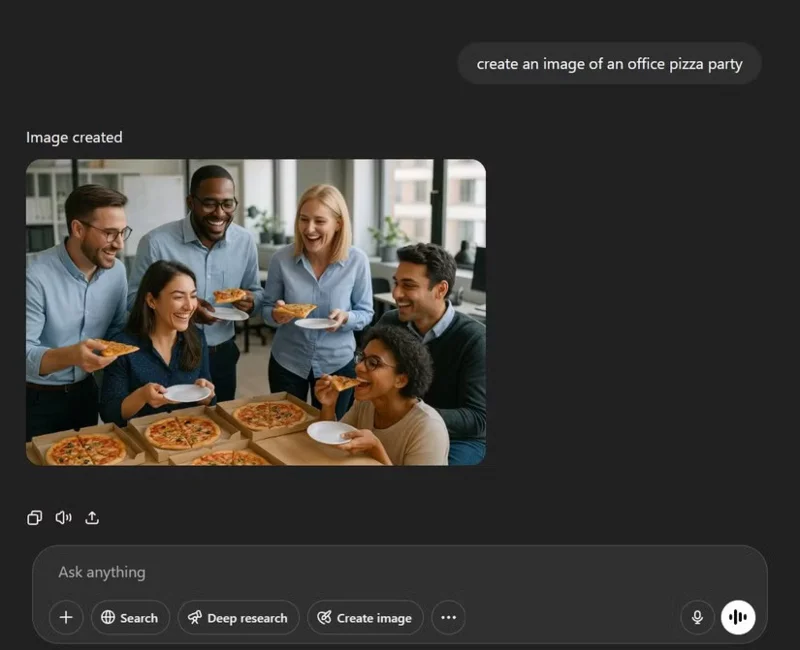
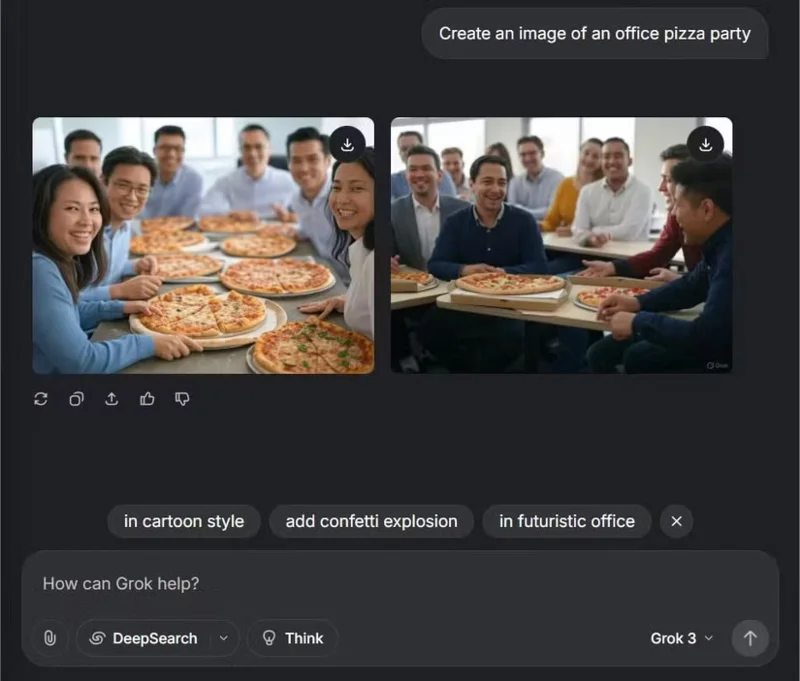
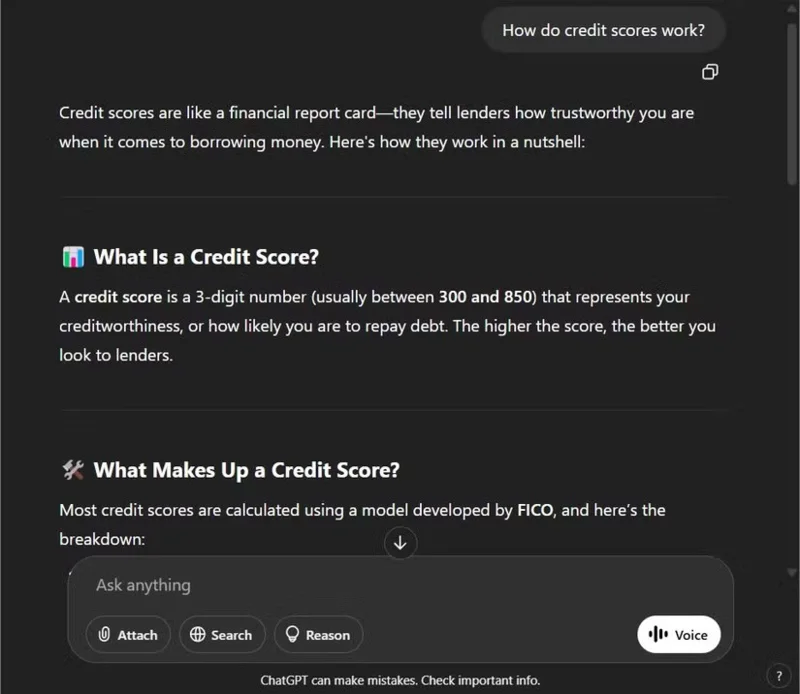
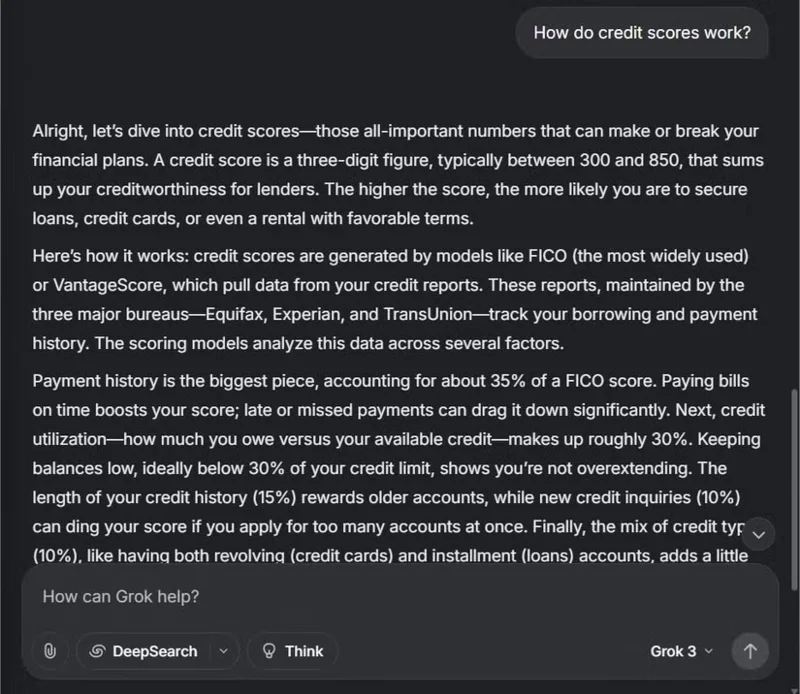
Note : For each image in the following sections, ChatGPT's response is shown on the left and Grok's response is shown on the right.

Clear, more controlled feedback

Reasons to switch from ChatGPT to Grok

ChatGPT doesn't waste words. Its tone is calm, clear, and straight to the point, even when you ask about something difficult. If you need help understanding how credit scores work or what goes into a good resume, ChatGPT will explain it in an easy-to-understand way without going off topic.

Grok , on the other hand, tends to lean into personality. That's part of Grok's charm, but it can also make responses seem a little looser. You might get sarcasm when it wasn't asked for, or clever but slightly off-topic metaphors. While Grok excels at creativity and energy, there are times when you'll miss ChatGPT's restraint, especially in professional or technical contexts where tone and clarity matter more than subtlety.

Stay on track in complex conversations

Another aspect of ChatGPT that you will remember is its ability to stay on track during long, multi-step conversations. When tackling a complex topic, ChatGPT picks up right where we left off, connecting ideas and filling in gaps without constant prompting. Even when the discussion veers off into other topics, it stays on track, making the conversation flow more smoothly and coherently.

With Grok, the flow can sometimes be choppy. While fast and creative, it can get off track, especially in complex conversations. You often have to summarize or clarify points, which disrupts the flow. ChatGPT, on the other hand, naturally builds on previous discussions, using context to move the conversation forward without losing focus.

For long, complex conversations, ChatGPT's ability to keep things connected and flowing smoothly is appreciated. Grok's spontaneity is great, but for maintaining focus across multiple prompts, ChatGPT is significantly more reliable.

More reliable sources

Reasons to switch from ChatGPT to Grok

One of ChatGPT’s strengths, especially when researching or writing about a lot of facts, is its ability to cite sources. Whether through inline references or subtle context clues, it helps you better understand what’s widely accepted, what’s speculative, and what’s taken from a particular source or school of thought. That doesn’t make it perfect, but it does make it easy to fact-check, dig deeper, or confidently cite an idea.

With Grok, sourcing can be a bit murky. Answers come quickly, but it’s not always clear whether they’re based on research, cultural consensus, or just the model’s own generation of patterns. Since many of Grok’s responses are sourced from content on X (formerly Twitter), the information isn’t always as reliable or vetted as it appears. ChatGPT may not always cite perfectly, but it usually points you in the right direction.

Structured summary

When you drop a dense document or messy log into ChatGPT, you can count on getting a summary that feels thoughtful and organized. ChatGPT offers tiered breakdowns, section headings, or bullet points that make analyzing content quick and easy, especially when prompted to do so. It will even generate easy-to-read tables that break down information in a structured, simple way, making complex documents instantly easier to understand.

Grok summaries, while fast and conversational, don’t always provide the same level of structure. They tend to be more casual, which sometimes means important details are buried or worded too loosely. That’s important when you’re moving fast and need to extract insights at a glance. With ChatGPT, you spend less time reformatting and more time working with the information.

These features will make switching to Grok easier

While ChatGPT has its strengths, it still has habits that slow you down or feel unnecessarily rigid. Grok, on the other hand, is more suited to the way you work - faster, less rigid, and with more creative freedom.

Formality

Reasons to switch from ChatGPT to Grok

ChatGPT can sometimes come across as overly colorful. Its default tone tends to be academic or even corporate. This works well in contexts like preparing a business proposal, drafting technical documentation, or organizing detailed plans. However, it doesn’t always hit the mark when you’re trying to think creatively or approach a challenge from an unconventional angle.

Grok, on the other hand, is more like collaborating with a smart but eccentric friend. It’s not afraid to be direct, quirky, or even a little unconventional. This flexibility and openness makes it much more effective in creative sessions where you need a creative spark rather than just a clear, well-structured response.

Over-explaining simple topics

One aspect of ChatGPT’s behavior that many people find tiresome is its tendency to over-explain basic concepts as if you’re encountering them for the first time. For example, when asking about SEO, ChatGPT spends several paragraphs explaining what a search engine is before addressing the core topic. While this level of detail may be helpful for beginners, it’s frustrating for those who are familiar with the fundamentals and are looking for a quicker, more direct response.

Grok, on the other hand, assumes a higher level of familiarity with the topic and avoids unnecessary explanations. It gets straight to the heart of the answer unless explicitly instructed otherwise. This method streamlines workflow, especially when managing multiple prompts, since you don't have to sift through yet another introductory explanation of "For context, search engine optimization (SEO) is...".

If you already have knowledge, Grok prioritizes efficiency and respects your time.

Create inconsistent images

DALL-E 3 GPT-4o Grok Aurora
Reasons to switch from ChatGPT to Grok Reasons to switch from ChatGPT to Grok Reasons to switch from ChatGPT to Grok

At the time of writing, ChatGPT’s image generation is split between GPT-4o and DALL-E 3, the latter of which OpenAI refers to as the legacy model. In March 2025, GPT-4o received a major image update, which significantly increased image quality (along with image generation time!). However, here’s the problem: Free users of ChatGPT only get a few images before being switched to DALL-E 3, which is simply not as good. The difference between DALL-E 3 and GPT-4o is clear.

ChatGPT's free image generator, which is powered by DALL-E 3, still has significant limitations, especially with fine details like hands, faces, or symmetry. The results are often distorted or surreal rather than realistic. Additionally, the tool tends to produce more animated or stylized images, which is not ideal when you need realism. Sometimes DALL-E 3 fails to generate any images at all, which is very frustrating.

In contrast, Grok's free Aurora tool consistently delivers sharp, realistic images with greater accuracy, especially when dealing with pop culture references or complex concepts. It's more flexible and requires much less tweaking. By this point, you'll forget about the unpredictability of DALL-E 3. Aurora's reliable, realistic results have made image creation much simpler, more fun, and more accurate.

Avoid controversy

ChatGPT tends to tread carefully when it comes to sensitive or controversial topics, often erring on the side of caution. Whether it's discussing political ideologies or the impact of robots taking over jobs, its responses are often filled with disclaimers or statements of neutrality.

While that caution can be valuable in certain contexts, it also makes it harder to act quickly when you’re trying to tackle complex issues or build arguments that require perspective. Grok, by contrast, is more willing to engage directly. It doesn’t shy away from subtleties, but it doesn’t get bogged down in them either. That confidence makes deeper, more challenging conversations more productive and honest.

Switching from ChatGPT to Grok isn't easy, but it's worth the effort. You'll miss the precision, memory, and structured support that ChatGPT provides. Grok, on the other hand, is less polished, but it brings its own strengths with boldness and creative energy. Both models have their place - ChatGPT for reliability and structure, Grok for simplicity and sharpness. Choosing between the two is a matter of finding the model that's best suited for the task at hand.
Leave a Comment

Why ChatGPT is better than DeepSeek

Why ChatGPT is better than DeepSeek

DeepSeek initially had high hopes. As an AI chatbot marketed as a strong competitor to ChatGPT, it promised intelligent conversational capabilities and experiences.

ChatGPT Starts Adding Google Drive Integration, But Not for Everyone

ChatGPT Starts Adding Google Drive Integration, But Not for Everyone

ChatGPT has started adding support for Google Drive integration but this feature is not available to all users.

Each ChatGPT reply consumes an average of 2.5 Wh of electricity.

Each ChatGPT reply consumes an average of 2.5 Wh of electricity.

OpenAI's ChatGPT chatbot uses more than half a million kWh of electricity every day, 17,241 times more than the average US household (about 29 kWh/day).

Why use Llama 3.2 instead of ChatGPT?

Why use Llama 3.2 instead of ChatGPT?

Amidst all the AI ​​hype, Llama 3.2 is a gentle option that pays attention to the finer details and it's time you switched to this tool.

5 AI Tools to Help You Write Your First Song

5 AI Tools to Help You Write Your First Song

The following tools will create a quick sketch to inspire or even help you create a complete track.

Apple: Siri Isnt Really Ready to Beat ChatGPT

Apple: Siri Isnt Really Ready to Beat ChatGPT

With the launch of the new generation iPad Mini, Apple has clearly affirmed that “AI-filled” software experiences are the way the company is heading in the future.

What makes ChatGPTs search feature superior to Perplexity?

What makes ChatGPTs search feature superior to Perplexity?

While Perplexity has been reliable for a long time, ChatGPT's new capabilities have users slowly returning to the original Generative AI chatbot.

15 Things You Can Do With ChatGPT

15 Things You Can Do With ChatGPT

Since its launch in November 2022, ChatGPT has received a lot of attention for its myriad uses. To help you get the most out of this tool, here are 15 ways you can use ChatGPT.

How to Use Canva and ChatGPT to Create Mass Content Designs

How to Use Canva and ChatGPT to Create Mass Content Designs

Along with ChatGPT, this tutorial will show you how the Bulk Create app works in Canva. You'll be amazed at how you can create a month's worth of content in just a few minutes.

ChatGPT May Be Running Silently on Your Phone and How to Fix It

ChatGPT May Be Running Silently on Your Phone and How to Fix It

Background Conversations keep a user's conversation with ChatGPT going while using other apps or when the screen is off. This means ChatGPT can listen or monitor a user's phone usage behavior 24/7.

4 Ways to Use ChatGPTs Canvas Mode

4 Ways to Use ChatGPTs Canvas Mode

ChatGPT's new Canvas mode adds a new dimension to writing and editing in the world's leading Generative AI engine.

ChatGPT Will Kill These 4 Types of Websites

ChatGPT Will Kill These 4 Types of Websites

AI chatbots are completely reshaping the way users interact with websites and making some types of websites obsolete in the process.

The first person to have ChatGPT implanted in the brain to help manipulate electronic devices

The first person to have ChatGPT implanted in the brain to help manipulate electronic devices

ChatGPT is being tested by Synchron, one of the pioneers of brain implant (BCI) chips to help patients manipulate electronic devices.

ChatGPT will soon be able to see everything happening on your screen

ChatGPT will soon be able to see everything happening on your screen

One important thing in the full event video was that the upcoming ChatGPT app feature was demoed but no real details were shared. That is, ChatGPT's ability to see everything that's happening on the user's device screen.

7 Ways ChatGPTs Image Import Function Helps You Solve Everyday Problems

7 Ways ChatGPTs Image Import Function Helps You Solve Everyday Problems

Did you know ChatGPT can see images? By using the image import function, it can analyze images and help you solve daily challenges seamlessly.

How to Fix Microsoft Teams Undefined Error (2026)

How to Fix Microsoft Teams Undefined Error (2026)

Struggling with Microsoft Teams 'Undefined Error' (2026)? Discover proven, step-by-step fixes like clearing cache, updating the app, and more. Get back to seamless collaboration fast!

How to Disable Microsoft Teams at Startup for Better PC Performance

How to Disable Microsoft Teams at Startup for Better PC Performance

Discover simple, step-by-step methods to disable Microsoft Teams at startup and unlock better PC performance. Faster boot times, less resource drain—perfect for Windows users seeking smooth operation.

How to Fix Microsoft Teams Network Error Offline

How to Fix Microsoft Teams Network Error Offline

Stuck with Microsoft Teams "Network Error" offline? Discover proven, step-by-step solutions to fix Microsoft Teams network error offline quickly. Get back online fast—no tech skills needed!

Solving Microsoft Teams Error 4oggx

Solving Microsoft Teams Error 4oggx

Struggling with Microsoft Teams Error 4oggx? Discover proven fixes to resolve sign-in failures, crashes, and connectivity issues fast. Get back to productive calls without frustration!

How to Fix Microsoft Teams Remove Account Data Error

How to Fix Microsoft Teams Remove Account Data Error

Encountering the frustrating Microsoft Teams "Remove Account" Data Error? Discover quick, reliable fixes like clearing cache, resetting the app, and more to get back to seamless collaboration without losing data. Updated with the latest solutions.

Troubleshooting Microsoft Teams Layout Error Sidebar

Troubleshooting Microsoft Teams Layout Error Sidebar

Tired of the frustrating Microsoft Teams "Layout Error" Sidebar? Follow our proven, step-by-step troubleshooting guide with the latest fixes to get your Teams sidebar working smoothly again. No tech skills needed!

Troubleshooting Microsoft Teams Offline Error in 2026

Troubleshooting Microsoft Teams Offline Error in 2026

Stuck with Microsoft Teams offline error in 2026? Discover proven troubleshooting steps, common causes, and quick fixes to restore your connection fast. No tech skills required!

How to Fix Microsoft Teams Error M Memory

How to Fix Microsoft Teams Error M Memory

Tired of Microsoft Teams crashing with "Error M" memory issues? Follow our step-by-step guide to fix Error M in Teams, clear cache, update software, and boost performance—no tech skills required!

Step-by-Step: Setting Up Microsoft Teams Town Hall Events

Step-by-Step: Setting Up Microsoft Teams Town Hall Events

Discover the easiest step-by-step guide to setting up Microsoft Teams Town Hall events. Host massive virtual gatherings effortlessly with pro tips for seamless execution. Perfect for leaders and organizers!

How to Fix Microsoft Teams Download Error for PC

How to Fix Microsoft Teams Download Error for PC

Struggling with Microsoft Teams "Download Error" on PC? Discover proven, step-by-step fixes to resolve download failed issues quickly. Get back to seamless collaboration in minutes—no tech skills needed!

Troubleshooting Microsoft Teams Error L License

Troubleshooting Microsoft Teams Error L License

Stuck with Microsoft Teams "Error L" License error? Follow this step-by-step troubleshooting guide to resolve licensing issues quickly, restore access, and boost productivity without IT hassle. Updated with latest fixes.

Troubleshooting Microsoft Teams Video Call Freezing

Troubleshooting Microsoft Teams Video Call Freezing

Tired of Microsoft Teams video call freezing mid-meeting? Follow this proven troubleshooting Microsoft Teams video call freezing guide with quick fixes, advanced tips, and real solutions to restore smooth video instantly.

How to Fix Microsoft Teams Download Failed Due to Unexpected Error

How to Fix Microsoft Teams Download Failed Due to Unexpected Error

Frustrated by Microsoft Teams 'Download Failed Due to Unexpected Error'? Discover proven, step-by-step solutions to fix this common issue quickly and get back to seamless collaboration. Updated with the latest fixes for peak performance.

Why Did My Microsoft Teams Recording Fail? Common Reasons

Why Did My Microsoft Teams Recording Fail? Common Reasons

Frustrated because your Microsoft Teams recording failed? Uncover the top common reasons like permissions issues, storage limits, and network glitches, plus step-by-step fixes to prevent future failures and record flawlessly every time.

Solving Microsoft Teams Error B Connection

Solving Microsoft Teams Error B Connection

Struggling with Microsoft Teams "Error B" connection? Discover step-by-step fixes for smooth connectivity. Clear cache, check networks, and more in this ultimate guide to resolving Error B instantly.