Desk Decorating Ideas for a Spooky Office Cubicle

Create a spooky office cubicle with Halloween desk decor ideas that keep your workspace usable, tidy, and mindful of workplace safety.
Today, AI tools can be a powerful aid to teaching . Here are some revolutionary AI tools for teachers .
AI in teaching
You can personalize the learning experience more easily by changing content based on what the tool has learned about different students' abilities. It's easy to improve grading efficiency and gain more insights based on performance data.
Plus, what better way to introduce the exciting potential of AI to students who will likely use it throughout their careers than to incorporate it into your teaching practices?
AI can help teachers:
PicsArt 's user-friendly AI tools can transform your presentations and handouts, and they're incredibly easy to learn!
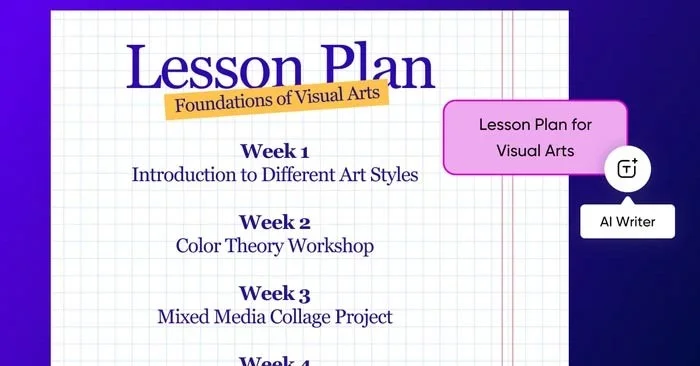
Powerful AI tools can save you time and generate human-like text with just a few simple prompts. For example, to create a lesson plan, all you need to do is:
Within the wide range of online text tools, you can also:
Picsart also includes a variety of templates to get you started designing quickly. And you can use them alongside AI tools.
Price: Free
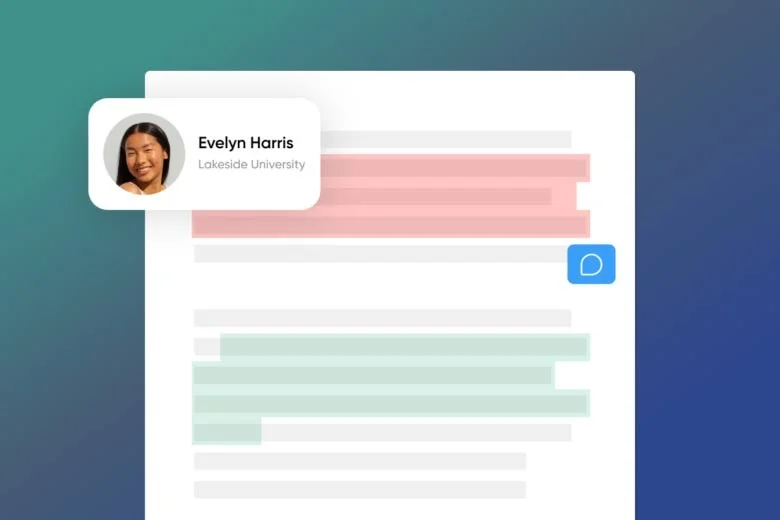
While Turnitin was originally known for its plagiarism detection capabilities, it now offers a highly advanced essay grading and review service that reliably assesses student work to a high standard.
The software is also specially developed to promote original content and provide learners with detailed feedback to improve their writing.
Price: 3 USD/student
Gradescope is one of the best AI tools for teachers to speed up the grading process and track student growth. It can grade a wide range of essays and assignments to a high standard.
Gradescope's software is particularly well suited to upper grade testing and excels at providing detailed analytics to give teachers clear, actionable insights into student performance.
Price: Basic - $1/student or Group - $3/student
Eduaide.AI is built to identify trends in learner behavior and suggest actionable interventions accordingly.
This helps ensure all students are provided with the support they need. Eduaide.AI's analytics features allow you to gain insight into student performance and adjust your teaching accordingly.
Price: Free or Pro - 5.99/month
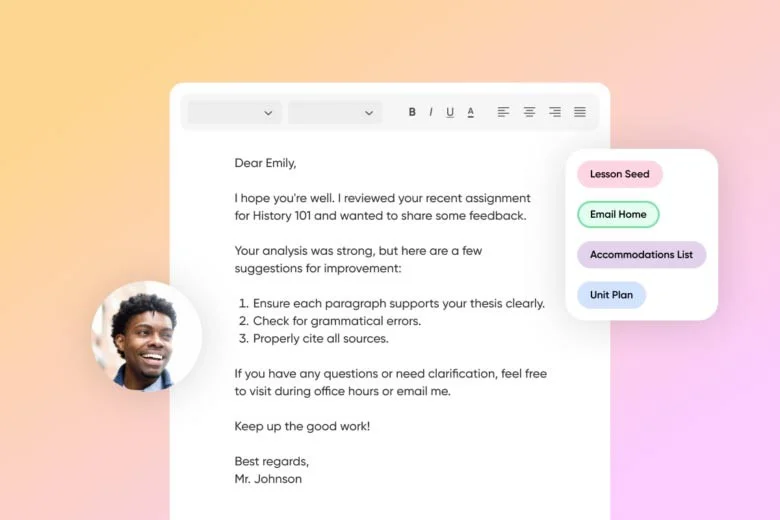
TeachMateAI provides ongoing support to help students solve their assignments. It interacts with students in a very human-like way, which can help reduce stress and improve student engagement.
It also features built-in essay grading and provides unique, adaptive learning paths for each student based on student assessments.
Price: 8 USD/month
Create a spooky office cubicle with Halloween desk decor ideas that keep your workspace usable, tidy, and mindful of workplace safety.
Plan a recognizable Halloween 2026 look with pop culture costumes inspired by Spider-Man, Supergirl, Toy Story 5, Moana, Mario, and Wednesday.
Sort leftover Halloween candy safely, share or repurpose sealed treats, and choose food use or compost for pumpkins based on their condition.
Compare workplace Halloween costume choices by respect, dress code, mobility, and safety—and learn when a subtle accessory or a policy check is the better option.
Find a couples costume that fits your style, budget, and comfort level, from Addams Family classics to original inside-joke duos.
Need a last-minute high school Halloween costume? Compare 10 easy closet-based ideas by prep time, comfort, school-day practicality, and simple safety checks.
Use a simple 2026 Halloween decorating timeline for indoor décor, outdoor displays, and fresh pumpkins, with practical adjustments for weather and events.
Mix five vivid, approachable Halloween cocktails with measured recipes, simple prep tips, and an alcohol-free option for your party guests.
Find 15 office-friendly Halloween costume ideas for 2026, with practical checks for dress codes, respectful themes, comfort, and workplace safety.
Plan a fun elementary school Halloween party with easy crafts, games, inclusive treats, costume tips, and a sample 75-minute classroom schedule.








