Make Realistic Fake Blood Without a Cleanup Surprise

Mix a glossy prop-only fake blood batch, choose safer products for skin and costumes, and test cleanup before Halloween night.
After a period of use, cotton blankets need to be washed to ensure hygiene, avoid skin and respiratory diseases, and improve sleep. In the past, every time people washed their blankets, they took them to the laundry while their families still had washing machines. Because people always wondered whether a family washing machine could wash cotton blankets or not.
To answer this question for you, we will give you the answer and guide you on how to wash the blanket properly in this case. Please refer to the article below!
Should I wash my comforter in the washing machine?
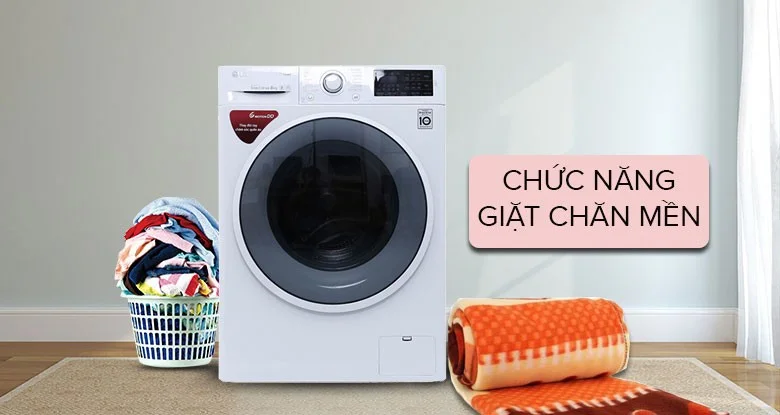
Currently, washing machines are often divided by capacity: under 7 kg, 7-9 kg, 9-10 kg, and over 10 kg. With washing machines with a capacity of over 7 kg, you can wash cotton blankets. 7 kg washing machines are washing machines that operate when the amount of laundry to be washed in a dry state is less than 7 kg.
Duvet manufacturers also produce super light duvets, weighing only 4-6kg. Therefore, a washing machine with a washing capacity of 7kg can wash a duvet.
Instructions for washing cotton blanket core in washing machine
Check the blanket before washing
When washing blankets in a washing machine, you should check to see if there is any hair, fur, other accessories... in the blanket, to avoid hitting the washing machine and causing damage.
Check the label
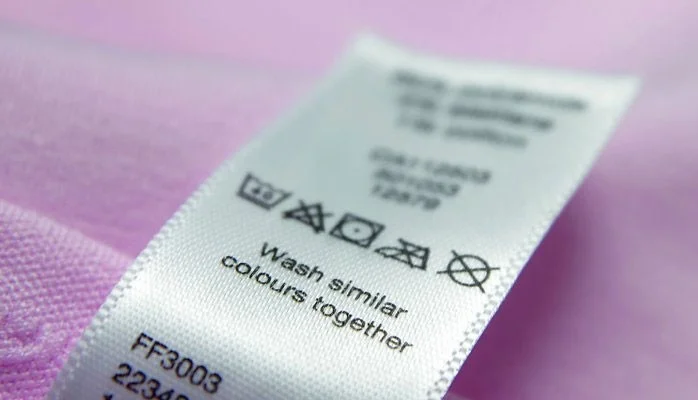
Blanket labels usually have symbols to instruct you on how to wash them in a washing machine. Blankets made from synthetic or man-made fibers that are labeled hand wash should not be machine washed to avoid damage.
Check the weight of the blanket
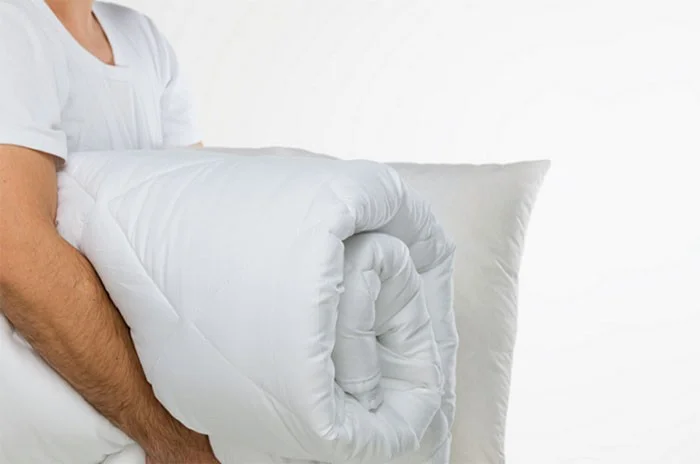
To maximize washing capacity, you should only wash blankets that are under 180cm x 230cm in size and weigh less than 4.7kg in the washing machine. Blankets that are larger in size and cannot fit in a laundry bag should not be machine washed.
Select the appropriate wash cycle
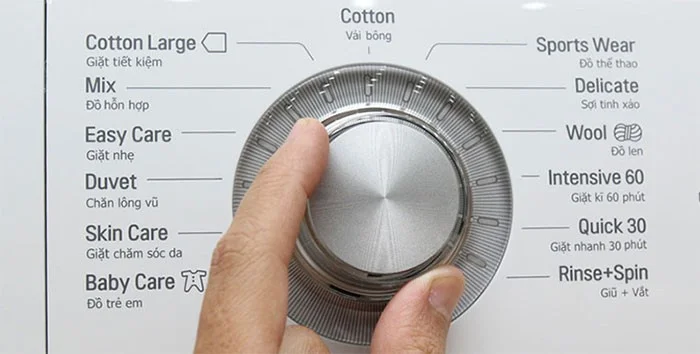
You should choose a gentle wash cycle with a low spin speed. If your washing machine has a blanket washing mode, choose this mode.
Wash at least 2 times
Run your washing machine through the blanket twice in a row to ensure all soap and fabric softener has been rinsed away and no residue has built up inside the blanket.
Put tennis balls in for 30 minutes to dry.
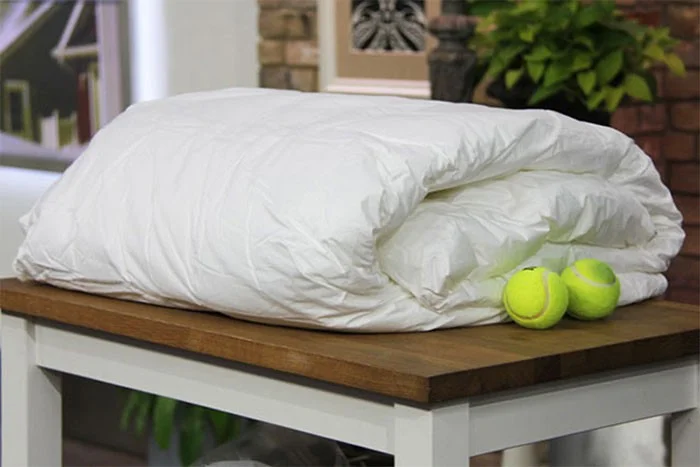
A little-known tip is to put a tennis ball in the dryer with the blanket for about 30 minutes to help the blanket become fluffy, dry the fabric fibers inside the blanket and help the air circulate better.
Shake and dry in the sun
Finally, shake out the comforter and hang it out in the sun. Natural sunlight helps dry the cotton fibers inside and kill any remaining mold spores (if any).
Note: When washing blankets, you should check the weather forecast in advance on the day you plan to wash the blanket. Wash the blanket on sunny days and wash it early in the morning to ensure that the blanket can be dried during the day.
Thus, you can completely wash cotton blankets with a washing machine if the washing capacity of your washing machine is over 7kg.
Mix a glossy prop-only fake blood batch, choose safer products for skin and costumes, and test cleanup before Halloween night.
Create a gentle Halloween look with pastel colors, friendly ghosts, easy no-carve accents, and practical safety tips for your home.
Create a spooky office cubicle with Halloween desk decor ideas that keep your workspace usable, tidy, and mindful of workplace safety.
Plan a recognizable Halloween 2026 look with pop culture costumes inspired by Spider-Man, Supergirl, Toy Story 5, Moana, Mario, and Wednesday.
Sort leftover Halloween candy safely, share or repurpose sealed treats, and choose food use or compost for pumpkins based on their condition.
Compare workplace Halloween costume choices by respect, dress code, mobility, and safety—and learn when a subtle accessory or a policy check is the better option.
Find a couples costume that fits your style, budget, and comfort level, from Addams Family classics to original inside-joke duos.
Need a last-minute high school Halloween costume? Compare 10 easy closet-based ideas by prep time, comfort, school-day practicality, and simple safety checks.
Use a simple 2026 Halloween decorating timeline for indoor décor, outdoor displays, and fresh pumpkins, with practical adjustments for weather and events.
Mix five vivid, approachable Halloween cocktails with measured recipes, simple prep tips, and an alcohol-free option for your party guests.








