Pop Culture Costume Ideas That Will Dominate Halloween 2026

Plan a recognizable Halloween 2026 look with pop culture costumes inspired by Spider-Man, Supergirl, Toy Story 5, Moana, Mario, and Wednesday.
The internet is no stranger to seeing good apps and services created by independent developers being destroyed after being acquired by a larger corporation. The latest example of this is the sale of the Simple Mobile Tools suite to ZipoApps, turning once-useful Android apps into potential privacy risks.
What is Simple Mobile Tools?
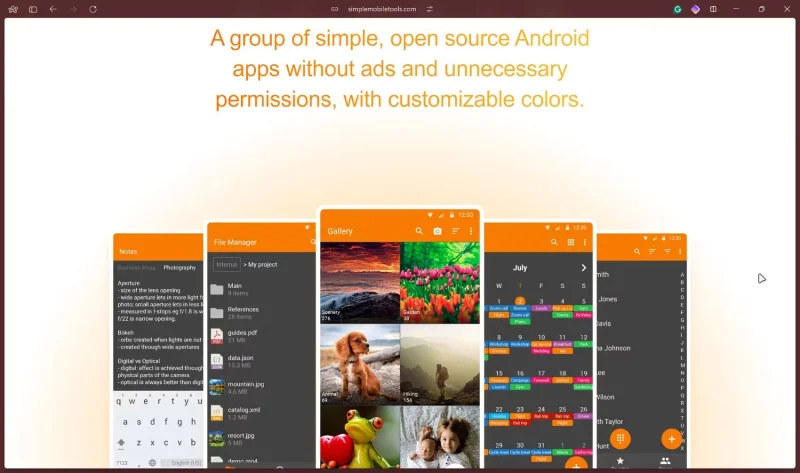
As the name suggests, Simple Mobile Tools is a collection of simple open-source Android apps without ads or unnecessary permissions. The project includes a file manager, calendar, gallery, contacts, notes, music player, keyboard, SMS messenger, and even its own launcher.
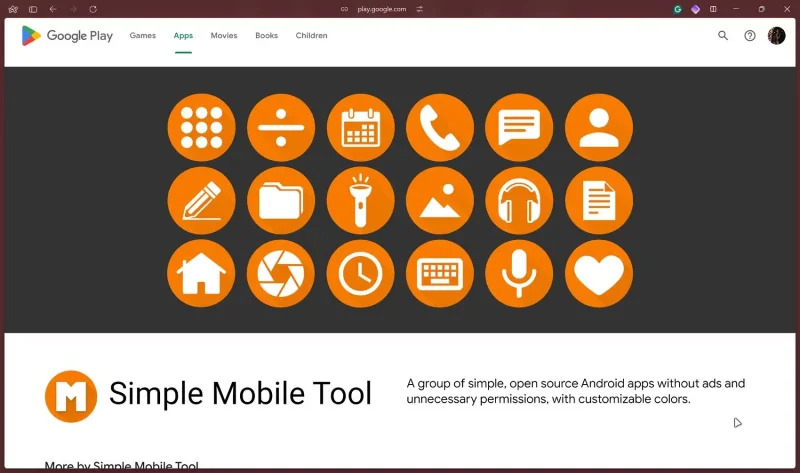
According to Simple Mobile Tools' GitHub repository, the suite includes 24 apps with a combined total of over 70 million downloads and an average rating of 4.6. It's safe to say that the project is well-loved by the open source community, especially if you look at all the various subreddit posts on r/fossdroid, r/Android, and r/privacy.
Since the project is open source, there is no permanent team working on the apps, but lead developer Tibor Kaputa confirmed the sale to ZipoApps in a GitHub discussion. The apps have since been removed from the F-Droid app store (which prioritizes apps that don't track, advertise, etc.) and flagged the presence of ads on the Google Play Store. The support email address has also been changed to the @zipoapps.com domain.
Who is ZipoApps?
ZipoApps is an Israeli company that buys apps to take them to the “next level.” The company’s business model relies on finding or acquiring apps that perform well and turning them into profitable tools through advertising or paid subscriptions.
The company has over 50 apps on its Google Play Store page. The ZipoApps website claims that the company works with hundreds of such apps every month, using “its expertise to take them to the next level.” There’s not much information on its official website about exactly what the company does with the apps it acquires.
Why should you delete these apps immediately?
If you’re already using Simple Tools Suite, it’s time to move on. Most of the apps released by ZipoApps collect user data to varying degrees and don’t offer a way to delete that data. There are also allegations that the apps are spyware or adware (Reddit, gHacks, GitHub), which doesn’t bode well for the suite’s future.
While we haven’t found any concrete evidence to support the claim that ZipoApps turns purchased apps into adware or spyware, the company’s privacy policy does include some shady data collection policies. Even if you visit the official website for a site, they use “tracking technology” that automatically collects information about you, your online behavior, and the device you’re using.
ZipoApps’ ultimate goal is to make money from the apps they buy. At the most basic level, an app that displays ads collects data and tracks you across the internet to make sure the ads are as relevant as possible. That’s how internet advertising works.
This means you'll have to pay a subscription fee to use apps that were previously accessible for free, or give up your data to continue using that app, except this time, the user interface will be complicated and full of ads.
As long as you download apps from the Google Play Store, you won't get spyware, and there are ways to check for spyware on your Android device . However, the Play Store won't protect you from spam ads or allegedly unethical data collection policies.
Thankfully, the r/fossdroid subreddit has compiled a list of alternatives to Simple Mobile Tools. And if you really like Simple Mobile Tools, the original developers have forked the project into a new collection called Fossify, where you'll get the latest versions of the apps in the Simple Mobile Tools suite you've used so far.
Plan a recognizable Halloween 2026 look with pop culture costumes inspired by Spider-Man, Supergirl, Toy Story 5, Moana, Mario, and Wednesday.
Sort leftover Halloween candy safely, share or repurpose sealed treats, and choose food use or compost for pumpkins based on their condition.
Compare workplace Halloween costume choices by respect, dress code, mobility, and safety—and learn when a subtle accessory or a policy check is the better option.
Find a couples costume that fits your style, budget, and comfort level, from Addams Family classics to original inside-joke duos.
Need a last-minute high school Halloween costume? Compare 10 easy closet-based ideas by prep time, comfort, school-day practicality, and simple safety checks.
Use a simple 2026 Halloween decorating timeline for indoor décor, outdoor displays, and fresh pumpkins, with practical adjustments for weather and events.
Mix five vivid, approachable Halloween cocktails with measured recipes, simple prep tips, and an alcohol-free option for your party guests.
Find 15 office-friendly Halloween costume ideas for 2026, with practical checks for dress codes, respectful themes, comfort, and workplace safety.
Plan a fun elementary school Halloween party with easy crafts, games, inclusive treats, costume tips, and a sample 75-minute classroom schedule.
Compare realistic side hustles for 2026 by startup cost, fees, flexibility, and income control, with current tax and scam guidance from official sources.








